
Blog
Samsung Screen Repair in Calgary: When to Repair or Replace the Screen
Learn when Samsung screen damage needs repair, how to prepare, what affects quotes and timing, and what to expect from a Calgary walk-in repair shop.
A cracked Samsung Galaxy screen is not always just cosmetic. Black spots, coloured lines, ghost touches, dead touch zones, or a display that will not turn on can affect how safely and reliably you use the phone. The right next step depends on the exact Galaxy model, the damage, and whether a screen repair or complete screen-module replacement is appropriate.
Key facts
- Published: September 17, 2026
- Last updated: October 14, 2026
- Reading time: 7 min read
- Questions about your own device: Call (403) 273-8324
Last updated
Samsung Screen Repair in Calgary: When to Repair or Replace the Screen
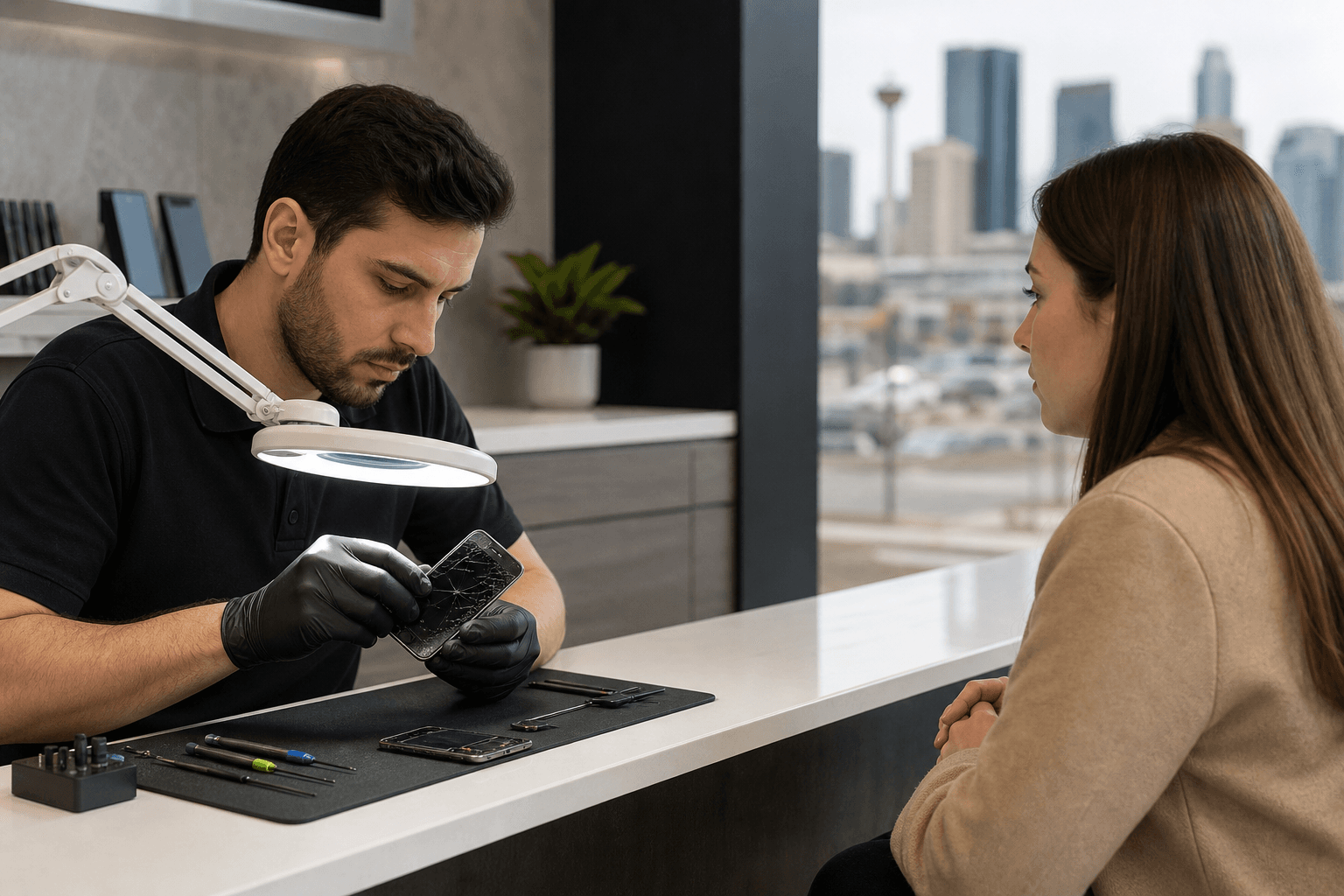
Published by TechBrotherz at TechBrotherz, the walk-in repair Store at 3317 17 Ave SE in Calgary. September 17, 2026, updated October 14, 2026.
No article on this site is paid for or sponsored. For a quote on your own device, call (403) 273-8324.
Before booking service, document the symptoms, back up your data if possible, and avoid opening the phone or attempting a DIY screen replacement. A professional assessment gives you a model-specific quote and helps you decide whether repairing the device makes more sense than replacing it.
Quick summary

- Cracks with black spots, coloured lines, ghost touches, dead zones, or display failure deserve professional assessment.
- Back up your data and record the exact Galaxy model before visiting a repair shop.
- The quote depends on the model, damage, required screen assembly, and parts availability.
- TechBrotherz offers walk-in service at 3317 17 Ave SE in Calgary, with a free quote before work begins.
- Every completed repair carries a 60-day warranty covering the fitted part and work performed.
How to tell when your Samsung screen needs repair
Some damage is easy to see, while other faults appear only when you interact with the display. A small surface crack may leave the phone usable, but functional symptoms suggest that the display or touch layer needs closer attention. Common Samsung Galaxy screen repair signs include cracks, black spots, ghost touches, coloured lines, and dead touch zones.
| Symptom | What it may mean |
|---|---|
| Cracked or shattered glass | The phone may remain usable, but the damage should be assessed before you rely on it daily. |
| Black spots or dark areas | Part of the display may no longer function. Avoid pressing the area and arrange an assessment. |
| Coloured or vertical lines | This is a functional display fault, not only surface damage. |
| Ghost touches | The phone registers taps or swipes you did not make, making it difficult to control. |
| Dead touch zones | Parts of the screen do not respond. Test whether you can still unlock and back up the phone. |
| Flickering or distorted colour | Record when it occurs. The cause requires diagnosis rather than guesswork. |
| Black display with sounds or vibration | The phone may still be running even though the display is not visible. |
Should you keep using the phone or arrange repair?

Continued use may be reasonable when the crack is limited, the display is clear, touch works across the screen, and the phone remains easy to control. Back up your information and avoid putting pressure on the damaged area. A case or screen protector may make handling easier, but neither fixes an internal display fault.
Arrange an assessment sooner when touch input becomes unreliable, the display has black areas or coloured lines, the screen flickers, or the phone is difficult to unlock. Keep a damaged phone away from moisture, and do not press hard on the glass, remove the display, or apply adhesive without the correct tools and experience.
Repair or screen-module replacement: what the terms mean
“Samsung screen repair” describes the assessment and work needed to restore a damaged display. Depending on the Galaxy model and the phone’s condition, the suitable solution may involve repairing a specific fault or replacing a larger screen module. These are not interchangeable options for every device.
The exact model, damage condition, screen assembly, and parts availability all affect the repair path. Avoid choosing a shop solely because it advertises one price for every Samsung phone. Galaxy screens vary significantly by model, and the same visible symptom can require different work.
Safe checks before visiting a repair shop
You can prepare your phone without disassembling it. Identify the exact model in Settings if the display works, or from the original box, purchase record, or device information. Test touch gently across the keyboard and several areas of the screen, noting dead zones, delayed responses, or unexpected taps.
- Record whether the phone powers on, vibrates, rings, or receives notifications.
- Note whether the problem followed a drop, pressure, liquid exposure, or another event.
- Back up photos, contacts, messages, and other important information while possible.
- Take clear photos of the front, edges, and back.
- Remove a bulky case if it makes inspection difficult.
- Do not open the phone, heat the display, pry under the glass, or attempt an adhesive-based replacement.
For a broader low-risk troubleshooting sequence, use this Android phone repair guide to work through display, power, charging, and software checks.
What affects the Samsung screen repair quote and timing?
The main variables are the exact Galaxy model, the screen assembly required, the extent of damage, and whether parts are available. A cracked front may also involve frame, touch, power, or other faults that need identification before the final plan is confirmed.
TechBrotherz provides a free quote at the store before work starts, with the part and labour presented together in one figure. You can approve the repair, ask questions, or decline before any work begins.
Most phone screen and battery repairs at TechBrotherz take about 30 minutes, but this is not a promise for every Samsung repair. Timing can change with the model, parts availability, damage, and any additional issue found during diagnosis.
What to expect from a walk-in Samsung repair visit
TechBrotherz is a walk-in cell phone and computer repair store, so an appointment is not required. Bring the phone, describe what happened, and provide the model information if available.
- Intake: Identify the phone and explain the symptoms and recent damage.
- Diagnosis: The device is checked for display, touch, power, and physical faults.
- Quote: You receive a free pre-work quote combining parts and labour.
- Approval: Decide whether to proceed after reviewing the price and timing.
- Repair and testing: The device is checked for basic display and touch function after the work.
- Warranty handoff: The completed repair is covered for 60 days on the fitted part and work performed.
Planning your visit from Calgary, Chestermere, or Airdrie
The shop is located at 3317 17 Ave SE in Calgary, serving southeast Calgary and nearby communities. Customers travelling from Chestermere or Airdrie should confirm the model and parts situation before setting out, particularly for uncommon or older phones.
If a required part must be ordered, the repair may take an additional day or two. A quick call ahead can prevent an unnecessary trip.
Samsung screen repair pre-visit checklist
- Model: Write down the full Galaxy model name or number.
- Symptoms: Note cracks, spots, lines, flickering, ghost touches, dead zones, or a black display.
- Data: Back up the phone if it remains accessible.
- Access: Be prepared to unlock it for testing where appropriate, while protecting private information.
- Condition: Photograph the damage instead of attempting a temporary repair.
- Accessories: Bring the charger if power or charging is also a concern.
- Availability: Call ahead for an uncommon model or an out-of-town visit.
Frequently asked questions
How long does Samsung screen repair usually take?
Most phone screen and battery repairs at TechBrotherz take about 30 minutes, but timing depends on the model, damage, parts availability, and additional faults.
Can I keep using a Samsung phone with a cracked screen?
You may be able to use it temporarily if touch and display functions remain reliable. Back up your data, avoid pressure and moisture, and arrange an assessment if functional symptoms appear.
Why is there not one fixed price for every Samsung screen repair?
Galaxy models use different screen assemblies and parts. Damage condition and parts availability can also change the repair plan, making a model-specific diagnosis necessary.
Should I call ahead before travelling for an uncommon model?
Yes. Confirming parts availability can save time. If a part must be ordered, the repair may take an additional day or two.
Conclusion: choose the next step based on the symptoms
The best Samsung screen repair decision starts with the phone’s behaviour, not just the size of the crack. Document the symptoms, back up your data, identify the exact Galaxy model, and avoid risky DIY work. Then compare the repair quote with the device’s age, condition, and replacement value.
For a local assessment, TechBrotherz provides walk-in Samsung screen repair at 3317 17 Ave SE in Calgary, with a free quote before work begins and a 60-day warranty on every completed repair.
Related pages
Rather just ask a person?
Call (403) 273-8324 and describe the problem, or walk in to 3317 17 Ave SE in Calgary. Every repair is quoted free before any work starts.