
Blog
Samsung Galaxy Screen Repair Signs: When Do They Matter?
See the top Samsung Galaxy screen repair signs, why they matter, and what to do next in Southview. Act early to protect data, sensors, and usability.
Samsung Galaxy screen repair signs are the visible and functional clues that your display assembly needs professional attention. Common indicators include spiderweb cracks, ghost touches, black spots, and color streaks. In Southview, Calgary, TechBrotherz helps you decide when to act so minor issues don’t become full device failures.
Key facts
- Published: June 24, 2026
- Last updated: October 2, 2026
- Reading time: 17 min read
- Questions about your own device: Call (403) 273-8324
Last updated
Samsung Galaxy Screen Repair Signs: When Do They Matter?
Published by TechBrotherz at TechBrotherz, the walk-in repair Store at 3317 17 Ave SE in Calgary. June 24, 2026, updated October 2, 2026.
No article on this site is paid for or sponsored. For a quote on your own device, call (403) 273-8324.
By TechBrotherz • Last updated: 2026-06-24
Above-the-Fold: Hook + Table of Contents
If your Galaxy’s display shows cracks, lines, dead zones, or touch glitches, act fast. Screen damage spreads, stresses the OLED, and risks board failure. This guide shows what to check, why it matters, and the exact steps Southview owners can take at TechBrotherz to keep their phones working.
Here’s the thing: most screen problems start small. A faint line. A tiny chip. Then one drop or temperature swing makes it worse. If you live or work near Southview, this checklist-style guide will help you move from “Is this bad?” to “Here’s what I’ll do next.”
- What counts as real samsung galaxy screen repair signs (with photos described)
- How modern Galaxy OLED assemblies work and fail
- Repair vs. replace vs. wait: a practical decision table
- DIY triage you can do at home (no tools)
- What to expect at our Southview walk-in counter
Quick Summary
Prioritize safety and data. Back up right away, assess cracks and touch response, then decide. If lines spread, touch lags, or the glass is shedding, visit TechBrotherz in Southview for diagnostics. Early action often preserves face ID/biometrics, water resistance, and board stability.
- Immediate to-dos: Back up, apply a temporary protector, avoid moisture and pressure.
- Clear repair signs: Cracks over sensors, ghost touches, green/purple lines, black ink-like spots, flicker.
- Timing rule of thumb: If symptoms worsen week over week or impair texting/calls, don’t wait.
- Local help: Walk in to TechBrotherz for same-day triage and a 60-day repair warranty on workmanship.
Local considerations for Southview
- Southview winters swing from cold to warm indoors. Rapid temperature shifts can expand micro-cracks. If you see a growing line after coming in from the cold, stabilize the phone and seek a quick check.
- Meeting a friend near the Foggy Gorilla Vape Shop | 17th Ave? Pop by TechBrotherz first for a protective film to keep shards contained until repair.
- Hiking to the Valleyview Park Viewpoint? Pocket grit can worsen edge chips. Use a slim case and avoid tight pockets to reduce torsion on already cracked glass.
What Are Samsung Galaxy Screen Repair Signs?
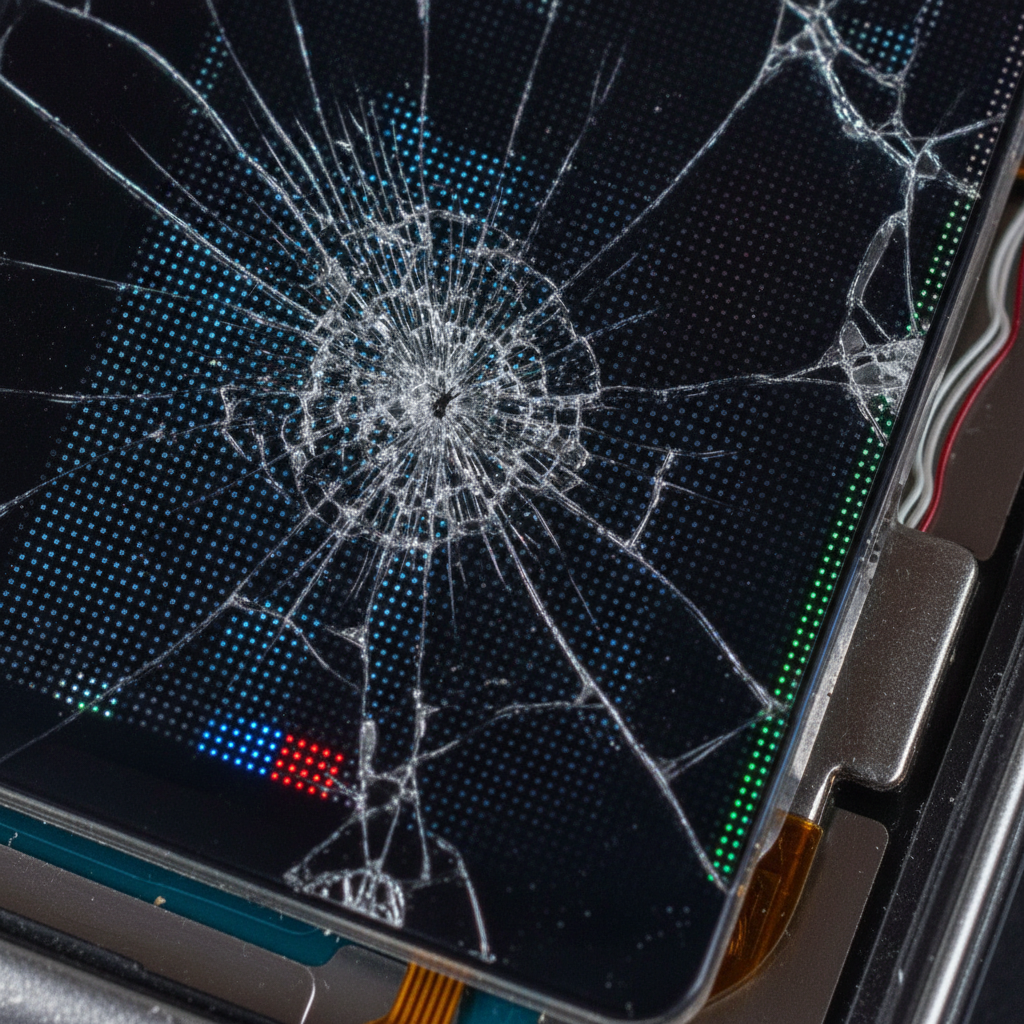
Samsung Galaxy screen repair signs are physical or functional symptoms that your display assembly is failing. Typical flags include spiderweb cracks, dead touch zones, colored lines, ghost touches, and black “ink” spots. When these appear, the OLED and digitizer are stressed and can degrade quickly.
Let’s make this practical. You don’t need lab tools to recognize trouble—just attentive observation. Here’s a high-clarity checklist our team uses at the bench and teaches customers to use at home.
Visual symptoms you can see
- Spiderweb cracks or edge chips: Risk of glass shedding and deeper OLED stress over time.
- Black “ink” blotches: Pressed OLED crystals leaking light; area won’t self-heal.
- Green/purple vertical or horizontal lines: Indicative of panel or connector stress.
- Lifted glass near corners: Adhesive separation that admits dust and moisture.
- White halo or pressure spots: Localized pressure damage on the matrix.
Functional symptoms you can feel
- Ghost touches: Random taps/swipes make the phone type or open apps by itself.
- Dead touch zones: Areas that ignore input, often near cracks.
- Flicker or dimming: Unstable refresh sometimes triggered by slight bends.
- Biometric failures: Face or fingerprint fails if sensors or the cover glass are cracked.
- Heat under light use: Strained circuitry from damaged display pathways.
Self-check in 60 seconds: lock the screen, wipe gently, then open a full-screen keyboard and slowly swipe across every row. Any dead spots or jitter? Those are clear samsung galaxy screen repair signs that merit a pro inspection.
Why Screen Repair Signs Matter (Before It Gets Worse)
Ignoring screen symptoms risks data loss and costlier failures. Cracks invite moisture and dust, stress OLED layers, and can trigger touch malfunctions that lock you out. Early repair preserves sensors, water resistance, and your day-to-day usability.
Small cracks rarely stay small. Micro-fractures crawl with daily pressure, pocket torsion, and temperature shifts. Over weeks, a single hairline can turn into a ladder of lines—then a dead zone.
- Data integrity: Ghost touches can send bad inputs, change settings, or trigger lockouts.
- Water and dust ingress: Once the seal is compromised, particles scratch and moisture corrodes.
- Sensor reliability: Proximity and ambient light sensors sit under the glass; cracks skew readings.
- Resale value: A healthy screen preserves the device’s future trade-in potential.
- Safety: Loose shards cut fingers and snag pockets; protect kids and pets, too.
In our experience at TechBrotherz, customers who act within the first 1–2 weeks of seeing color lines or “ink” spots avoid secondary failures like board damage far more often than those who wait months. The sooner you stabilize the display, the less your device’s internals are stressed.
How Galaxy Screens Work—and How They Fail
A Galaxy screen assembly fuses the OLED panel, digitizer (touch layer), and cover glass with factory lamination. An impact can crack glass, delaminate layers, or shear tiny connectors. Once layers separate, touch drift, flicker, and color lines often follow.
Understanding the stack helps you see why certain symptoms show up together—and why a “just the glass” fix isn’t standard for modern OLED Samsungs.
Inside the display stack
- Cover glass: The outer shield you touch. Chips allow moisture and debris to migrate inward.
- Digitizer: Senses touch. Damage creates ghost taps or dead zones.
- OLED panel: Produces the image. Pressure creates lines, blotches, or flicker.
- Lamination adhesive: Binds layers; if it lifts, expect rainbowing and touch drift.
- Flex cables and connector: Route signals to the board; tiny cracks cause intermittent faults.
Common failure paths we see
- Corner drops: Glass chips, adhesive lifts, and a line appears a week later.
- Pocket torsion: Tight jeans bend the chassis; flicker starts during scrolling.
- Moisture exposure: After a splash, ghost touches begin even when the phone is dry.
- Heat cycles: Car dash heat expands flaws; cooler rooms make lines permanent.
Here’s what most people don’t realize: once delamination starts, pressure travel spreads it. That’s why a protector may stabilize cracks cosmetically, but it won’t heal an ailing OLED or a fractured digitizer. Those need assembly-level service.
Types of Problems and Approaches to Fixing Them
Match the symptom to the action. Hairline cracks with full touch may be monitored briefly. Ghost touches, spreading lines, or black spots call for prompt assembly replacement. If the frame is bent, expect added fitment work to ensure lasting results.
Symptom-to-action cheat sheet
| Symptom | Likely Cause | Recommended Action |
|---|---|---|
| Small corner chip | Glass impact only | Apply protector; monitor. If spreading, book repair. |
| Single green/purple line | Panel stress | Schedule display assembly replacement soon. |
| Ghost touches | Digitizer fault | Disable gestures; back up; replace assembly promptly. |
| Black “ink” spot | OLED pressure damage | Minimize pressure; avoid heat; replace assembly. |
| Lifted glass edge | Adhesive failure | Keep dry; avoid lint; expect re-lamination via new assembly. |
Repair vs. replace vs. wait (short-term)
- Repair now: If usability or safety is compromised or symptoms are spreading.
- Replace device: When there’s multi-point damage including frame warp, water damage, and camera failures.
- Wait briefly: If it’s a stable cosmetic chip with zero functional changes—and you’re backing up daily.
For walk-ins at TechBrotherz, we start with a no-pressure triage. You’ll leave with a clear action plan tailored to your model and the way you use your phone day-to-day in Southview.
Best Practices to Prevent Damage and Stabilize Issues
Back up first, stabilize cracks, reduce pressure, and avoid moisture. Use a snug case, tempered glass, and gentle cleaning. If you see ghost touches or lines, keep the battery above 20% and come in before the phone locks you out.
Immediate steps at home
- Back up: Cloud or computer—don’t skip this part.
- Stabilize the glass: Add a protector to contain shards and reduce pressure on the OLED.
- Disable gestures: Switch to on-screen buttons to avoid accidental swipes.
- Keep it dry: Water resistance isn’t permanent; a cracked screen is not sealed.
- Avoid heat: Hot cars and radiators accelerate delamination.
Longer-term habits
- Use a slim, rigid case: Adds torsion resistance without bulk.
- Mind your pockets and bags: Don’t sit on the phone or let it rattle with keys.
- Clean gently: Microfiber only; no ammonia-based cleaners on coatings.
- Service timing: Book early if you notice spreading lines or flicker.
We’ve found that simple routines—like keeping a spare protector and microfiber in your car—dramatically cut down on secondary damage before you can visit our counter.
Tools and Resources (What We Use, What You Can Use)
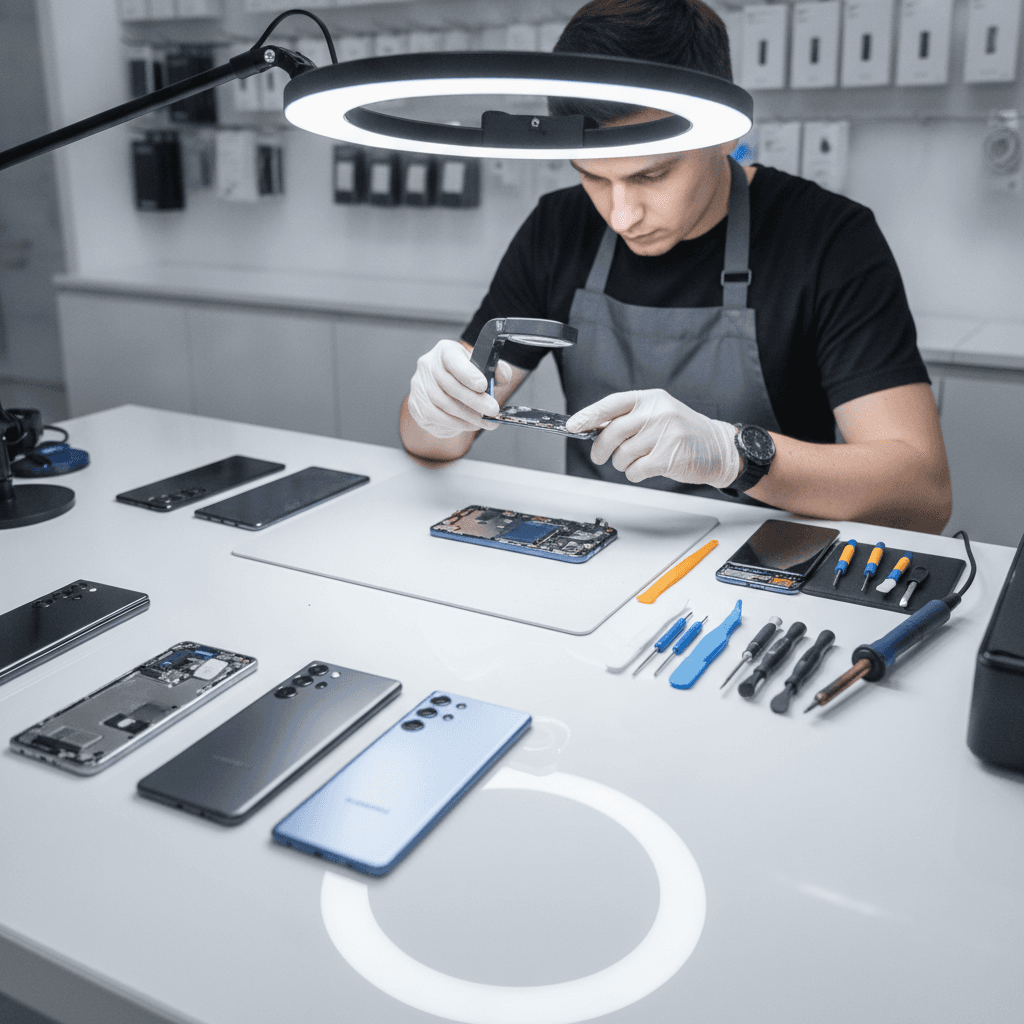
You don’t need pro tools to diagnose basics, but pros do. At TechBrotherz, we rely on controlled heat, precision opening tools, antistatic benches, and OEM-spec assemblies. At home, your best tools are backups, protectors, a soft cloth, and patience.
In-shop tools and methods
- Antistatic, temperature-controlled bench: Protects sensitive chips during disassembly.
- Soft-jaw clamps and frames: Ensures even pressure during reassembly.
- Adhesive systems matched to model: Keeps factory-like seal where possible.
- Board-level inspection: Identifies secondary faults from the impact.
What you can safely do at home
- Backups: Drive or cloud, daily while symptoms persist.
- Protector install: Choose tempered glass to contain shards on cracked screens.
- Gentle handling: Avoid pockets that flex; hold by the frame.
- Basic diagnostics: Use a grid-drawing app to test touch across the display.
If your phone becomes unresponsive due to screen faults, our team can help with safe unlocking and password resets so you don’t lose access to essential data during repair.
How Service Works at TechBrotherz (Southview Walk-In)
Walk in, get triaged, and leave with a clear plan. We confirm symptoms, check for secondary damage, and, if appropriate, proceed with display assembly service backed by a 60-day warranty on workmanship.
What to expect at the counter
- Fast intake: You describe symptoms; we run a visual and touch grid test.
- Risk review: We explain what’s failing and any data/access considerations.
- Next steps: If you approve, we proceed with parts and fitment checks.
- Final QA: We test brightness, color uniformity, sensors, and biometrics.
Serving Calgary and nearby communities, we’re known for no-appointment convenience and transparent, warranty-backed work. When screen issues block access, we can also assist with safe sign-ins and resets so you’re not locked out of your own phone.

Case Studies and Real Examples from Southview
Real repairs show patterns. In Southview, we often see corner drops that start as hairline cracks and become colored lines within days. Timely assembly service stabilizes touch, stops ghost inputs, and preserves sensors—keeping your Galaxy dependable.
Case 1: The commuter’s corner crack
- Scenario: Galaxy lands on a gym floor. Tiny corner chip, phone seems fine.
- 48 hours later: A thin green line appears; typing becomes jittery.
- Outcome at TechBrotherz: Screen assembly service, frame check, and post-repair sensor calibration. Device returns to daily-driver status.
Case 2: Ghost touches after a splash
- Scenario: Light splash exposure with a pre-existing crack.
- Symptoms: Random app opens, screen wakes on its own.
- Outcome: We stabilized the display assembly, cleaned intrusion points, and restored normal touch.
Case 3: The pocket torsion problem
- Scenario: Tight pocket pressure during a long walk to the Valleyview Park Viewpoint.
- Symptoms: Flicker while scrolling; later, a dead strip on the keyboard row.
- Outcome: Assembly replacement and chassis inspection to ensure proper fitment and long-term stability.
These patterns are classic samsung galaxy screen repair signs turning into functional failures. Early walk-in triage is the difference between a simple assembly service and cascading issues that affect other components.
Related Triage Checklists You May Need
Screen issues often come with other symptoms. If your tablet or iPad shows similar cracks or touch lag, the diagnostic approach is similar: back up, test touch zones, avoid moisture, and seek pro triage before tiny problems grow.
For other devices you use daily, these deep dives can help you recognize issues early and choose the right fix:
- Our tablet repair guide explains common crack patterns and touch tests for Android tablets.
- See the iPad repair page for Apple-specific display behaviors.
- If your everyday phone isn’t a Samsung, start with our cellphone repair overview to match symptoms to services.
FAQ: Samsung Galaxy Screen Repair Signs
You can spot repair signs by checking for cracks, lines, touch lag, ghost inputs, and black spots. If symptoms spread or impair use, back up and visit TechBrotherz in Southview for triage and an action plan.
What’s the fastest way to test if my Galaxy screen is failing?
Open a full-screen keyboard and slowly swipe across every row and edge. If the cursor skips or stalls, you have dead zones. Next, lower brightness and check for flicker or color lines. If you see issues, back up and come in for triage.
Can a protector fix a cracked Samsung screen?
A protector stabilizes shards and reduces pressure on the panel, but it doesn’t repair a damaged digitizer or OLED. If you see ghost touches, lines, or black spots, you’ll still need professional assembly service to restore function.
Is it safe to keep using my phone with a cracked screen?
If the crack is stable and touch works everywhere, you can use it briefly while backing up. Avoid moisture and pressure. If lines spread, the screen flickers, or ghost touches start, stop using it and bring it in before data or sensor issues escalate.
Will screen repair affect water resistance?
Any disassembly can affect seals. We match adhesives and perform careful reassembly, but we always recommend treating previously damaged devices as not water-resistant and avoiding splash exposure going forward.
Conclusion: What to Do Next
See cracks, lines, ghost touches, or black spots? Back up, stabilize, and walk into TechBrotherz in Southview. Early, assembly-level service preserves sensors, protects data, and restores everyday reliability—backed by a 60-day workmanship warranty.
- Key Takeaways:
- Most screen failures are progressive—act when signs first appear.
- Back up first, then stabilize the glass and avoid moisture/pressure.
- Ghost touches and spreading lines mean it’s time for service.
- Walk-in triage at TechBrotherz gets you a clear, quick plan.
Ready when you are: If you’re in Southview, come by our counter today for a fast diagnosis and a path back to a dependable Samsung Galaxy.
Related Articles and Next Steps
If you’re comparing device diagnostics, your next read should cover other daily drivers. Our guides on tablets, iPads, and general cellphones explain similar failure patterns and testing tips to protect your data and productivity.
For a broader perspective on your device ecosystem, explore our computer repair essentials for laptop mishaps, review the Samsung repair service page for model-specific notes, and bookmark the TechBrotherz home page for quick access to walk-in hours. If you ever lose access during a failure, our unlocking team can help you get back in securely.
Related pages
Rather just ask a person?
Call (403) 273-8324 and describe the problem, or walk in to 3317 17 Ave SE in Calgary. Every repair is quoted free before any work starts.