
Computer Repair
Desktop and Computer Repair
TechBrotherz, a walk-in cell phone and computer repair store at 3317 17 Ave SE in Calgary, Alberta, repairs desktop computers and laptops: diagnostics, Windows installation, and a full clean-up and tune-up. Every job is quoted flat and agreed before work starts.
TechBrotherz in Calgary quotes computer work per job rather than per hour: diagnostics, a Windows installation including an office suite and security software, a full clean-up and tune-up, and hardware or program installation charged per item. Every figure is flat and agreed before work starts, and the diagnostic fee comes off the repair if you go ahead.
Key facts
- Quoted: Per job, not per hour
- Windows installation: Includes an office suite and security software
- Clean-up and tune-up: Startup list, temporary files, updates, cooling and storage health
- Diagnostics: A fixed fee, deducted from the repair if you go ahead
- Warranty: 60 days on the work
Last updated
Covered
What Does This Service Cover?
Every repair below is one TechBrotherz carries out in Calgary, with the part and the labour in one price and a 60-day warranty.
- Screen / LCD replacementAbout 30 minutes
- Battery replacementAbout 30 minutes
- DC / charging port replacementAbout 60 minutes
- Keyboard replacementAbout 45 minutes
- Broken hinge repairAbout 60 minutes
- Water and liquid damage repair
- Data recovery
Why Is My Computer so Slow?
A computer that has become slow almost never has one dramatic fault. It usually has four ordinary ones stacked on top of each other: a mechanical hard drive that has been failing gradually, a startup list that has collected a dozen programs that all load at boot, a system that has not been updated in a long time, and dust that has blocked the cooling so the processor throttles itself to stay cool.
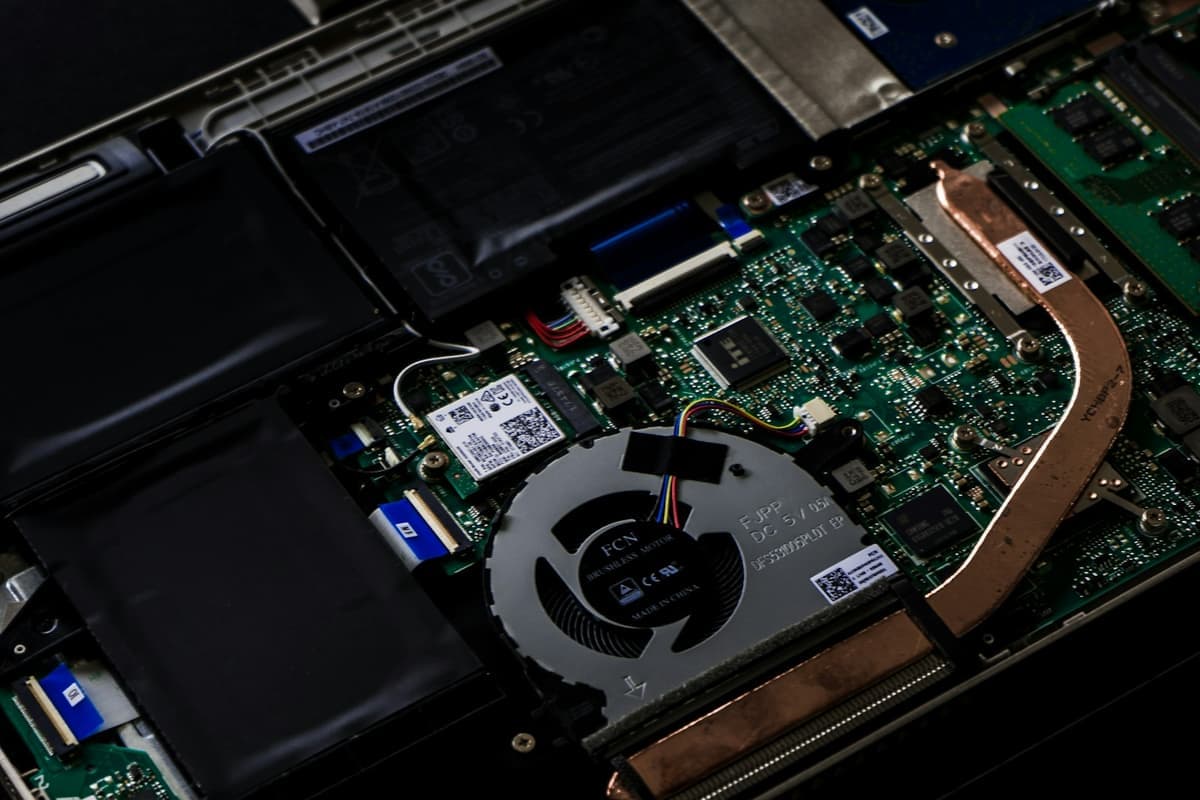
A clean-up and tune-up at TechBrotherz addresses all four. The startup list gets cut back to what the machine actually needs, temporary files and leftover installers are cleared out, updates are brought current, the cooling is physically cleaned, and the storage is checked for the early signs of failure that show up long before a drive dies.
The single biggest improvement on an older machine is usually replacing a mechanical hard drive with a solid-state drive. If the diagnostic shows that is what is holding the computer back, we will tell you, because it turns a frustrating machine into a usable one more reliably than any amount of software cleaning.
What Does a Windows Installation at TechBrotherz Include?
A Windows installation at TechBrotherz includes the operating system installed clean, an office suite, and security software set up and running. It is quoted flat for the whole job rather than by the hour, so a machine that takes longer than expected does not come to more.
A clean installation is the right answer when a computer has accumulated years of software that cannot be untangled, when it has been infected badly enough that removing the infection is not enough, or when the machine is being handed on to someone else. It gives you a system that behaves like a new one on hardware you already own.
Back up your files before a Windows installation, and tell us if there is anything on the machine you need. A clean install replaces what is on the drive. We will always ask before we do it, and we would rather ask twice than assume.
What Does the Windows 10 End of Support Mean for My Computer?
Microsoft ended support for Windows 10 on 14 October 2025. A computer still running it works exactly as it did the day before, and nothing switches off. What stops is the monthly security updates, which means newly discovered vulnerabilities in the operating system stay unpatched on that machine from then on.
For most people the practical question is whether the machine can run Windows 11, which has stricter hardware requirements than any previous Windows upgrade, particularly around the processor generation and the security chip on the board. Plenty of computers that are perfectly fast enough do not qualify, which is an unusual situation and one that catches people out.
We check this as part of a diagnostic, and we will tell you plainly which side of the line your machine falls on. It changes what is worth spending on a computer, and it is better to know before paying for work than after.
Does TechBrotherz Install Hardware and Programs?
TechBrotherz installs hardware and programs at a flat figure per item. Hardware installation covers fitting a component you have bought or one we have supplied: a solid-state drive, extra memory, a graphics card, a power supply, a fan or a new optical drive.
The most common request by far is a solid-state drive going into a machine that still has a mechanical hard drive, usually alongside moving the existing Windows installation onto it so nothing has to be set up again. That is the upgrade that makes the biggest difference to how a computer feels, and it costs far less than replacing the machine.
Program installation is exactly what it sounds like: a flat price per program to have software installed and configured properly rather than left half set up. If you are having several things done at once, ask at the Store and we will tell you the total before we start.
How Long Does Computer Repair Take?
Computer work is generally a drop-off rather than a wait, because most of the time in a repair is spent on processes running rather than hands on the machine. A Windows installation, a tune-up or a virus removal all involve long stretches where the computer is working and nobody needs to be standing over it.
In practice, most computer work at TechBrotherz is ready the same day or the next day. We will give you a realistic time when you drop the machine off, and we will call you when it is finished rather than leaving you to guess.
If a part needs ordering, that adds a day or two and we will say so at the Store. Nothing gets started, and nothing gets charged, before you have agreed to the price and the timeframe.
Process
How Does a Repair at TechBrotherz Work?
No appointment, no booking form, and no work starts before you have agreed the price.
- Step 1
Bring the Tower or the Laptop
For a desktop, the tower alone is enough. We have monitors, keyboards and mice here to test with, so there is no need to carry the whole setup in.
- Step 2
Tell Us What It Is Doing
Slow, noisy, restarting, showing a specific error, refusing to boot. What the machine does and when it started doing it narrows the diagnosis more than any test.
- Step 3
We Diagnose It Properly
Diagnostics carry a fixed fee that comes off the repair. Storage health, memory, temperatures, startup load and malware all get checked, because a slow computer usually has a specific cause.
- Step 4
You Approve a Flat Price
Computer work here is priced per job, not per hour, so you know the total before we begin and it does not move because something took longer.
- Step 5
We Do the Work and Test It
The machine gets used after the work is finished, not just booted once. Startup time, temperatures and the specific fault you brought it in for all get checked.
Quotes
How Much Does This Service Cost?
Every repair is quoted free before any work starts, and every quote includes the part and the labour.
| Repair | Typical time |
|---|---|
| Diagnostics | Same day in most cases |
| Windows installation | Usually the same day |
| Desktop clean-up and tune-up | Same day in most cases |
| Program installation, each | Usually the same day |
| Hardware installation, each | Same day in most cases |
| Virus removal | Usually the same day |
| Password reset | Usually the same day |
Ask for a quote on any device through the free repair quote form, and the terms of the 60-day cover are set out on the warranty page.
By Repair
Which Repair Do You Need?
Each page below lists every model TechBrotherz carries out that one repair on.
Devices
Which Devices Does TechBrotherz Repair?
Each brand page lists every model in that range that TechBrotherz repairs.
Who It Suits
Who Is This Service For?
- Anyone whose computer has become slow enough to be frustrating, without an obvious cause.
- People who need Windows installed clean, with an office suite and security software set up properly.
- Anyone who wants a solid-state drive or more memory fitted to a machine that is otherwise fine.
- People who want a flat price for a computer job rather than an open-ended hourly rate.
Honest Limits
What TechBrotherz Does Not Do
We are not a data recovery lab
If a drive has failed mechanically, getting the data off it needs a clean room and specialist equipment. We can tell you whether the drive is the problem. We cannot recover from a physically failed one, and we will not take your money to try.
We do not do board-level repair
If a diagnostic finds a fault on the mainboard itself, replacing the board is usually the honest answer, and on an older machine that is often not worth doing. We will say which case you are in.
We cannot make an old machine meet the Windows 11 requirements
The processor generation and security chip requirements are set by Microsoft and are not something a repair can work around. We will tell you where your machine stands rather than sell you work that does not change it.
Sources
Where These Facts Come From
- Microsoft, Windows 10 end of support
Microsoft's own page confirming that Windows 10 stopped receiving security updates on 14 October 2025, and setting out the Windows 11 hardware requirements.
Questions
Questions About Computer Repair
Computer repair at TechBrotherz in Calgary is quoted per job, not per hour. The diagnostic fee comes off the repair if you go ahead. A Windows installation includes an office suite and security software, a full clean-up and tune-up covers startup, temporary files, updates, cooling and storage health, and hardware or program installation is charged per item.
A clean-up and tune-up at TechBrotherz in Calgary is quoted as one flat figure and covers cutting the startup list back, clearing temporary files, bringing updates current, physically cleaning the cooling so the processor stops throttling, and checking the storage for early signs of failure. Those five jobs cover the most common causes of a computer that has become slow.
No. Bring the tower alone to TechBrotherz in Calgary. Monitors, keyboards and mice are here for testing, so there is no need to disconnect and carry a full setup. Bring the power cable if it is a non-standard one, and mention any password needed to log into the machine.
A computer running Windows 10 keeps working after Microsoft's support ended on 14 October 2025, but it no longer receives monthly security updates, so new vulnerabilities stay unpatched. TechBrotherz checks whether a machine meets the Windows 11 hardware requirements as part of a diagnostic and will tell you plainly which side of the line it falls on.
Related pages
Bring it in and we will take a look
TechBrotherz is at 3317 17 Ave SE in Calgary. No appointment, and you get the price before any work starts.