
Laptop Repair
Laptop Repair: What Gets Fixed and How
TechBrotherz, a walk-in cell phone and computer repair store at 3317 17 Ave SE in Calgary, Alberta, repairs laptops: cracked and failed screens, keyboards, charging sockets, storage and memory. Every quote includes the part and the labour.
TechBrotherz in Calgary replaces laptop screens, keyboards and charging sockets, with the part and the labour in one figure. Laptop diagnostics carry a fixed fee that comes off the repair if you go ahead. Most laptop work is finished the same day, and every repair carries a 60-day warranty.
Key facts
- Repairs: Screens, keyboards, charging sockets, storage and memory
- What sets the job: The panel or the keyboard fitting, read from the model number
- Typical time: Most laptop work is finished the same day
- Diagnostics: A fixed fee, deducted from the repair if you go ahead
- Warranty: 60 days on the part and the work
Last updated
Covered
What Does This Service Cover?
Every repair below is one TechBrotherz carries out in Calgary, with the part and the labour in one price and a 60-day warranty.
- Screen / LCD replacementAbout 30 minutes
- Battery replacementAbout 30 minutes
- DC / charging port replacementAbout 60 minutes
- Keyboard replacementAbout 45 minutes
- Broken hinge repairAbout 60 minutes
- Water and liquid damage repair
- Data recovery
How Much Does a Laptop Screen Replacement Cost in Calgary?
Laptop panels differ by size, resolution and panel type, so a standard HD screen on a mainstream 15-inch machine sits at the bottom of the range, while a high-resolution or touch-enabled panel sits well above it. TechBrotherz confirms the exact part and what it costs before any work starts.
Unlike phones, laptop screens are usually a single panel that is not bonded to a separate touch layer, which makes the replacement itself a cleaner job. The panel unclips from the lid, a ribbon cable comes off, and a new one goes on. The work is straightforward. The variation is entirely in what the specific panel costs.
Bring the laptop with its model number, which is normally on a sticker on the underside. That number tells us the exact panel the machine takes, and it is the difference between a firm price and an estimate.
Why Has My Laptop Stopped Charging?
A laptop that will not charge has three common causes, and they are very different jobs. The first is the charger itself, which is the cheapest outcome and the reason we ask you to bring it. The second is the DC socket where the charger plugs in, which works loose over years of the cable being knocked. The third is the battery, which no longer holds what it should.
You can often tell the socket from the battery by how the machine behaves. If wiggling the plug makes the charging light flicker, or if the laptop only charges when the cable is held at an angle, that is the socket. If the machine runs perfectly on mains power but dies the moment you unplug it, that is the battery.
Charging socket replacement is soldered work on most laptops, which is why it takes longer than a phone port and why it is priced as its own repair. It is worth doing, because a laptop with a failed socket is otherwise a working machine tethered to a specific cable angle.
Can a Laptop Keyboard Be Replaced, or Does the Whole Laptop Need Fixing?
A laptop keyboard can almost always be replaced on its own. What the work costs reflects how the machine is built rather than how bad the keyboard is: on some laptops the keyboard lifts out from the top after a handful of screws, and on others it is riveted into the upper case, which means replacing the whole palm rest assembly.
Spilled liquid is the most common reason a keyboard needs replacing, and it is the case where time matters most. If something has been spilled on a laptop, shut it down immediately, unplug it, and bring it in rather than trying to dry it out and carry on. Liquid that has reached the board is a different and more serious problem than liquid that has only reached the keyboard.
Individual keys that have come off can sometimes be reseated rather than replaced, and that is worth asking about at the Store before you pay for a whole keyboard. If the clip underneath is intact, a key often goes back on.
What Does a Laptop Diagnostic Actually Check?
A diagnostic at TechBrotherz carries a fixed fee, and that fee comes off the bill if you go ahead with the repair. It exists because some laptop faults have several possible causes and guessing between them wastes your money rather than ours. A machine that will not turn on could be the adapter, the socket, the battery, the board or the storage, and those are five different answers.
The diagnostic checks power delivery from the adapter through to the board, whether the machine posts, whether the storage is detected and healthy, whether the memory passes, and whether the machine is overheating and shutting itself down. At the end of it you get a specific answer and a specific price, not a range.
If the answer is that the machine is not economically worth repairing, we will tell you that, and the diagnostic fee is what you paid to find out rather than the first instalment of a repair that was never going to be worth it.
Is It Worth Repairing an Older Laptop?
The question worth asking is what is actually wrong. A screen, a keyboard or a charging socket is a mechanical part that has failed on a machine whose processor, memory and storage are all still fine, and replacing it returns a working laptop for a small fraction of a new one. That is nearly always worth doing, even on a machine that is five or six years old.
The calculation is different when the fault is the board itself, or when a machine is slow rather than broken. A laptop that has become slow is often fixed by a clean install and a solid-state drive rather than a repair, and that is a different conversation and a different price. We will tell you which one you are having.
One thing that has changed the arithmetic recently is Windows 10 reaching the end of Microsoft's support on 14 October 2025. A machine that cannot meet the Windows 11 hardware requirements will keep running, but it stops receiving security updates, and that is worth knowing before spending money on it. We will check that when you bring the machine in.
Process
How Does a Repair at TechBrotherz Work?
No appointment, no booking form, and no work starts before you have agreed the price.
- Step 1
Bring the Laptop and Its Charger
The charger matters more than people expect. A laptop that will not power on is sometimes the adapter rather than the machine, and that is a two-minute check with the charger in front of us.
- Step 2
We Diagnose the Fault
Diagnostics carry a fixed fee, and that fee comes off the bill if you go ahead with the repair. It buys a real answer rather than a guess, which matters on a machine with more than one possible cause.
- Step 3
You Get the Price Before We Start
Laptop parts vary by model far more than phone parts do, so we confirm the exact part and its cost before quoting. The quote covers the part and the labour together.
- Step 4
We Strip, Replace and Reassemble
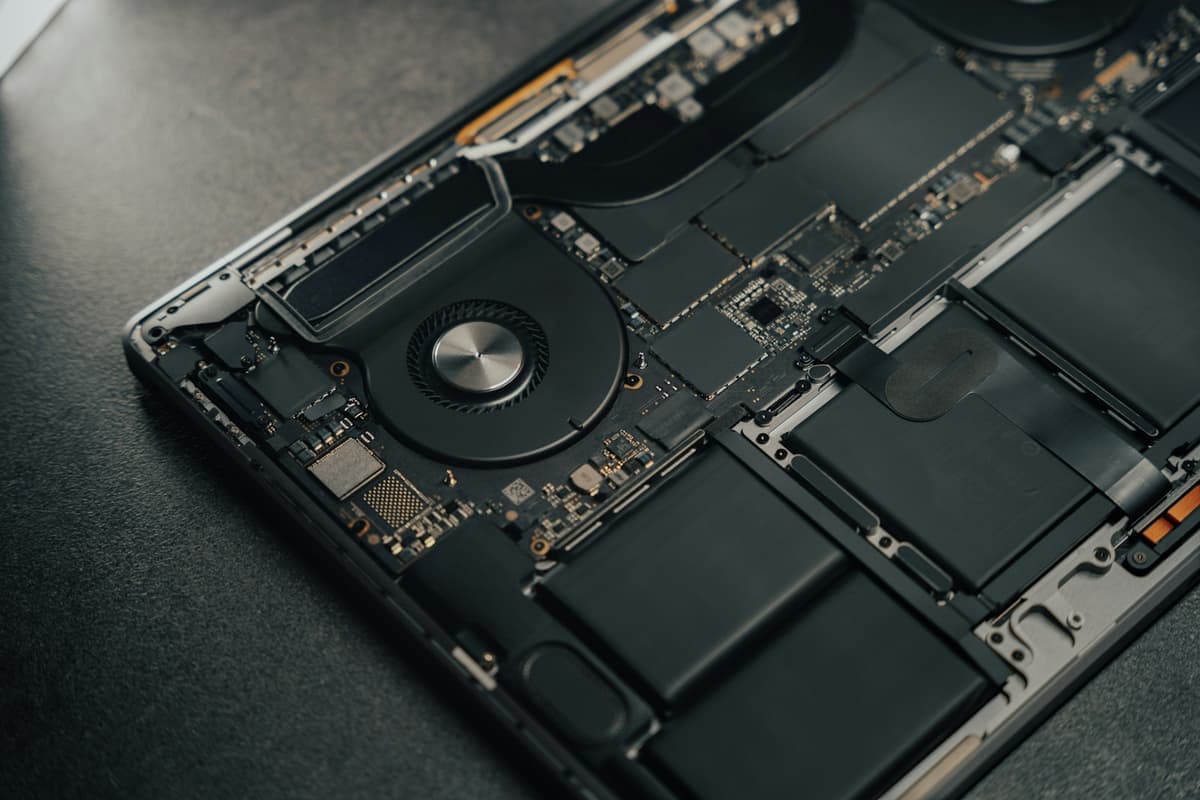
Laptop work means taking the machine apart properly, replacing the failed component and putting it back together with every screw where it belongs.
- Step 5
We Test Under Load and Hand It Back
The machine gets booted, the repair gets exercised, and we check that nothing else was disturbed on the way in or out.
Quotes
How Much Does This Service Cost?
Every repair is quoted free before any work starts, and every quote includes the part and the labour.
| Repair | Typical time |
|---|---|
| Laptop screen replacement | Same day in most cases |
| Laptop keyboard replacement | Same day in most cases |
| DC / charging port replacement | Same day in most cases |
| Diagnostics | Same day in most cases |
| Hardware installation, each | Same day in most cases |
Ask for a quote on any device through the free repair quote form, and the terms of the 60-day cover are set out on the warranty page.
By Repair
Which Repair Do You Need?
Each page below lists every model TechBrotherz carries out that one repair on.
Devices
Which Devices Does TechBrotherz Repair?
Each brand page lists every model in that range that TechBrotherz repairs.
Who It Suits
Who Is This Service For?
- Anyone with a cracked, black or flickering laptop screen on a machine that is otherwise fine.
- People whose laptop only charges when the cable is held at a particular angle.
- Anyone who has spilled liquid on a keyboard and needs it looked at rather than left to dry.
- People who want a real diagnosis on a laptop that will not start, before deciding whether to repair or replace.
Honest Limits
What TechBrotherz Does Not Do
We do not do board-level microsoldering
If the diagnostic finds a fault on the mainboard itself rather than a replaceable part, that is specialist work beyond what we do here. You will have paid the diagnostic fee and got a real answer, and we will say so plainly.
Liquid damage is a diagnosis, not a fixed repair
A laptop that has had liquid in it gets opened, cleaned and tested, and the diagnostic tells you where it stands. We cannot quote liquid damage before we have seen inside the machine.
We are not a data recovery lab
If a drive has failed mechanically, recovering what is on it needs a clean room and specialist equipment. We can tell you whether the drive is the problem, and we will not pretend we can get the data back.
Sources
Where These Facts Come From
- Microsoft, Windows 10 end of support
Microsoft ended support for Windows 10 on 14 October 2025. Machines that cannot meet the Windows 11 requirements keep running but stop receiving security updates.
Questions
Questions About Laptop Repair
Laptop screen replacement at TechBrotherz in Calgary is quoted once the panel has been identified, free of charge, before any work starts. Size, resolution and touch capability all change the part, while the labour stays broadly the same. TechBrotherz reads the exact panel from the laptop's model number.
Laptop charging socket replacement at TechBrotherz in Calgary is quoted free of charge before any work starts. A socket that has worked loose shows up as a charging light that flickers when the plug is moved, or a laptop that only charges when the cable is held at an angle. The repair is soldered work and takes longer than a phone charging port.
Laptop diagnostics at TechBrotherz in Calgary carry a fixed fee, and that fee is deducted from the bill if you go ahead with the repair. The diagnostic checks power delivery, whether the machine posts, storage health, memory and overheating, and it ends with a specific fault rather than an estimate.
Yes. Bring the charger with the laptop to TechBrotherz. A laptop that will not power on is sometimes a failed adapter rather than a fault in the machine, and that is a two-minute check when the charger is at the Store. Without it, the same question needs a paid diagnostic to answer.
Related pages
Bring it in and we will take a look
TechBrotherz is at 3317 17 Ave SE in Calgary. No appointment, and you get the price before any work starts.