
Blog
Laptop Screen Repair in Calgary: Should You Repair or Replace Your Laptop?
Learn when a cracked or black laptop screen needs repair, what affects a Calgary quote, and how to compare repair with replacing your laptop safely.
A cracked, flickering, or black laptop screen does not automatically mean the whole laptop needs replacing. The most useful next step is a model-specific assessment and quote, because the right choice depends on the laptop’s age, condition, symptoms, required part, and expected remaining use.
Key facts
- Published: October 13, 2026
- Last updated: October 13, 2026
- Reading time: 8 min read
- Questions about your own device: Call (403) 273-8324
Last updated
Laptop Screen Repair in Calgary: Should You Repair or Replace Your Laptop?
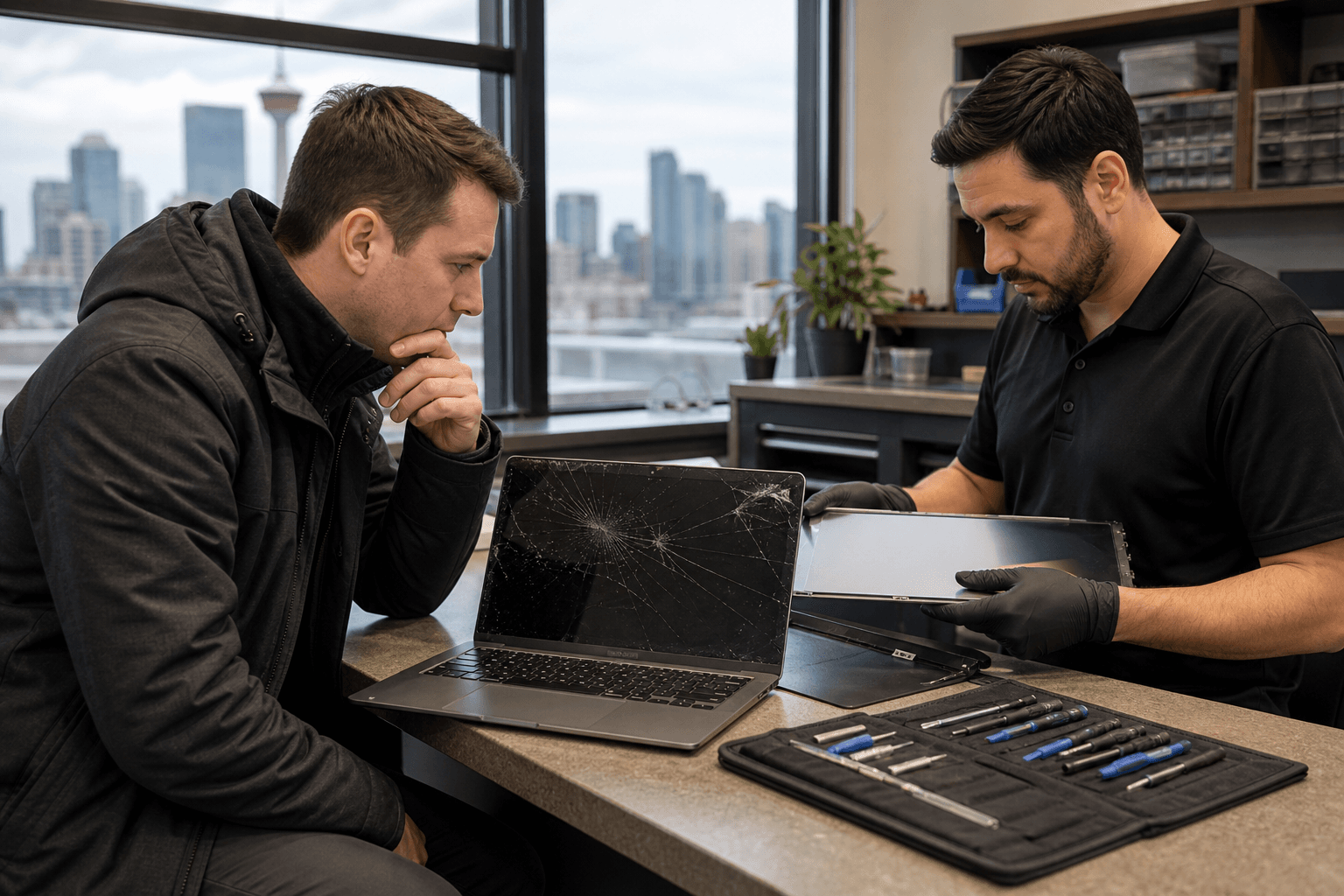
Published by TechBrotherz at TechBrotherz, the walk-in repair Store at 3317 17 Ave SE in Calgary. October 13, 2026.
No article on this site is paid for or sponsored. For a quote on your own device, call (403) 273-8324.
This guide explains which symptoms deserve attention, how to compare repair with replacement, what affects a laptop screen repair quote in Calgary, and what to bring when you visit a repair shop.
Quick summary

- Cracks, lines, flickering, blank displays, and dead areas may indicate screen damage, but similar symptoms can come from power, software, hinge, or internal faults.
- Record the exact laptop model and describe when the problem began before requesting a quote.
- Compare the quote with the laptop’s age, performance, battery, hinge, and other known faults.
- TechBrotherz provides free quotes before work begins, accepts walk-ins without an appointment, and says laptop and computer work is usually same-day rather than while-you-wait.
- Repairs carry a 60-day warranty on the fitted part and the work performed, according to the supplied business information.
Is the problem really the laptop screen?
Some laptop problems look like screen damage even when the display panel is not the only possible cause. A loose display cable, power issue, software failure, graphics fault, hinge damage, or charging problem can produce a blank, unstable, or distorted image.
Start with safe observations rather than opening the laptop. Note whether it powers on, whether you hear fans or startup sounds, whether the image changes when the lid moves, and whether the display is completely blank or only partly affected. Do not force the hinge or press on a cracked panel.
If the laptop is not charging or will not stay powered on, the display may not be the primary fault. For related symptoms, review these charging port repair signs before assuming that a screen replacement is required.
Common symptoms that justify a screen assessment

- Cracked glass or impact damage: A drop or pressure mark can affect the image, touch function on supported devices, or both.
- Lines, colour distortion, or black spots: Persistent lines, spreading dark areas, or unusual colours may indicate display assembly damage.
- Flickering: Flickering can involve the display, connection, graphics hardware, software, or hinge area. A technician should confirm the cause.
- A black or blank screen: A laptop that appears to start but shows no image needs assessment. The fault may involve the display, connection, power, or another component.
- Dead areas or unreliable touch: Record exactly where the display no longer responds or shows an image.
- Symptoms that change when the lid moves: This can point to an issue around the display connection or hinge, but it is not a diagnosis by itself.
Photograph visible damage and note whether the problem is constant or intermittent. Clear observations help the repair shop investigate the right component instead of relying only on the phrase “broken laptop screen.”
Repair or replace the laptop? Compare the practical trade-offs
The decision is not simply that screen repair is cheaper or that an old laptop is not worth fixing. Repair may make sense when the laptop still performs well, the battery and hinge are in reasonable condition, and the quote restores a device you already know how to use.
Replacement may deserve consideration when the laptop has several other faults, struggles with the work you need it to do, has a severely worn battery or hinge, or is unlikely to provide enough useful life after the screen problem is addressed.
| Question | Why it matters |
|---|---|
| How old is the laptop? | A newer or well-maintained laptop may have more useful life after repair. An older model may require a broader replacement decision. |
| Does it still meet your needs? | If performance, storage, or software compatibility is already frustrating, screen repair may not solve the main problem. |
| What else is damaged? | Battery, hinge, keyboard, charging, storage, or thermal issues can change the value of repairing the screen. |
| How important is the data? | Important files may make assessment and data planning more urgent than simply buying another device. |
| What is the model-specific quote? | The exact model, required part, availability, and labour determine the actual repair decision. |
| How long do you need it to last? | Repair can be reasonable if it meets your needs for the next stage of use, even when the laptop is not new. |
There is no universal age or percentage threshold that decides every case. Obtain the quote, ask what has been diagnosed, and compare that information with the laptop’s condition and your practical needs.
What affects a laptop screen repair quote in Calgary?
A responsible price cannot be stated from “laptop screen repair” alone. Models can use different display sizes, connections, assemblies, and configurations, and two laptops that look similar may require different parts.
The exact model number is essential. The quote may also depend on whether the visible problem is confirmed as the display, whether the required part is available, and how much labour is needed to complete and test the work.
TechBrotherz states that repairs are quoted free at the store before work starts, with the part and labour included in one figure. The supplied business information also states that the customer-approved quote is the amount paid.
In Alberta, consumers have the right to be charged only for goods or services they requested and agreed to pay for. The province also provides protections relating to repair estimates. Alberta’s Consumer Bill of Rights provides the official details.
Questions to ask before approving the repair
- Is the display confirmed as the failed component, or is further diagnosis required?
- What part is included, and does the price include all labour?
- Is the required part available, or must it be ordered?
- What timing should I realistically expect for this model?
- What testing will be completed before collection?
- What warranty applies to the fitted part and the work?
- What happens if another fault is found after the laptop is opened?
Do not approve additional work without understanding the new scope and price. Alberta’s consumer guidance explains that unfair business practices are prohibited and consumer rights cannot simply be waived. Read the official guidance on unfair business practices if you need broader details.
What to expect from laptop screen repair at a Calgary shop
At TechBrotherz, the process begins with a walk-in visit or a call with the laptop’s model information and symptoms. The shop is at 3317 17 Ave SE in Calgary, and no appointment is required.
The repair is quoted free before work starts. You can approve or decline the combined part-and-labour price, then ask for the expected timing before leaving the laptop.
Do not assume laptop work follows the same timing as a phone screen repair. TechBrotherz states that most phone repairs take about 30 minutes, while tablet and computer work is usually same-day rather than while-you-wait. Timing depends on the model and required part. Check the shop’s walk-in repair hours in Calgary before travelling.
How to prepare before bringing in your laptop
- Back up important files if the laptop still works. Copy essential documents, photos, and other irreplaceable data before service. A backup is not the same as data recovery, so review this data recovery and backup guide if you are unsure which situation applies.
- Record the exact model number. Check the underside, paperwork, system information, or manufacturer’s label.
- Write down the symptoms. Include when the issue began, whether there was a drop or pressure event, and whether the laptop still powers on.
- Photograph visible damage. Document cracks, dark areas, hinge damage, or marks before assessment.
- Bring the charger if relevant. Power behaviour can help explain a blank screen or intermittent startup problem.
- Remove personal accessories. Take off cases, stickers, USB devices, and other items you do not want left with the laptop.
Give the technician the full history, including previous repairs, liquid exposure, drops, or a recent operating-system issue. Do not assume the screen is the only problem before diagnosis.
A practical next step for laptop screen repair in Calgary
Seek a quote when the screen remains unusable, damage is spreading, flickering persists, or you need to know whether repair is sensible before buying another laptop. Continued troubleshooting is less useful when the symptom is physical or the laptop contains important files.
TechBrotherz is a walk-in computer repair shop at 3317 17 Ave SE in Calgary. The shop provides a free quote before work begins, does not require an appointment, and states that every repair carries a 60-day warranty on the fitted part and the work performed. Laptop and computer work is generally same-day rather than while-you-wait.
Frequently asked questions
How much does laptop screen repair cost in Calgary?
The price depends on the exact model, required display part, availability, confirmed fault, and labour. TechBrotherz provides a free quote before work starts with the part and labour combined.
Can a black laptop screen be repaired?
A black screen can result from the display, connection, power, graphics, or software. The laptop does not automatically need replacement, but the cause should be identified before comparing repair with buying another device.
How long does laptop screen repair usually take at TechBrotherz?
TechBrotherz states that computer work is usually same-day rather than while-you-wait. Timing depends on the model, diagnosis, and availability of the required part.
What information should I bring for an accurate quote?
Bring the exact model number, charger if relevant, symptom details, and information about any drop, liquid exposure, hinge problem, or previous repair. Photographs can also help.
Is it worth repairing an older laptop screen?
It can be, especially if the laptop still performs well and has no major battery, hinge, keyboard, or internal problems. Compare the quote with its condition, expected remaining use, data needs, and replacement options.
Does TechBrotherz require an appointment?
No appointment is required for walk-in service at 3317 17 Ave SE in Calgary. Calling ahead with the model number can still help clarify the likely next step and timing.
Conclusion
The best way to decide about laptop screen repair in Calgary is to replace assumptions with a model-specific assessment. Record the symptoms, protect important data, and compare the quote with the laptop’s age, performance, battery, hinge, and other faults.
For a local walk-in assessment, visit TechBrotherz at 3317 17 Ave SE in Calgary for a free quote before work begins, no appointment required, and a stated 60-day warranty on the fitted part and repair work.
Related pages
Rather just ask a person?
Call (403) 273-8324 and describe the problem, or walk in to 3317 17 Ave SE in Calgary. Every repair is quoted free before any work starts.