
Blog
Same-Day Walk-In Repairs in Calgary: What to Expect Before You Visit
Planning same-day walk-in repairs in Calgary? Learn realistic timings, walk-in steps, quote details, preparation tips, and when to call ahead for your device.
If your phone, tablet, or computer has stopped working, same-day walk-in repairs can help you get moving again without waiting for an appointment. The key distinction is that “same-day” does not always mean “finished while you wait.” Common phone repairs may take about 30 minutes when the required part is available, while tablet and computer work may take longer.
Key facts
- Published: October 15, 2026
- Last updated: October 15, 2026
- Reading time: 8 min read
- Questions about your own device: Call (403) 273-8324
Last updated
Same-Day Walk-In Repairs in Calgary: What to Expect Before You Visit
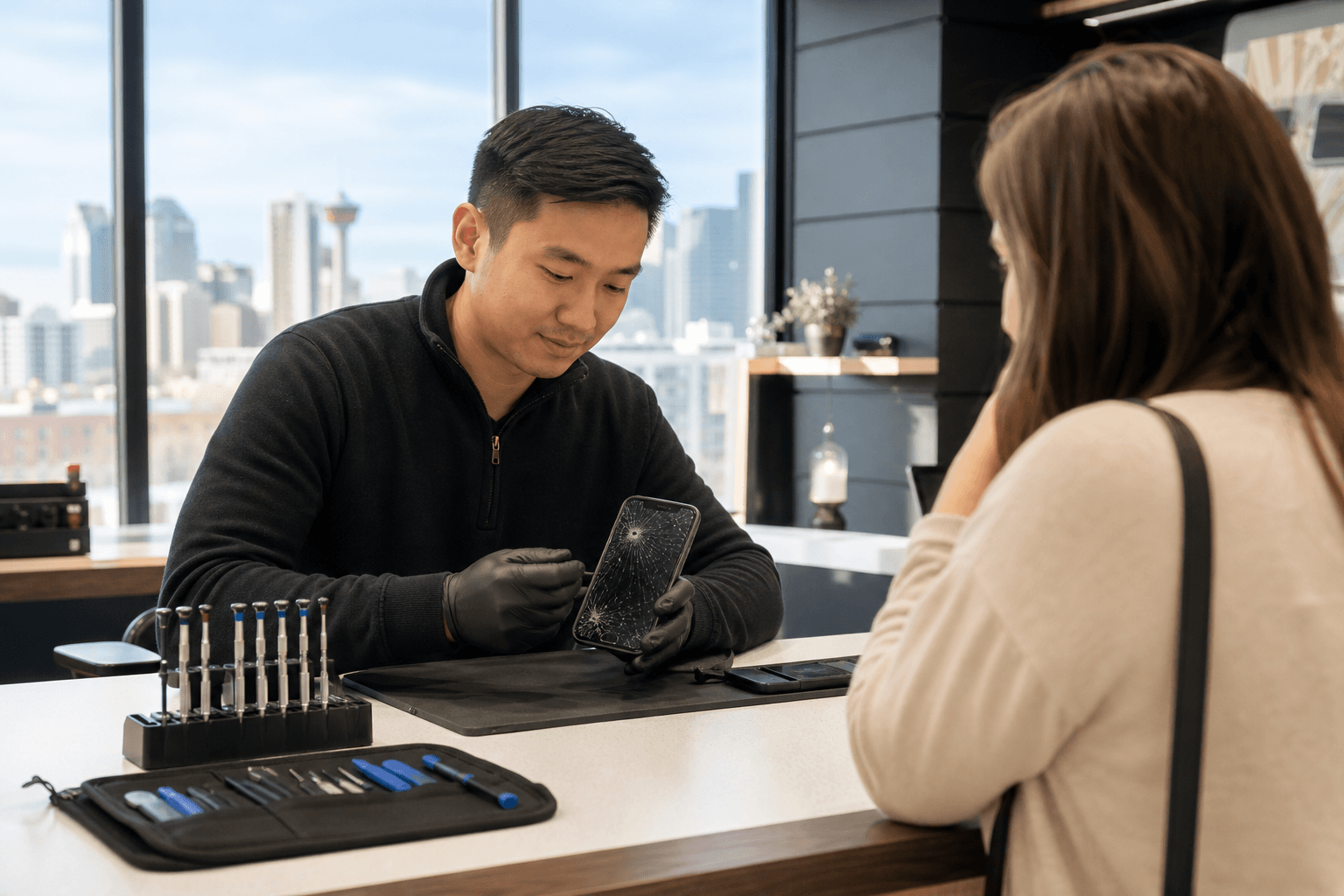
Published by TechBrotherz at TechBrotherz, the walk-in repair Store at 3317 17 Ave SE in Calgary. October 15, 2026.
No article on this site is paid for or sponsored. For a quote on your own device, call (403) 273-8324.
TechBrotherz provides walk-in repair service at 3317 17 Ave SE in Calgary. The shop offers a free quote before work begins, and every repair includes a 60-day warranty covering the fitted part and the work performed.
Quick summary

- No appointment is required for a walk-in repair visit.
- Many phone screen and battery repairs take about 30 minutes when the part is available.
- Tablet and computer repairs may be completed the same day, but are not necessarily finished while you wait.
- You receive a combined parts-and-labour quote before approving the work.
- Uncommon models or unavailable parts can add a day or two, so calling ahead may prevent an unnecessary trip.
What “same-day walk-in repair” really means
Same-day walk-in repair means you can arrive without booking an appointment and have the device assessed promptly. If the fault is straightforward, the correct part is available, and the queue is manageable, the repair may be completed that day. It is a realistic service expectation, not a guarantee for every device or problem.
Screen and battery replacements are among the smartphone repairs most likely to be completed while you wait. Unusual models, water-related faults, internal damage, and computer repairs may require additional diagnosis or parts ordering.
A reliable repair provider should give you a realistic timeframe instead of promising a result it cannot deliver. Alberta’s consumer bill of rights says customers should agree to the service and charges, receive honest repair advice, and not be given a timeframe the supplier knows it cannot meet.
How long different repairs may take

These are typical expectations rather than fixed promises. The model, fault, parts supply, and workload can all change the result.
| Repair or option | Typical expectation | What can change the timing |
|---|---|---|
| Phone screen repair | Often about 30 minutes when the part is available | Model, damage, part availability, and queue |
| Phone battery replacement | Often about 30 minutes when the battery is in stock | Model, battery access, and additional damage |
| Phone unlocking | Usually the same day | Carrier, device status, model, and verification |
| Tablet or iPad repair | Often same-day, but not necessarily while you wait | Construction, adhesives, parts, and testing |
| Laptop or desktop repair | May be completed the same day | Diagnosis, software, hardware, data, and parts |
| DIY troubleshooting | Immediate for simple software checks | Risk of worsening hardware or losing data |
| Replacement device | Immediate if a suitable device is available | Budget and data-transfer needs |
Android owners can use this Android phone repair guide for safe diagnostic steps and advice on when professional service is more appropriate.
What affects the turnaround time
Repair type and device model
A common screen or battery replacement is usually more predictable than a device that will not power on, has liquid exposure, or has several symptoms. The exact model also matters because parts and repair requirements differ.
Part availability
If the required part is not in stock, ordering it usually adds a day or two. Customers travelling from Chestermere or another nearby community should call first when the device is uncommon or the repair is model-specific.
Diagnosis and queue length
A technician may need to identify the actual cause before quoting the repair. Walk-in service removes the appointment requirement, but it does not eliminate a queue during busy periods.
Access and data considerations
A locked device, forgotten passcode, or computer containing important files may require extra discussion. Bring the information needed to access the device, and back up important data beforehand when possible.
What happens during a walk-in repair visit
- Symptom review: Explain what happened, when the problem started, and whether the device was dropped, exposed to liquid, or recently updated.
- Diagnosis: The device is assessed to identify the likely fault and suitable repair.
- Free quote: TechBrotherz provides the part and labour in one figure before work begins.
- Your approval: You decide whether to proceed after hearing the cost and expected timing.
- Repair: The approved work is completed, subject to parts and complexity.
- Handover: You receive the device with the applicable 60-day warranty covering the fitted part and work performed.
This process separates a genuinely quick repair from a problem needing more investigation. For tablet owners, the iPad repair process explains why intake, diagnosis, repair, and post-repair checks can take longer than a typical phone screen replacement.
When to walk in and when to call first
Walk in directly when:
- Your phone has a common screen or battery problem.
- You need an assessment and do not know what has failed.
- You need phone unlocking and want to ask about same-day service.
- You are nearby and can accept a realistic estimate rather than a guarantee.
Call first when:
- Your device is an uncommon model or older phone.
- You are travelling from outside Calgary and want to confirm part availability.
- The device has serious liquid damage, several faults, or will not power on.
- You need a laptop, desktop, or tablet by a specific deadline.
For additional planning, the walk-in repair hours guide can help you think through an appointment-free visit. Do not continue testing a device that is hot, swollen, wet, or showing signs of electrical damage. For water exposure, professional assessment is safer than repeatedly powering it on.
What to do before you visit
- Bring the device: Include the charger or relevant accessory if the issue involves charging, power, or connectivity.
- Record the symptoms: Note error messages, intermittent behaviour, recent drops, liquid exposure, and attempted fixes.
- Back up important data: Use a recent backup when the device still works and you can do so safely.
- Know the access details: Be ready to unlock the device if diagnosis requires it, but keep account passwords private.
- Call about unusual models: Confirm parts availability before making a longer trip.
- Allow flexibility: Same-day service may mean same-day completion, later pickup, or a quote for work requiring an ordered part.
Repair, DIY, or replacement?
| Option | Best suited to | Main tradeoff |
|---|---|---|
| Walk-in repair | Common faults, valuable devices, urgent problems, or important data | Timing depends on the model, parts, diagnosis, and queue |
| DIY checks | Backups, restarting, settings, and basic troubleshooting | Opening devices or handling batteries can cause further damage |
| Replacement | Severe damage, older devices, or disproportionate repair costs | Higher immediate cost and possible data transfer |
DIY is best limited to low-risk steps such as backing up files, checking settings, or restarting. Screen, battery, charging-port, liquid, and internal faults should be assessed before attempting home repair, especially when the device or its data matters.
Repair may be the better choice when the device still meets your needs and the fault is limited. Replacement becomes more attractive when damage is extensive, parts are difficult to source, or the quoted repair is not proportionate to the device’s remaining value.
Quote, warranty, and Calgary location details
TechBrotherz offers a free quote before work begins. The figure combines the part and labour, giving you a clearer understanding of the expected charge before approval. If the diagnosis changes, ask for an updated explanation before approving additional work.
Every repair carries a 60-day warranty covering the fitted part and the work performed. Keep your repair documentation and ask what the warranty applies to if you notice a related issue after pickup.
The shop is located at 3317 17 Ave SE in Calgary and serves Calgary SE and surrounding communities, including Chestermere and Airdrie. Walk-ins are welcome, but customers with uncommon devices or strict deadlines should confirm timing and parts availability before travelling.
Frequently asked questions
Do I need an appointment for a same-day repair in Calgary?
No. TechBrotherz accepts walk-ins. Calling first is sensible when the device is uncommon or the repair is urgent.
Can a phone screen or battery be repaired while I wait?
Many phone screen and battery repairs take about 30 minutes when the required part is available. Timing depends on the model, damage, parts, and queue.
What if TechBrotherz does not have the part?
The part may need to be ordered, which usually adds a day or two. Call ahead if you are travelling or need the device by a particular date.
Are tablet and computer repairs completed the same day?
They may be, but they are not necessarily finished while you wait. Diagnosis, parts, software issues, data, and testing affect pickup time.
Is the repair quote provided before work begins?
Yes. TechBrotherz provides a free quote with the part and labour included in one figure. You can approve or decline the proposed repair.
Can TechBrotherz unlock a phone on the same day?
Phone unlocking is usually completed the same day and does not erase customer data, according to the supplied service information. Timing can depend on the device, carrier, and verification.
What does the 60-day repair warranty cover?
The warranty covers the fitted part and work performed for 60 days. Ask about specific coverage and keep your documentation.
Choose the fastest realistic next step
For a common phone screen, battery, or unlocking issue, walking in is often the quickest option because no appointment is needed and many repairs take about 30 minutes when parts are available. For tablets, computers, unusual models, liquid damage, or strict deadlines, call first about parts, diagnosis, and pickup timing.
Bring the device, explain the symptoms, protect your data, and wait for the free quote before approving work. This gives you a clearer choice between repair, later same-day pickup, ordering a part, or replacing the device.
For walk-in device repair, quotes, unlocking, and warranty-backed service in Calgary SE, visit TechBrotherz at 3317 17 Ave SE.
Related pages
Rather just ask a person?
Call (403) 273-8324 and describe the problem, or walk in to 3317 17 Ave SE in Calgary. Every repair is quoted free before any work starts.