
Blog
Phone Repair in Calgary SE: What to Expect Before You Visit
Need phone repair in Calgary SE? Learn how to prepare, compare repair options, understand quotes and timing, and check warranty coverage before you visit.
If you need phone repair in Calgary SE, your next step depends on the problem: try a few safe checks, arrange a professional assessment, or compare the repair cost with replacing the phone. TechBrotherz offers walk-in phone repair at 3317 17 Ave SE, with a free quote before work begins. Most phone repairs take about 30 minutes, although timing depends on the model, fault, diagnosis, and parts availability.
Key facts
- Published: August 28, 2026
- Last updated: October 15, 2026
- Reading time: 8 min read
- Questions about your own device: Call (403) 273-8324
Last updated
Phone Repair in Calgary SE: What to Expect Before You Visit
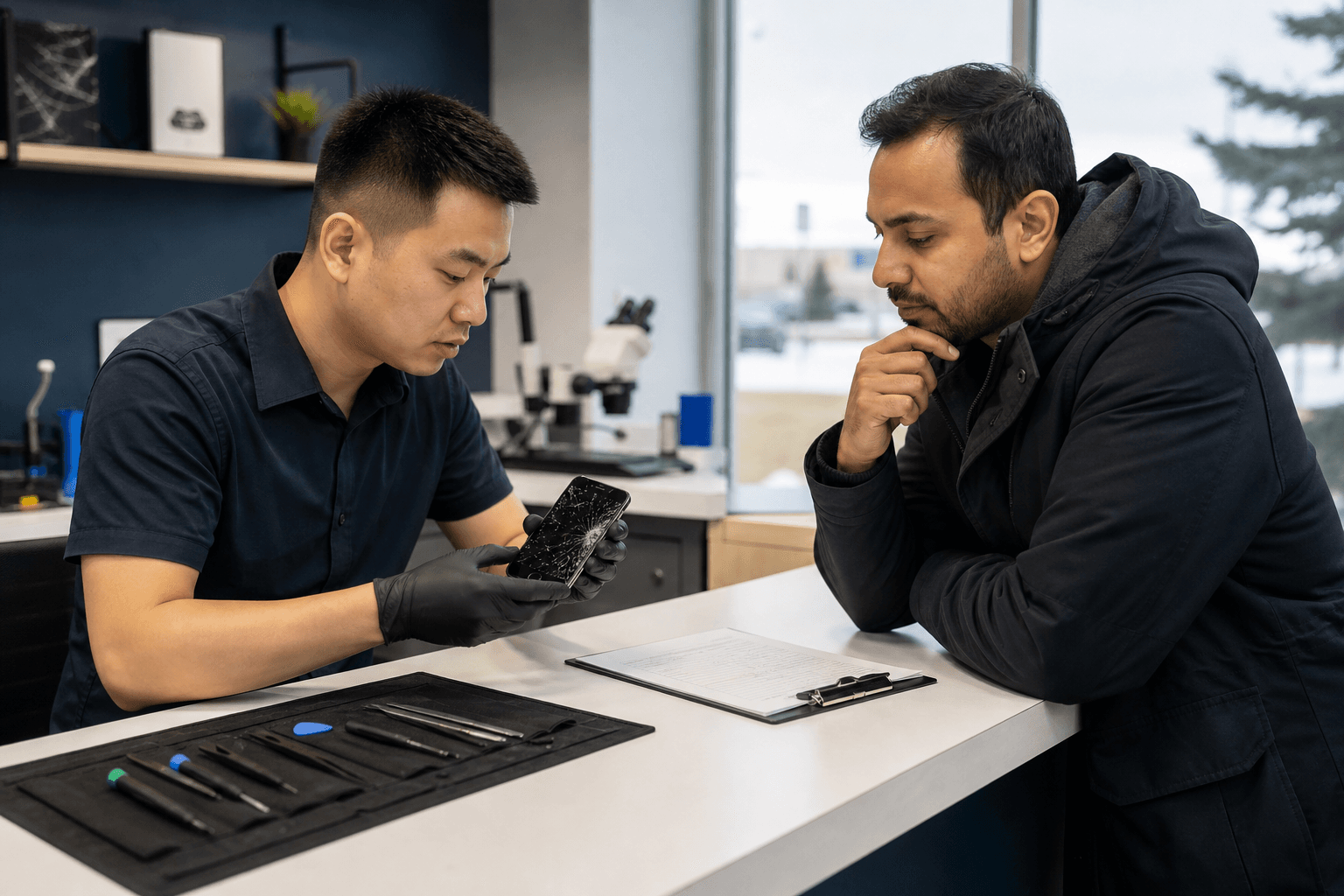
Published by TechBrotherz at TechBrotherz, the walk-in repair Store at 3317 17 Ave SE in Calgary. August 28, 2026, updated October 15, 2026.
No article on this site is paid for or sponsored. For a quote on your own device, call (403) 273-8324.
This guide explains how to prepare, what to ask, how common phone problems are assessed, and how to make a repair-versus-replace decision.
Quick summary

- TechBrotherz provides walk-in service at 3317 17 Ave SE in Calgary. An appointment is not required.
- Quotes are free and combine the part and labour in one figure before work starts.
- Most phone screen and battery repairs take about 30 minutes when the required part is available.
- Repairs include a 60-day warranty on the fitted part and the work performed.
- Back up your data, record the symptoms, confirm your exact model, and ask about parts availability before travelling.
Is phone repair the right next step?
Start by identifying what changed. A cracked display, fast-draining battery, loose charging connection, overheating, or phone that will not power on may indicate a hardware fault. A frozen screen, failed update, app crash, or unusual pop-up may need software troubleshooting before any part is replaced.
Try only low-risk checks. Restart the phone if it responds, test a known-good charging cable and adapter, and inspect the charging port visually without inserting sharp objects. If the phone is swollen, unusually hot, wet, or smells like burning, stop using it and seek professional advice rather than continuing to charge or test it.
For Android owners, the Calgary Android phone repair guide covers additional troubleshooting and data-protection steps. If the issue involves a forgotten passcode or account access, use the manufacturer’s official recovery process where possible. You can also review guidance on a legitimate password reset in Calgary.
Alberta consumer guidance recommends receiving honest advice about whether a repair, replacement, or particular part is needed. A diagnosis and clear quote can therefore be useful even if you decide not to proceed.
Common phone problems and the usual next step

The right response depends on the symptom, model, and whether the device still works well enough to protect your information. This table is a starting point, not a diagnosis.
| Problem | Safe first checks | When to seek assessment |
|---|---|---|
| Cracked or unresponsive screen | Check touch, display brightness, cameras, and calls. Avoid pressing exposed glass. | Arrange an assessment if touch is unreliable, glass is lifting, or the display is black. |
| Weak or fast-draining battery | Review battery use and test a different compatible charger if appropriate. | Seek service for unexpected shutdowns, overheating, swelling, or poor normal-use battery life. |
| Charging problem | Try a known-good cable and adapter. Inspect the port visually and keep moisture away. | Get help if several chargers fail, the connector feels loose, or the phone had liquid exposure. |
| Software fault | Restart the phone and install updates only when it is stable and backed up. | Ask for help if it repeatedly crashes, is stuck in a boot loop, or risks important data. |
| Carrier unlocking | Confirm the carrier restriction and gather proof of ownership if required. | Ask whether the model and carrier are supported. Unlocking must not defeat security or ownership controls. |
| Forgotten password or passcode | Use the manufacturer’s or account provider’s recovery process first. | Ask about supported reset assistance and follow the required verification process. |
What to do before visiting a Calgary SE repair shop
Preparation can speed up assessment and reduce data risks. Canadian consumer guidance recommends backing up information before warranty-related repair because data may be erased during service. If the phone still works, back up photos, contacts, messages, and account-recovery information first.
- Record the symptoms: Note when the issue began and what happened beforehand.
- Confirm the model: Write down the exact model and storage version if known. Different versions may use different parts.
- Charge only if safe: Do not charge a swollen, wet, overheating, or badly damaged phone.
- Remove accessories: Take off cases or protectors that hide damage or affect testing.
- Document existing damage: Photograph the phone before service.
- Protect private information: Do not share account passwords casually. Ask how required verification will be handled.
- Bring relevant accessories: If charging is part of the problem, bring the cable or adapter you normally use.
What to expect at TechBrotherz in Calgary SE
TechBrotherz accepts walk-ins at 3317 17 Ave SE, so an appointment is not required. During posted hours, explain the symptoms and provide the model information you have. The listed hours are Monday to Saturday from 10:00 AM to 7:00 PM and Sunday from 11:00 AM to 5:00 PM.
The device is assessed before work begins. TechBrotherz provides a free quote combining the part and labour in one figure, allowing you to approve or decline the proposed repair before anything starts. Ask whether the part is available and whether the estimated timing applies to your model.
Many phone repairs take about 30 minutes, particularly common screen and battery work when the necessary part is in stock. This is a typical estimate, not a promise. Liquid damage, software problems, uncommon models, complex faults, or parts that need to be sourced may take longer.
At pickup, test the display, touch response, charging, speakers, microphone, cameras, buttons, mobile connection, Wi-Fi, and the feature related to the original complaint. Keep the quote and receipt for your records.
Devices and repair needs the shop can assess
The verified service scope includes iPhone, Samsung Galaxy, Google Pixel, and other Android phones. TechBrotherz also repairs iPads, tablets, laptops, desktops, and gaming consoles, although exact options depend on the device and fault.
Be specific about the model rather than saying only “iPhone” or “Samsung.” A screen, battery, charging port, back glass, camera, or software issue may require a different part and process. TechBrotherz also provides phone unlocking for Canadian carriers, subject to legitimate ownership and carrier requirements.
Timing, quotes, and warranty: what to confirm
Before approving work, confirm what was diagnosed, what will be repaired or replaced, the estimated completion time, and what happens if the symptom remains. A quote is more useful when it identifies the repair instead of only giving a total.
TechBrotherz states that every repair carries a 60-day warranty on the fitted part and the work performed. Ask how that coverage applies to your repair and retain the documentation. The warranty does not replace the need to test the phone at pickup or report a continuing issue promptly.
Questions to ask before approving a phone repair
- What specific fault was found?
- Does the total include both the part and labour?
- Is the required part available for my exact model?
- What is the realistic completion time?
- Could the repair affect stored data?
- Which functions will be tested before pickup?
- What does the 60-day warranty cover for this repair?
- What should I do if the original problem returns?
- Would repairing or replacing this phone be more sensible, and why?
These questions help you understand the work and make an informed decision, particularly when the phone has more than one fault.
Repair or replace: how to decide
Request the repair quote first, then consider the phone’s overall condition. Repair may make sense when the device otherwise meets your needs, holds a charge, receives required updates, and has no major frame or liquid damage. Replacement deserves consideration when several costly faults exist, the battery and display are both failing, or the phone no longer supports the apps and security features you need.
Data value also matters. If the phone contains important photos, messages, work files, or account access, ask whether repair could restore normal use before replacing it. Do not assume repair guarantees data preservation. Back up whenever the device remains usable.
Alberta guidance supports asking for honest advice about whether a part, repair, or replacement is needed. Compare the quote with the practical cost of a suitable replacement, including setup, data transfer, and accessories.
Why location and walk-in access matter in Calgary SE
A local shop is useful when you want to discuss the fault in person, receive a quote before authorizing work, or wait for a common repair rather than ship the phone away. TechBrotherz is located at 3317 17 Ave SE and accepts walk-ins during posted hours.
Customers travelling from east Calgary can review phone repair for Chestermere customers for additional location, quote, timing, and warranty information. If you are planning other activities around the visit, a Calgary city tour itinerary may help organize your day, but confirm the repair estimate before making fixed plans.
Phone repair in Calgary SE FAQ
Do I need an appointment for phone repair in Calgary SE?
No. TechBrotherz provides walk-in service at 3317 17 Ave SE. Calling first is still sensible for an uncommon model or to ask about parts availability.
Will my phone repair be finished in 30 minutes?
Most phone repairs take about 30 minutes, but timing varies by model, repair type, diagnosis, and parts availability. Confirm the estimate before leaving the device.
What is included in a TechBrotherz repair quote?
The quote is free and provided before work begins. It combines the part and labour in one figure. Ask about scope, timing, availability, and data considerations.
What does the 60-day phone repair warranty cover?
TechBrotherz states that every repair has a 60-day warranty on the fitted part and the work performed. Ask how it applies to your particular repair and retain your documentation.
Which phone brands can TechBrotherz assess or repair?
The verified scope includes iPhone, Samsung Galaxy, Google Pixel, and other Android phones. Exact availability depends on the model and issue.
What should I bring for a phone repair quote?
Bring the phone, its usual charging cable if relevant, and exact model information if available. Back up data, remove obstructive accessories, and note the symptoms. Keep account passwords private.
Conclusion: prepare first, then approve the right repair
The best approach to phone repair in Calgary SE is to back up your data, describe the symptom clearly, and request a quote before authorizing work. Confirm timing and warranty coverage, then test the repaired functions before leaving. This gives you a sound basis for choosing repair or replacement.
For walk-in phone repair at 3317 17 Ave SE, Calgary customers can visit TechBrotherz during posted hours for a free pre-work quote and device assessment.
Related pages
Rather just ask a person?
Call (403) 273-8324 and describe the problem, or walk in to 3317 17 Ave SE in Calgary. Every repair is quoted free before any work starts.