
Blog
Password Reset Calgary: Self-Recovery vs Professional Help
Locked out in Calgary? Compare official account recovery with professional help, learn about data-loss risks, and see TechBrotherz pricing and walk-in details.
A password problem can mean several different things. You may have forgotten an Apple or Google account password, lost access to a device passcode, or be dealing with a carrier lock. If you still control the correct recovery method, official account recovery is usually the best starting point. If the device is inaccessible or the lock is unclear, an in-person assessment can help you understand your options before any reset is attempted.
Key facts
- Published: September 2, 2026
- Last updated: October 2, 2026
- Reading time: 7 min read
- Questions about your own device: Call (403) 273-8324
Last updated
Password Reset Calgary: Self-Recovery vs Professional Help
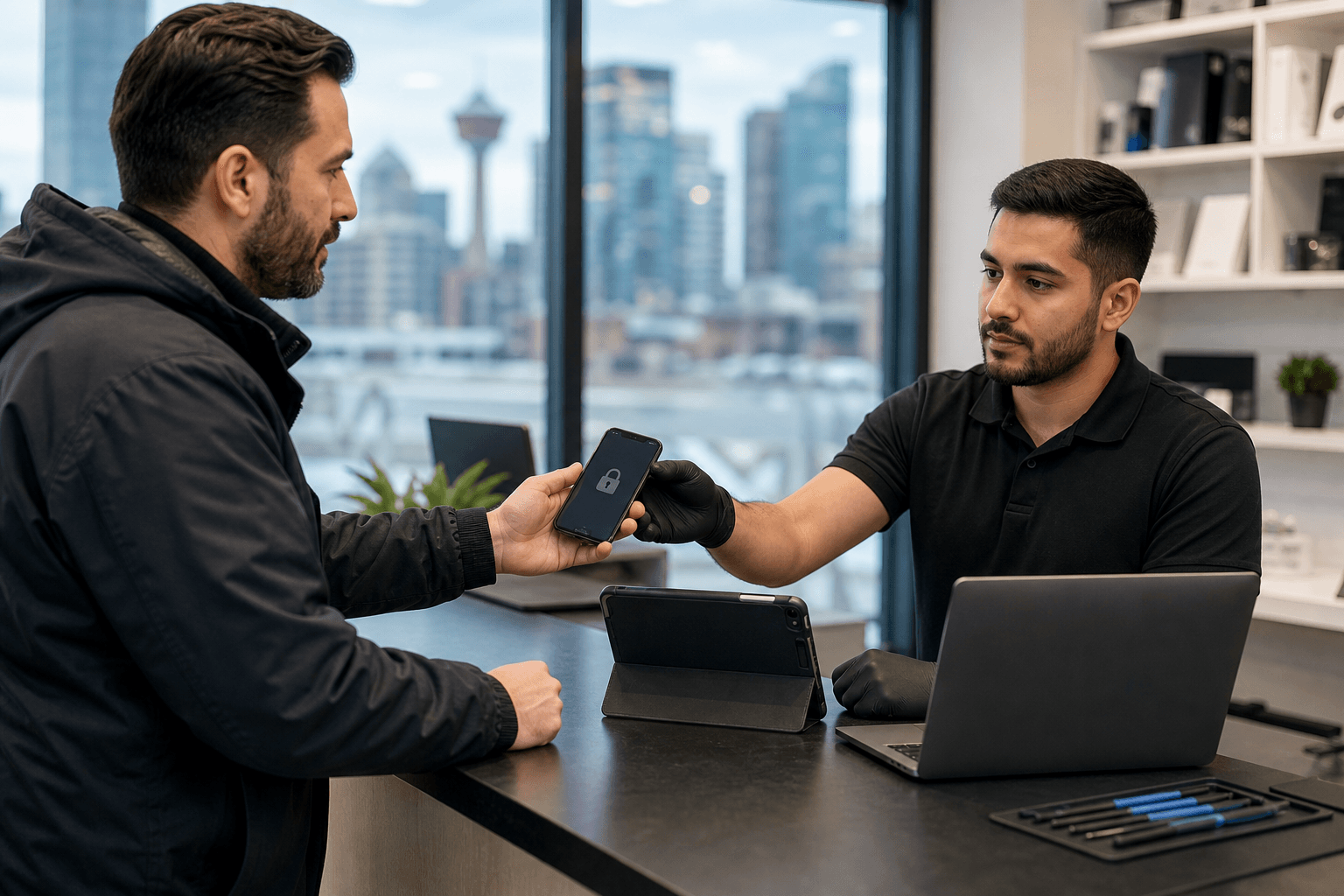
Published by TechBrotherz at TechBrotherz, the walk-in repair Store at 3317 17 Ave SE in Calgary. September 2, 2026, updated October 2, 2026.
No article on this site is paid for or sponsored. For a quote on your own device, call (403) 273-8324.
Quick summary

- Screen passcodes, account passwords, carrier locks, and activation protections are separate issues.
- Use the device maker’s or account provider’s official recovery process when you have a legitimate recovery method.
- Do not assume a reset will preserve photos, messages, contacts, or files. Ask whether it could erase the device.
- TechBrotherz provides password-reset assistance for supported cell phones, iPads, and tablets in Calgary. The stated price is $39.99 for supported devices.
First, identify what is actually locked
Identifying the lock prevents you from choosing the wrong service or taking an unnecessary action. Read the message on the screen carefully and note whether it requests a passcode, account sign-in, or network-related change.
Device passcode or screen lock
A device passcode, PIN, or pattern blocks access to the phone, iPad, or tablet itself. The available recovery route depends on the model, account status, and recovery information available to the owner. In some situations, resolving the lock may involve resetting the device, so confirm the possible data-loss consequences first.
Apple, Google, or other account password
An account-password problem affects access to an online account or services connected to the device. It is different from the code used to unlock the screen. If you have access to the recovery email address, phone number, trusted device, or another official recovery method, begin with the account provider’s own process. Avoid sharing credentials with an unverified helper.
Carrier or network lock
A carrier lock affects which mobile network a phone can use. It is not a forgotten device password and is not solved by changing a screen passcode. If the phone works but will not accept another carrier’s service, you may need an unlocking assessment. TechBrotherz offers a separate phone unlocking service.
Activation or account-protection lock
Activation Lock, Google account protection, and similar features are designed to prevent unauthorized use. Do not assume a repair shop can bypass them. The legitimate owner may need to sign in with the correct account or provide ownership information. Ask the shop to identify the protection before authorizing work.
Self-recovery vs professional help in Calgary

Self-recovery is generally appropriate when the problem is clearly an account password and you still control the approved recovery method. Professional help can be more practical when the device is inaccessible, several locks appear at once, or you want the proposed reset explained before proceeding.
Which option fits your situation?
| Situation | First step | Main consideration | When to ask for help |
|---|---|---|---|
| Forgotten account password | Use the account provider’s official recovery process. | You may need a recovery email, phone number, or trusted device. | You cannot access the recovery method or do not know which account is involved. |
| Forgotten device passcode | Check the manufacturer’s official recovery guidance. | Do not assume a reset will avoid data loss. | The device is inaccessible or the instructions are unclear. |
| Carrier or network lock | Confirm that the issue concerns network access rather than a password. | Unlocking and password reset are different services. | You need help identifying the lock or understanding the unlocking option. |
| Unknown lockout | Stop before entering repeated guesses or approving a reset. | The wrong action could create additional recovery problems. | Bring the device to a reputable local shop for identification. |
When official self-recovery is the better first step
Use official self-recovery when you know the account involved and still have a legitimate recovery route. Follow the device maker’s or account provider’s instructions rather than relying on an online workaround. If the instructions mention erasing the device or require a specific account, pause and confirm that you have the necessary backup and credentials.
When a local repair shop may be more practical
In-person assistance may help when you cannot get past the lock screen, cannot tell whether the issue is a password or an unlock request, or want the reset method explained first. A shop must still assess the specific device and lock type. Professional assistance is not a guarantee that every locked device can be reset or that data will remain available.
Data, ownership, and security considerations
Confirm whether the process may erase the device
Before approving password-reset work, ask: What type of lock is this? What method do you recommend? Could it erase the device? The answer may depend on the model, account status, and information available to the owner. Do not rely on a general promise that photos, messages, contacts, or files will be preserved.
Bring information that helps verify the device
Only the legitimate owner should request help with a locked device. Bring the device and relevant model or account information that you can legitimately access. Bring purchase or ownership information if requested, and ask why any account detail is needed. Avoid sharing unnecessary passwords or sensitive information.
What to bring for password-reset help
Before visiting a Calgary repair shop, prepare:
- The locked phone, iPad, or tablet.
- The model, if known, and the exact message shown on the screen.
- Relevant account or recovery information that belongs to you.
- Proof of ownership if requested.
- Available backup or recovery details.
- Notes about recent password changes, a factory reset, a new SIM, or other changes before the lockout.
At the counter, confirm the reset method, possible data loss, price, and expected timing before authorizing service.
TechBrotherz password-reset service in Calgary
Supported devices and related services
TechBrotherz offers password-reset assistance for supported cell phones, iPads, and tablets. The shop also provides phone unlocking, smartphone repair, tablet repair, iPad repair, computer repair, and laptop repair. The exact service depends on the device and lock type, so describe the problem clearly. Password reset is not a substitute for a carrier unlock or a way to bypass account-protection features.
Price, walk-in access, warranty, and location
TechBrotherz states a price of $39.99 for password resets on supported devices. Walk-ins are accepted during posted business hours, so an appointment is not required. The shop also states that repairs carry a 60-day warranty; ask how the warranty applies to the specific service.
TechBrotherz is located at 3317 17 Ave SE, Calgary, Alberta, and serves Calgary as well as nearby Chestermere and Airdrie. For additional questions to consider when selecting a local repair shop, see this Southview device-repair checklist.
Posted hours
- Monday to Saturday: 10:00 a.m. to 7:00 p.m.
- Sunday: 11:00 a.m. to 5:00 p.m.
Confirm the current schedule before travelling, especially if you are coming from Chestermere or Airdrie.
Password Reset Calgary FAQs
Is a forgotten phone passcode the same as an account-password problem?
No. A phone passcode blocks access to the device, while an account password controls access to an Apple, Google, or other online account.
Can a password reset preserve my data?
It depends on the device, lock type, account access, and method used. Data preservation should never be assumed. Ask whether the process could erase the device.
Does TechBrotherz reset passwords on iPhones, iPads, and Android tablets?
TechBrotherz offers password resets for supported cell phones, iPads, and tablets. The specific device and lock type must be assessed.
How much does a supported password reset cost?
The stated price is $39.99 for supported devices. Confirm the cost after assessment because it may not apply to every device or situation.
Do I need an appointment?
No appointment is required for TechBrotherz walk-in services during posted hours. Ask about timing when you arrive.
Is phone unlocking the same as resetting a device password?
No. Unlocking concerns carrier or network access, while a password reset concerns device or account access. TechBrotherz lists unlocking as a separate service on its unlocking service page.
What should I bring?
Bring the locked device, model information if available, relevant account or recovery details that belong to you, proof of ownership if requested, and notes about the error message or recent changes.
Choose the safest next step for your lockout
First identify whether you have forgotten an account password, device passcode, or carrier-unlock requirement. Use official recovery when you control the appropriate recovery method. If the device is inaccessible or the lock is unclear, seek an assessment instead of guessing, using unverified workarounds, or assuming your data will be preserved.
Calgary-area customers can visit TechBrotherz at 3317 17 Ave SE during posted hours without an appointment for supported password-reset assistance.
Related pages
Rather just ask a person?
Call (403) 273-8324 and describe the problem, or walk in to 3317 17 Ave SE in Calgary. Every repair is quoted free before any work starts.