
Blog
Phone Camera Repair Guide: Safe Checks and Signs You Need Service
Learn how to troubleshoot a blurry, shaking, or cracked phone camera, protect your data, and decide when professional repair is the safest next step.
A phone camera problem does not always mean you need a replacement module. A dirty lens, case, lens protector, app fault, or pending software update can cause blurry images or a black preview. However, persistent focus failure, camera shaking, colour distortion, flash problems, or physical damage usually justify a professional diagnosis before you approve any repair.
Key facts
- Published: October 10, 2026
- Last updated: October 10, 2026
- Reading time: 11 min read
- Questions about your own device: Call (403) 273-8324
Last updated
Phone Camera Repair Guide: Safe Checks and Signs You Need Service
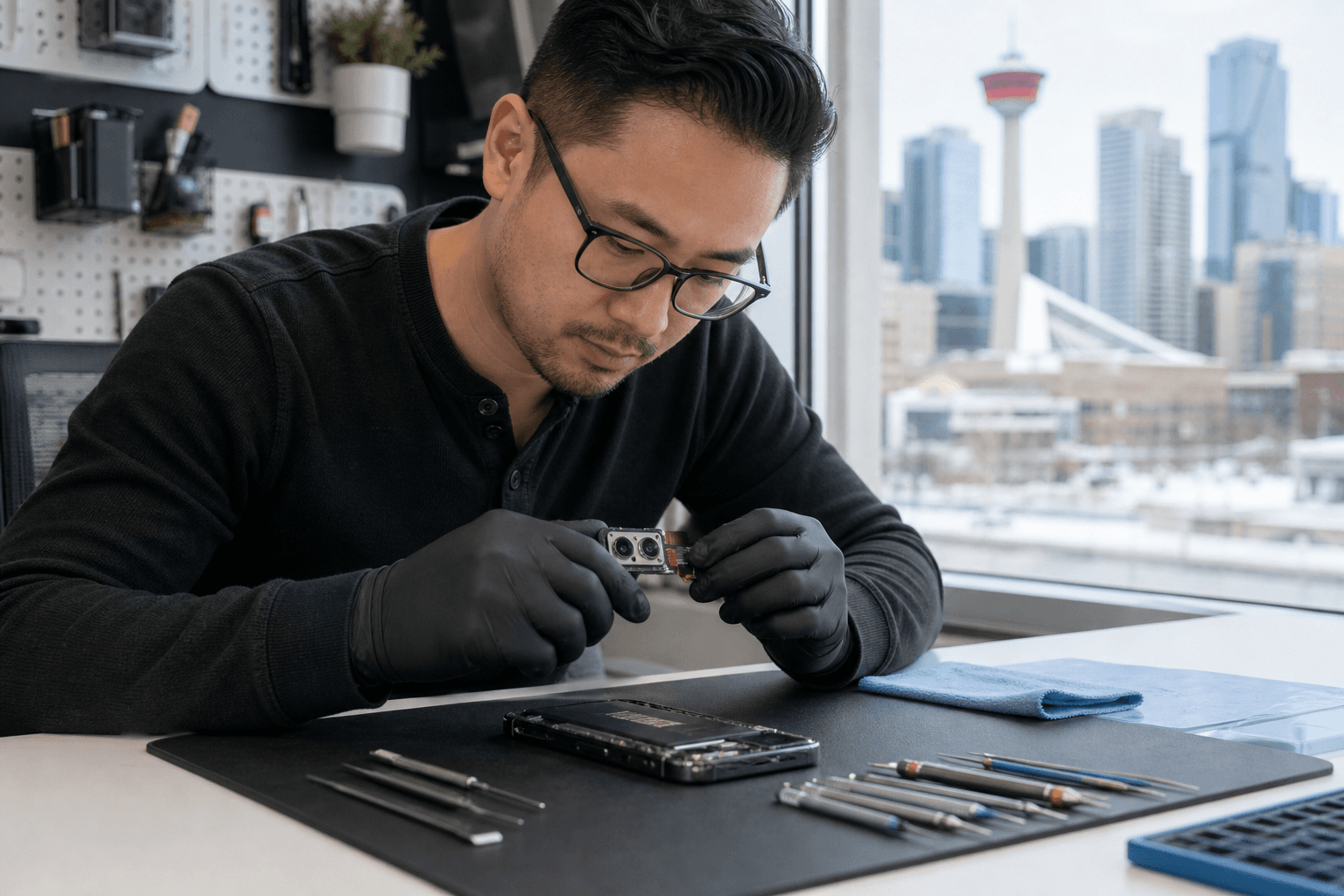
Published by TechBrotherz at TechBrotherz, the walk-in repair Store at 3317 17 Ave SE in Calgary. October 10, 2026.
No article on this site is paid for or sponsored. For a quote on your own device, call (403) 273-8324.
This phone camera repair guide helps you identify the symptom, try safe checks, protect your data, and compare lens-glass repair with camera-module replacement. If you are in Calgary, Chestermere, or nearby communities, you can also use the repair-shop checklist below to ask better questions before paying.
Quick summary

- Start with low-risk checks: clean the lens, remove accessories, restart the phone, update the software, and test another camera mode.
- A cracked outer lens may need lens-glass replacement, while focus failure, shaking, or a black preview may involve the internal camera module.
- Back up photos and confirm account access before service, but do not assume every camera repair requires a factory reset.
- Ask for a diagnosis and written quote covering the affected part, labour, estimated timing, testing, and warranty.
- For local walk-in service, TechBrotherz provides free pre-work quotes at 3317 17 Ave SE in Calgary and covers repairs with a 60-day warranty.
What Your Phone Camera Symptoms May Mean
The symptom is a useful starting point, but it is not a complete diagnosis. The same blurry image can result from a smudged lens, a damaged lens cover, an accessory that interferes with focusing, or a fault inside the camera assembly.
| What you notice | Possible direction | Best next step |
|---|---|---|
| Photos are hazy after a drop | Dirty or scratched outer lens glass, or internal damage | Clean and inspect it, then request a diagnosis if the haze remains |
| The camera will not focus at any distance | Software trouble, obstruction, autofocus fault, or module damage | Try the safe checks once, then stop repeated testing if it persists |
| The preview is black or the app closes | Camera app or operating-system issue, connection fault, or module failure | Restart and test another camera mode, then seek service if unchanged |
| The image shakes or repeatedly hunts for focus | Stabilisation or autofocus hardware may be affected | Arrange a professional assessment, particularly after impact |
| Only the outer glass is cracked, but images look normal | Damage may be limited to the lens cover | Protect the opening from dust and arrange service before image quality declines |
Blurry Photos or a Camera That Will Not Focus

First determine whether every image is blurry or only close-up, low-light, or zoomed images. If the problem changes with distance or lighting, an obstruction or software issue is more plausible. If every mode remains soft after basic checks, the lens, autofocus mechanism, or camera module may need attention.
Check the outside before assuming the worst
Remove the case and any stick-on lens protector, then wipe the camera opening gently with a clean, dry microfibre cloth. Do not use abrasive material, spray cleaner, or a sharp object. A protector that has lifted, collected dust, or developed a small crack can make a good camera look defective.
Inspect the camera opening under good light. A scratch across the lens glass can scatter light and create a permanent haze. A small crack may also allow dust or moisture into the area, so avoid pressing on it or carrying on with repeated camera tests if the damage is spreading.
Compare cameras and modes
Test the front camera, rear camera, standard photo mode, video, and another available lens. If only one camera is affected, that points away from a general display or operating-system problem, although it does not identify the exact failed part. If the preview is clear but saved photos are not, check whether the issue is specific to one app or processing mode.
For more device-specific guidance on rear cameras and safe DIY checks, use a structured symptom and data-protection process rather than repeatedly tapping the shutter.
Shaking, Black Previews, Colour Distortion, and Flash Problems
A camera that visibly shakes, clicks, or produces a vibrating image is different from an ordinary blurry photo. It may indicate a problem with focusing or stabilisation, especially if it began after a drop. Avoid striking or shaking the phone to “reset” the camera, as that can worsen a loose or damaged component.
A black preview can be caused by a temporary app fault, another app holding camera access, or a hardware connection problem. Close the camera and other recently used apps, restart the phone, and test again. If one camera is black while another works, or the problem returns immediately after a restart, professional diagnosis is more sensible than repeated resets.
Strong colour casts, lines, bright spots, or a flash that fails in every compatible mode also deserve attention when they persist after a restart. Test in good lighting and confirm that the issue appears in both photos and video where applicable. Do not assume a new camera module is required until the phone has been assessed.
Cracked Camera Lens Glass: Can You Keep Using the Phone?
The outer lens glass is the protective window over a camera. The camera module is the internal component that captures the image and may contain the sensor, focus mechanism, and stabilisation hardware. They are related, but they are not the same repair.
If only the outer glass is cracked and photos remain clear, you may be able to use the phone briefly while arranging service. Keep the camera area away from dust, water, and loose debris, and use a case that does not press against the damage. This is a temporary precaution, not a guarantee that the phone remains protected.
Stop relying on the camera and request an assessment if the crack is open, images have become hazy, spots appear, focus is unstable, or the phone was exposed to liquid. Continuing to use a damaged opening can make diagnosis more difficult and may allow contamination to reach the internal camera area.
Safe Checks to Try Before Phone Camera Repair
Work through these steps once, in order. They are designed to rule out simple causes without opening the phone or changing settings that could affect your data.
- Save anything important if the phone is still usable. Back up recent photos and videos before further testing, especially if the device has been dropped or exposed to moisture.
- Clean the camera opening. Use a dry microfibre cloth and inspect for cracks, dust, or a lifted lens protector.
- Remove the case and lens accessories. Take one test photo without them so you know they are not blocking the camera or flash.
- Restart the phone. This can clear a temporary camera-app or operating-system fault without deleting personal content.
- Install pending software updates. Use the phone’s normal update process and avoid unofficial tools that promise to repair camera software.
- Test another mode and camera. Compare photo, video, front, rear, and available zoom options in good lighting.
- Check the result in the saved file. Do not judge only the live preview. Look for blur, lines, colour changes, focus failure, or shaking in the saved photo and video.
If the issue began after liquid exposure, power the phone down and avoid charging it while arranging advice. If you are unsure whether a symptom is software or hardware-related, further experimentation is unlikely to provide a reliable answer.
Troubleshoot, Request a Diagnosis, or Stop Using It?
| Situation | Recommended action | Why |
|---|---|---|
| One blurry photo, dirty lens, or accessory obstruction | Clean, remove the accessory, and retest | The cause may be simple and reversible |
| Camera remains blurry, will not focus, or shakes after the checks | Request a diagnosis and quote | The lens or internal module may be damaged |
| Outer lens glass is cracked but the image is currently clear | Protect the opening and plan service soon | Dust, moisture, or worsening cracks can change the result |
| Black preview, severe distortion, or camera failure after a drop | Stop repeated testing and arrange repair assessment | Persistent hardware symptoms need inspection |
| Liquid exposure, heat, smoke, or rapid worsening | Stop using the phone and seek urgent professional advice | Continued power or charging may create additional risk |
Lens-Glass Replacement vs. Camera-Module Replacement
Lens-glass replacement addresses damage to the external protective window. It is the more relevant conversation when the glass is visibly cracked but the camera still focuses and produces normal images. The technician still needs to check for contamination or hidden damage before confirming this is the only work required.
Camera-module replacement addresses a failed internal front or rear camera assembly. It may be considered when the camera cannot focus, shakes, shows a black preview, produces persistent distortion, or fails after the outer glass is confirmed clear. The exact repair depends on the phone model and the diagnosis.
Do not choose between these repairs based only on a generic online symptom. Ask the shop to identify whether the damaged item is the outer glass, the camera assembly, another connection, or a software issue. That explanation should appear in the quote before work begins.
Protect Your Photos, Accounts, and Data Before Service
A camera repair does not automatically mean your phone must be erased, but preparation is still worthwhile. If the phone works well enough, back up photos, videos, contacts, messages, and other important files using your normal trusted backup method.
- Confirm that you know the device passcode and the password for the relevant Apple or Google account.
- Check that your recent photos and videos have actually completed their backup.
- Ask whether the repair shop expects a reset or needs the phone unlocked for testing. Do not provide account passwords unnecessarily.
- Record the phone’s condition, including existing cracks, and remove personal SIM or eSIM information only after understanding how your service will be affected.
- Tell the technician which camera symptoms matter most, such as focus failure in video or a black rear-camera preview.
If the phone is too damaged to back up, say so before authorizing work. A technician can then explain the practical data risks and whether diagnosis should proceed before any part is replaced.
How to Evaluate a Calgary Phone Camera Repair Quote
A useful quote should make the decision easier, not simply give you a total. Ask these questions before approving camera lens replacement or camera-module replacement:
- What did the diagnosis identify, and which part is expected to be replaced?
- Does the total include both the part and labour, or could additional charges apply?
- Is the timing an estimate for this specific model and repair?
- What testing will be completed before pickup, including focus, front and rear cameras, video, flash, and saved images?
- What does the warranty cover, and for how long?
- Could the repair affect data, account access, seals, or other functions?
- At this price, is repair reasonable compared with the phone’s age, condition, and replacement value?
A Walk-In Phone Repair Option in Calgary SE
TechBrotherz is a walk-in cell phone and computer repair store at 3317 17 Ave SE in Calgary. No appointment is needed, so you can bring in the phone for assessment during posted business hours. The shop provides a free quote before work begins, with the part and labour included in one figure.
Most phone repairs there take about 30 minutes, but that is not a guaranteed camera-repair timeline. Camera work may vary according to the device, the fault, the required part, and the testing needed. Every repair is covered by a 60-day warranty on the part fitted and the work performed.
What to Test After the Camera Repair
Do not judge the result only by whether the camera app opens. Before leaving, test the function that originally failed and check both the live preview and saved files.
- Take photos with the repaired front or rear camera at near, medium, and distant focus points.
- Record a short video and check for focus stability, image shake, unusual noise, and correct colour.
- Test the other camera, available zoom options, flash, and commonly used modes.
- Open the saved photos and video to confirm they are not merely clear in the preview.
- Check charging, mobile connectivity, Wi-Fi, speakers, and microphones if relevant.
- Confirm the warranty terms and keep the quote or repair record.
A structured post-repair test is useful even for a phone because it encourages you to verify camera testing, saved results, charging, audio, and connectivity.
Phone Camera Repair FAQ
Can a blurry phone camera be fixed without replacing the camera?
Sometimes. Cleaning the lens, removing a damaged protector, restarting the phone, updating software, or changing the affected app may resolve a simple cause. If blur remains in every mode, particularly after an impact, the lens glass or camera module may need diagnosis.
Is a cracked camera lens the same as a broken camera module?
No. The lens usually refers to the external protective glass, while the module is the internal camera assembly. A repair shop should inspect both before quoting the work.
Should I back up my phone before camera repair?
Yes, if the phone is usable and your data matters. Back up photos, videos, contacts, and other important information, then confirm that the backup completed.
How long does phone camera repair take in Calgary?
Timing depends on the model, diagnosis, parts availability, and repair required. TechBrotherz states that most phone repairs take about 30 minutes, but this is not a promise for every camera repair.
What should a phone camera repair quote include?
It should identify the suspected fault, proposed part or service, combined parts-and-labour total, expected timing, testing, and warranty terms.
Will camera repair erase my photos and apps?
Not necessarily. Many repairs do not require a factory reset, but this depends on the device and troubleshooting performed. Back up first and ask directly whether the phone will be reset.
Conclusion: Choose the Safest Next Step for Your Camera
Begin with low-risk checks when the symptom is mild or appeared without physical damage. Persistent blur, focus failure, shaking, a black preview, colour distortion, or a cracked camera opening deserves a diagnosis rather than repeated troubleshooting. Protect your data before service, and ask whether the problem involves lens glass, the camera module, software, or another device fault.
For Calgary phone camera repair, compare the written quote, expected timing, testing process, and warranty instead of choosing on price alone. TechBrotherz offers walk-in service, free pre-work quotes at 3317 17 Ave SE, and a 60-day warranty on the part fitted and work performed. Visit TechBrotherz to bring your device in for assessment.
Related pages
Rather just ask a person?
Call (403) 273-8324 and describe the problem, or walk in to 3317 17 Ave SE in Calgary. Every repair is quoted free before any work starts.