
Blog
What Should You Know Before Trying NAND Data Recovery Techniques?
Understand NAND data recovery techniques, the risks of DIY attempts, and when to preserve a failing device and seek specialist help for important files.
NAND data recovery is not simply a matter of running file-recovery software. NAND flash storage relies on a controller, error-correction information, logical-to-physical mapping, and other metadata that turn raw memory into usable files. If the device, controller, or storage structure is damaged, recovery may require reconstruction rather than ordinary file restoration.
Key facts
- Published: September 5, 2026
- Last updated: October 2, 2026
- Reading time: 6 min read
- Questions about your own device: Call (403) 273-8324
Last updated
What Should You Know Before Trying NAND Data Recovery Techniques?
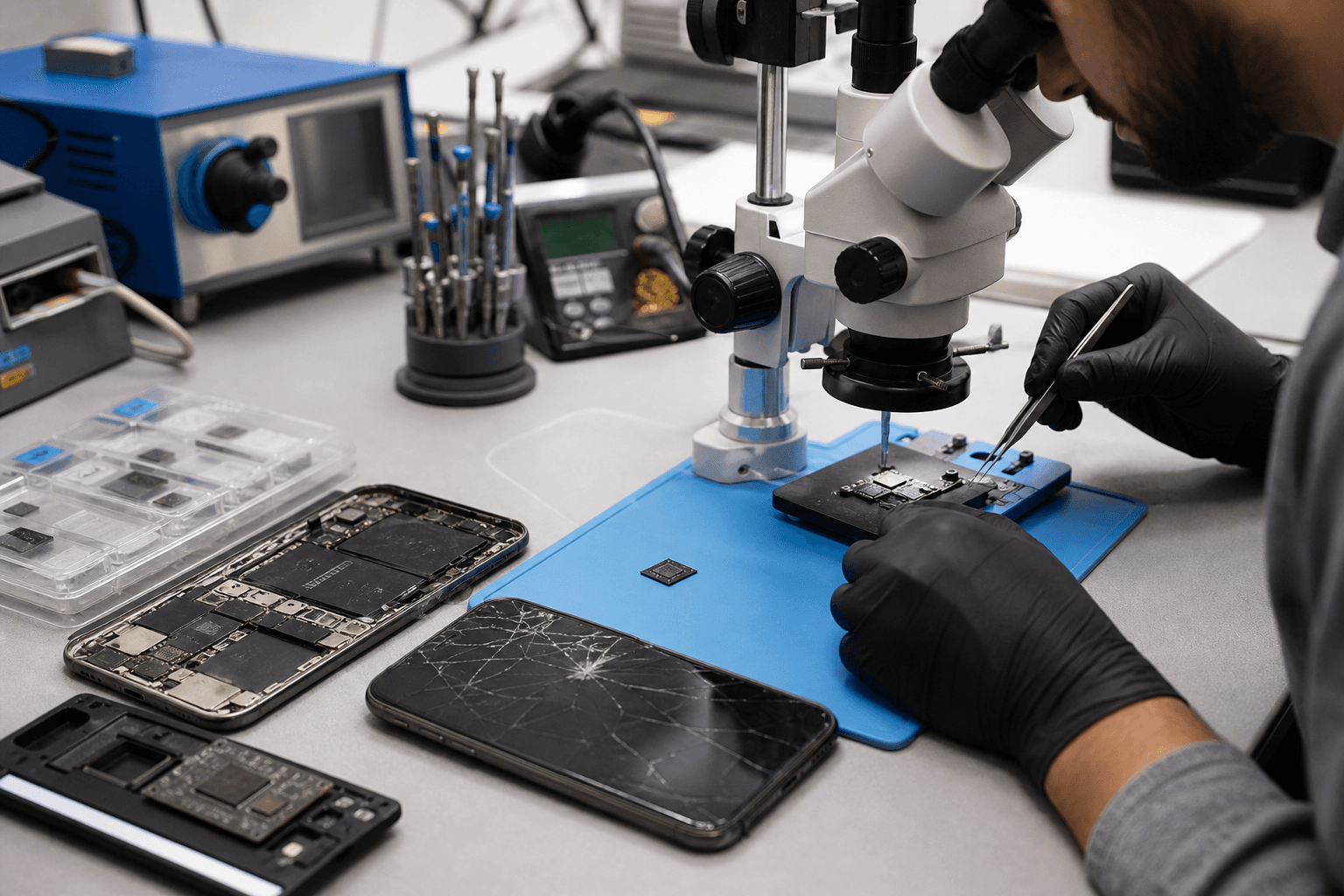
Published by TechBrotherz at TechBrotherz, the walk-in repair Store at 3317 17 Ave SE in Calgary. September 5, 2026, updated October 2, 2026.
No article on this site is paid for or sponsored. For a quote on your own device, call (403) 273-8324.
The safest starting point is to avoid unnecessary use, resets, updates, and unverified repair attempts. If the information is important, preserve the original device and seek an assessment from a provider equipped for the specific failure.
Quick summary

- Logical recovery, controller-level diagnosis, and chip-off analysis suit different failure conditions.
- ECC, wear levelling, bad-block management, controller metadata, encryption, and overwritten data can affect recovery.
- Avoid repeated testing, resets, updates, and new writes when the files matter.
- Ask how the original media will be preserved and whether the provider handles NAND-related failures.
NAND Recovery Is Not the Same as Restoring Deleted Files
NAND flash is non-volatile memory used in many phones, tablets, solid-state drives, USB devices, and other electronics. User files are not normally stored as a simple, immediately readable sequence. A controller manages retrieval, while supporting information helps correct errors and map logical addresses to physical memory locations.
If the operating system and storage remain functional, software may help with deleted files or file-system corruption. If the controller has failed or the storage is inconsistent, raw NAND contents may need to be interpreted and reconstructed. Research on NAND storage and recovery and NAND flash recovery methods illustrate why raw memory is not automatically a folder of files.
How the Main NAND Recovery Approaches Differ

Logical recovery
Logical recovery works through a functioning device, storage interface, or recognisable file system. It may suit deleted files or file-system corruption when the storage can still be read normally. Repeated scans are less appropriate when the device disconnects, fails to initialise, or is physically damaged.
Controller-level diagnosis
The NAND chips may still contain data while a controller, firmware, power system, or supporting metadata prevents access. Diagnosis should establish whether the fault is in the media or the electronics managing it. Replacing components without preserving the original condition can make reconstruction harder.
Chip-off or raw NAND analysis
Chip-off work separates NAND memory from a device for external reading or analysis. The raw data may then require correction, arrangement, and interpretation using information about the original device. Chip-off is not automatically better than logical recovery and may be ineffective when memory is damaged, controller information is missing, or encryption binds data to the original hardware.
Technical work involving ECC, parity, and NAND-array reconstruction can be highly specialised. A patent does not establish that a technique is safe, commercially available, or suitable for a particular device. See research on recovering data with XOR parity information and recovering information from NAND arrays.
What Determines Whether Recovery Is Possible?
Physical condition
Cracked, electrically damaged, worn, overheated, or liquid-damaged memory may produce incomplete reads. A device damaged during a previous repair requires a different assessment from one with simple file-system corruption.
Controller and metadata
The controller may manage address translation, block information, wear distribution, and other data needed to interpret the memory. Reading the chips alone may not recreate the original file structure.
ECC, bad blocks, and wear levelling
Error-correcting code helps detect and correct certain errors. NAND systems also manage bad blocks and distribute writes to control wear. Recovery therefore depends on whether both the memory contents and the information needed to organise them remain available. ECC-related recovery research and NAND power-failure research show the complexity of these failures.
Overwriting and continued use
New writes can replace information that might otherwise be recoverable. If the files matter, avoid using the device unnecessarily.
Encryption and authentication
Modern devices may encrypt data or bind access to the original device, account, passcode, or security hardware. Raw NAND contents do not automatically become readable files, and NAND techniques should not be presented as a way to bypass security.
Which Actions Can Make NAND Recovery Harder?
- Repeatedly powering a failing device: Restarts may not address the fault and can complicate an unstable situation.
- Accepting a reset or update: Restore procedures are intended to make a device usable, not preserve inaccessible files.
- Writing new data: New photos, applications, downloads, and repair attempts can overwrite original information.
- Replacing storage components: A replacement may restore function but does not preserve data on the original component.
- Running unverified software: Generic tools are not equivalent to NAND reconstruction, especially when they promise guaranteed results or require writes.
- Opening hardware casually: Disassembly can cause further damage and affect later diagnosis.
A Cautious Checklist Before Seeking Help
- Stop unnecessary use. Avoid browsing, installing software, and repeated restarts.
- Preserve the device. Keep the original device, cables, charger, removable media, and damaged components together.
- Record the history. Note the last accessible date, drops, liquid exposure, heat, error messages, repairs, resets, and updates.
- Identify access constraints. Explain whether the device is passcode-protected, account-locked, encrypted, or able to start.
- Rank the data. Identify essential files and any available backup.
- Ask what happens first. Confirm whether the assessment preserves the original media and whether proposed steps may alter it.
For broader local repair decision checks, see what to check before choosing device repair in Southview.
What Should You Ask a Recovery Provider?
- Do you assess NAND, controller, or chip-level failures, or only standard file recovery?
- Will the original device and storage components be preserved?
- Could encryption, a passcode, account protection, or secure hardware limit access?
- Will any diagnostic step write to the original storage?
- How are assessment fees, parts, and recovery attempts separated?
- What happens if recovery is unsuccessful?
Be cautious of guaranteed results, vague claims that chip-off work can recover anything, or promises to bypass security protections.
Where TechBrotherz Fits Into the Decision
TechBrotherz is a local electronics repair shop at 3317 17 Ave SE in Calgary. Its supplied services cover walk-in repairs for smartphones, iPhone, Samsung Galaxy devices, iPads, tablets, PCs, and laptops, as well as phone unlocking and password resets. Visit its computer and laptop repair information, unlocking service, or business information.
The supplied information does not verify that TechBrotherz performs NAND, chip-off, forensic, or laboratory data recovery. Its 60-day repair warranty should not be interpreted as a data-recovery guarantee. Ask directly whether a shop handles the specific storage problem before authorising work.
Frequently Asked Questions
Can NAND data recovery bypass device encryption?
No. Reading raw NAND does not automatically defeat encryption, authentication, secure hardware, or account protection.
Is chip-off recovery always better than logical recovery?
No. Logical recovery is less invasive and may suit an accessible device. Chip-off work can be inappropriate when memory is damaged or required controller information is unavailable.
Should I keep powering on a device with important data?
Avoid unnecessary power cycles when the device is unstable. Preserve it and seek advice before continuing tests.
Does replacing a phone’s storage chip preserve the original data?
No. Replacement may restore operation, but it does not preserve data held on the original storage component.
So, When Should You Stop Trying NAND Recovery Yourself?
Stop experimenting when the device is unstable, the data is irreplaceable, or the next step could reset, overwrite, open, or replace part of the original system. No NAND recovery approach is universally suitable, and raw access does not overcome encryption or missing controller information.
The key question is what preserves the most options for this device and this data. Preserve the original device, document its history, and seek a specialist assessment before making changes. For TechBrotherz’s verified phone, tablet, computer, laptop, unlocking, or password-reset services, visit TechBrotherz at 3317 17 Ave SE in Calgary.
Related pages
Rather just ask a person?
Call (403) 273-8324 and describe the problem, or walk in to 3317 17 Ave SE in Calgary. Every repair is quoted free before any work starts.