
Blog
Assessing Your Logic Board Microsoldering Repair Options
Learn when to ask about logic board microsoldering, compare repair options, prepare your device, and choose what to ask a Calgary repair shop first.
Logic board microsoldering is a specialized form of board-level repair used when a device problem may involve the circuit board rather than a simple replaceable part. However, symptoms such as charging failure, no power, liquid exposure, or repeated malfunction do not prove that microsoldering is required. A proper diagnosis must come first.
Key facts
- Published: September 4, 2026
- Last updated: October 2, 2026
- Reading time: 7 min read
- Questions about your own device: Call (403) 273-8324
Last updated
Assessing Your Logic Board Microsoldering Repair Options
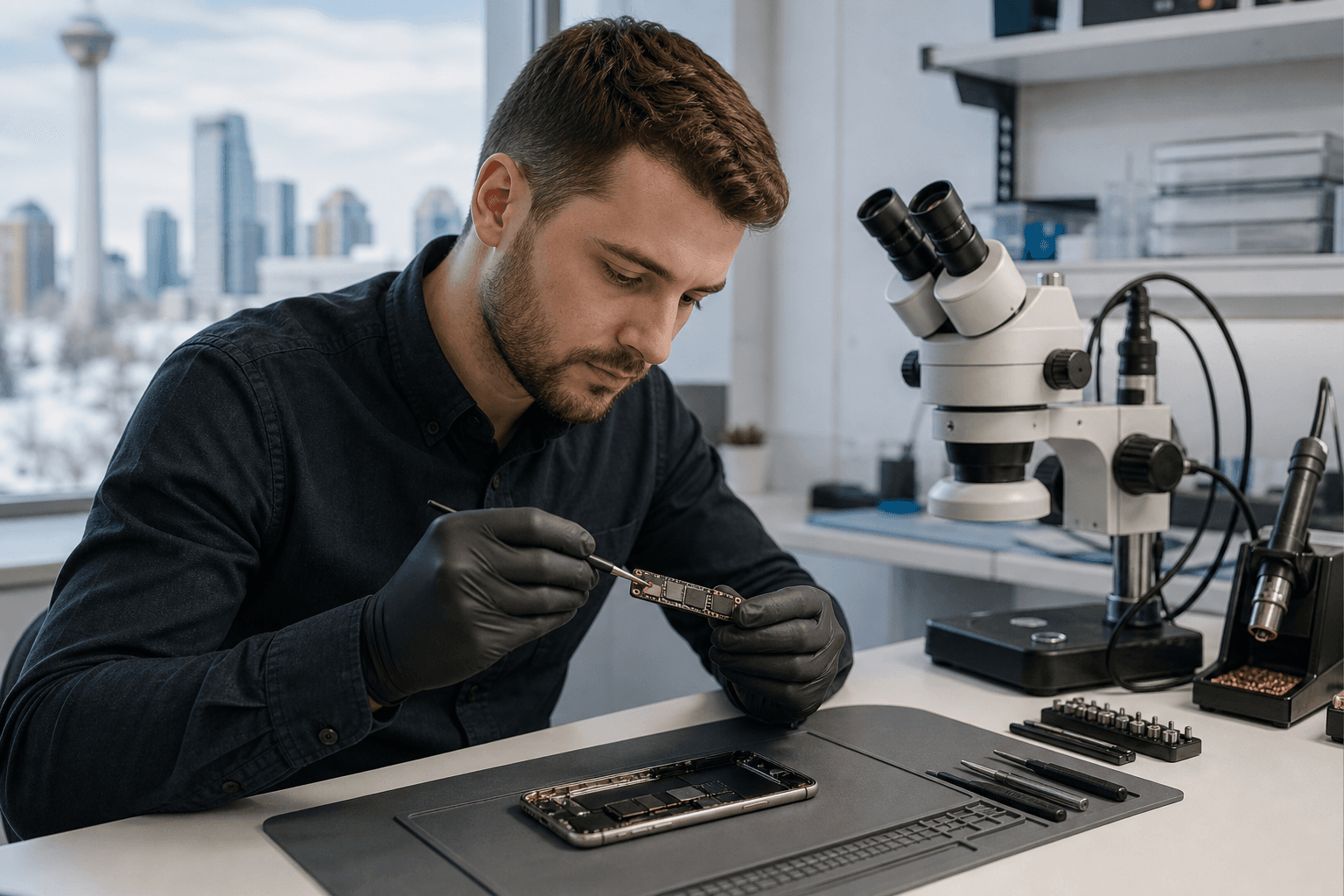
Published by TechBrotherz at TechBrotherz, the walk-in repair Store at 3317 17 Ave SE in Calgary. September 4, 2026, updated October 2, 2026.
No article on this site is paid for or sponsored. For a quote on your own device, call (403) 273-8324.
Before authorizing work, confirm what the technician suspects, whether the device is suitable for board-level investigation, what the possible costs and outcomes are, and how your data will be handled. This approach helps you compare repair with replacement without assuming either option is automatically best.
Quick summary

- Ask for a diagnosis before assuming a damaged phone, tablet, MacBook, laptop, or computer needs microsoldering.
- Distinguish standard part replacement from board-level diagnosis or repair, since they address different possible causes.
- Tell the technician about drops, liquid exposure, previous repairs, charging behaviour, and whether your data is backed up.
- Ask about estimated cost, possible outcomes, data access, repair scope, and warranty terms before approval.
- TechBrotherz offers walk-in assessment for supported smartphones, tablets, PCs, and laptops in Calgary, but you should confirm whether the specific board-level procedure is available.
What logic board microsoldering means
A logic board is the circuit board that coordinates many of a device’s essential functions. Logic board microsoldering refers to investigating or repairing problems at that board level, rather than replacing an external component such as a screen, battery, or charging-port assembly.
For a customer, the important distinction is that a visible symptom does not always reveal its cause. A charging problem, for example, might involve the charging accessory, port assembly, battery, software, or circuitry on the board. A technician needs to assess the device before recommending a repair path.
Microsoldering is therefore a repair option to discuss, not a diagnosis to make from a symptom alone. The device model, damage history, previous work, board condition, parts availability, and device value can all affect whether board-level work is sensible.
When it may be worth asking about board-level diagnosis

The situations below do not confirm a microsoldering fault. They are reasons to ask whether a technician should investigate beyond a routine component replacement.
The device remains unusable after a standard replacement
If a battery, screen, charging assembly, or another visible component has been replaced but the original problem remains, ask what was tested next. The unresolved fault may still involve the replacement part, a connection, software, or the board itself. A second opinion should begin with diagnosis rather than an assumption that the board is damaged.
The device will not power on or behaves inconsistently
No power, intermittent power, unexpected shutdowns, or a device that reacts only under certain conditions can justify a board-level discussion. These symptoms have multiple possible causes, so provide details about when the problem began and whether the device shows lights, sounds, vibration, or charging indication.
Charging problems continue after basic checks
Record what happens with a known-working cable, adapter, and power source, if available. If the device still does not charge or charges inconsistently, ask whether the issue appears to involve the port, battery, connection, or board. Avoid repeatedly forcing a damaged port.
The device has been exposed to liquid
Liquid exposure can create problems that are not visible from the outside and may change over time. Tell the technician what happened, when it happened, whether the device was powered on, and what actions were taken afterward. Continued operation does not prove that there is no internal damage.
A drop or impact caused several functions to fail
If the camera, microphone, wireless connection, charging, buttons, or power behaviour changed after the same incident, list every symptom instead of requesting only a screen replacement.
The repair decision involves important data
If the device contains irreplaceable photos, messages, work files, or account access, say so before service begins. A repair recommendation may depend partly on whether the priority is restoring the device, preserving data, or both. Do not assume that any repair method guarantees data recovery.
TechBrotherz lists repair support for iPhone, Samsung Galaxy, other smartphones, iPad, tablets, PCs, and laptops. Review its iPhone repair, Samsung repair, and computer repair information when identifying the appropriate device category. These categories do not confirm that a particular microsoldering procedure is available, so ask directly.
Compare the three possible paths
| Option | What it may address | What to confirm | Main consideration |
|---|---|---|---|
| Standard component replacement | A faulty or damaged part such as a screen, battery, or charging component. | Which part was tested and whether it explains all symptoms. | It may not address a separate board-level fault. |
| Board-level diagnosis or repair | A suspected problem involving circuitry or connections on the logic board. | Findings, estimated cost, possible outcomes, and whether the shop handles the device and fault. | Suitability and outcome cannot be confirmed without examining the device. |
| Device replacement | A situation where repair cost, risk, condition, age, or value makes replacement worth considering. | How data will be transferred and why repair is being ruled out. | A new device may create data-transfer and setup tasks. |
Questions to ask before authorizing work
- What is the suspected fault? Ask whether the diagnosis is confirmed or preliminary.
- What testing has been completed? Ask what relevant components and connections were checked.
- Is board-level work necessary? Ask what evidence points to the logic board.
- What is the estimated cost? Confirm whether diagnosis, parts, labour, and additional work are included.
- What are the possible outcomes? Ask what happens if the board cannot be repaired or the symptom remains.
- What is the expected timeframe? Treat any timeframe as an estimate unless confirmed otherwise.
- Will my data be affected? Ask whether a passcode is needed and whether you should back up first.
- What exactly does the warranty cover? Confirm duration, exclusions, and scope.
- Would you recommend repair or replacement? Ask for the reasoning based on the device’s condition and value.
How to prepare for a professional assessment
- Device details: Record the brand, model, storage capacity if known, and identifying information.
- Symptom timeline: Note when the issue started and whether it worsened gradually.
- Charging behaviour: Describe the cables, adapters, or chargers tried and any response.
- Damage history: Mention drops, pressure, liquid exposure, overheating, unusual smells, or visible damage.
- Previous repairs: Tell the shop if another technician opened the device or replaced a part.
- Backup status: Confirm that photos, contacts, files, and account access are backed up.
- Access arrangements: Ask whether a passcode is needed and how it will be handled.
- Your priority: State whether your main goal is restoring the device, preserving data, controlling cost, or deciding about replacement.
Finding a Calgary shop for device diagnosis
TechBrotherz is located at 3317 17 Ave SE in Calgary and offers walk-in service without an appointment for smartphones, tablets, PCs, and laptops. The business serves Calgary as well as nearby Chestermere and Airdrie.
Because logic board microsoldering is a specific procedure, ask whether the team can assess your device and whether the suspected fault is within its current service scope. Visit the TechBrotherz service information for additional local context.
How to interpret a repair warranty
Ask whether a warranty applies to the repaired fault, replacement component, board-level work, or a combination of these. Also ask about exclusions involving liquid damage, new impact damage, tampering, unrelated failures, or symptoms outside the original repair.
TechBrotherz states that its repairs are backed by a 60-day warranty. This should not be interpreted as a guarantee that every future board problem or unrelated device failure will be covered. Confirm the terms for your specific repair and keep your receipt or repair documentation.
Logic board microsoldering questions
Does a charging problem always mean the logic board needs microsoldering?
No. Charging trouble can involve an accessory, port, battery, connection, software issue, or board-level fault. A technician should test the device first.
Can logic board microsoldering guarantee recovery of my data?
No repair method guarantees data recovery. Tell the technician that data preservation is important, ask about risks, and confirm whether you have a current backup.
Should I get a diagnosis before replacing a device with a suspected board fault?
Usually, diagnosis is the more informed next step if the device contains important data or may otherwise be repairable. It gives you a basis for comparing repair with replacement while considering condition, value, repair terms, and priorities.
Choose diagnosis before assuming replacement
Logic board microsoldering is a possible repair path, not an automatic explanation for every charging, power, liquid, or impact-related problem. Document the symptoms, disclose the device’s history, and ask the technician to distinguish a standard component fault from a board-level issue. Then compare diagnosis, cost, data considerations, possible outcomes, and warranty terms before choosing repair or replacement.
TechBrotherz welcomes Calgary-area walk-ins for supported smartphone, tablet, PC, and laptop repair assessment at 3317 17 Ave SE, Calgary. Ask the team whether your specific device and suspected board-level fault are within its available service scope.
Related pages
Rather just ask a person?
Call (403) 273-8324 and describe the problem, or walk in to 3317 17 Ave SE in Calgary. Every repair is quoted free before any work starts.