
Blog
What Should You Check Before Choosing Device Repair in Southview?
Choosing device repair in Southview? Check device coverage, repair scope, pricing, walk-in service, warranty terms, access help, and location first.
Before choosing device repair in Southview, confirm seven practical details: whether the shop handles your exact device, what the problem may involve, what the repair includes, how pricing is explained, whether walk-in service suits your timing, what warranty applies, and whether the location is convenient. These checks can help you avoid approving work that does not match your device or expectations.
Key facts
- Published: September 1, 2026
- Last updated: October 2, 2026
- Reading time: 7 min read
- Questions about your own device: Call (403) 273-8324
Last updated
What Should You Check Before Choosing Device Repair in Southview?
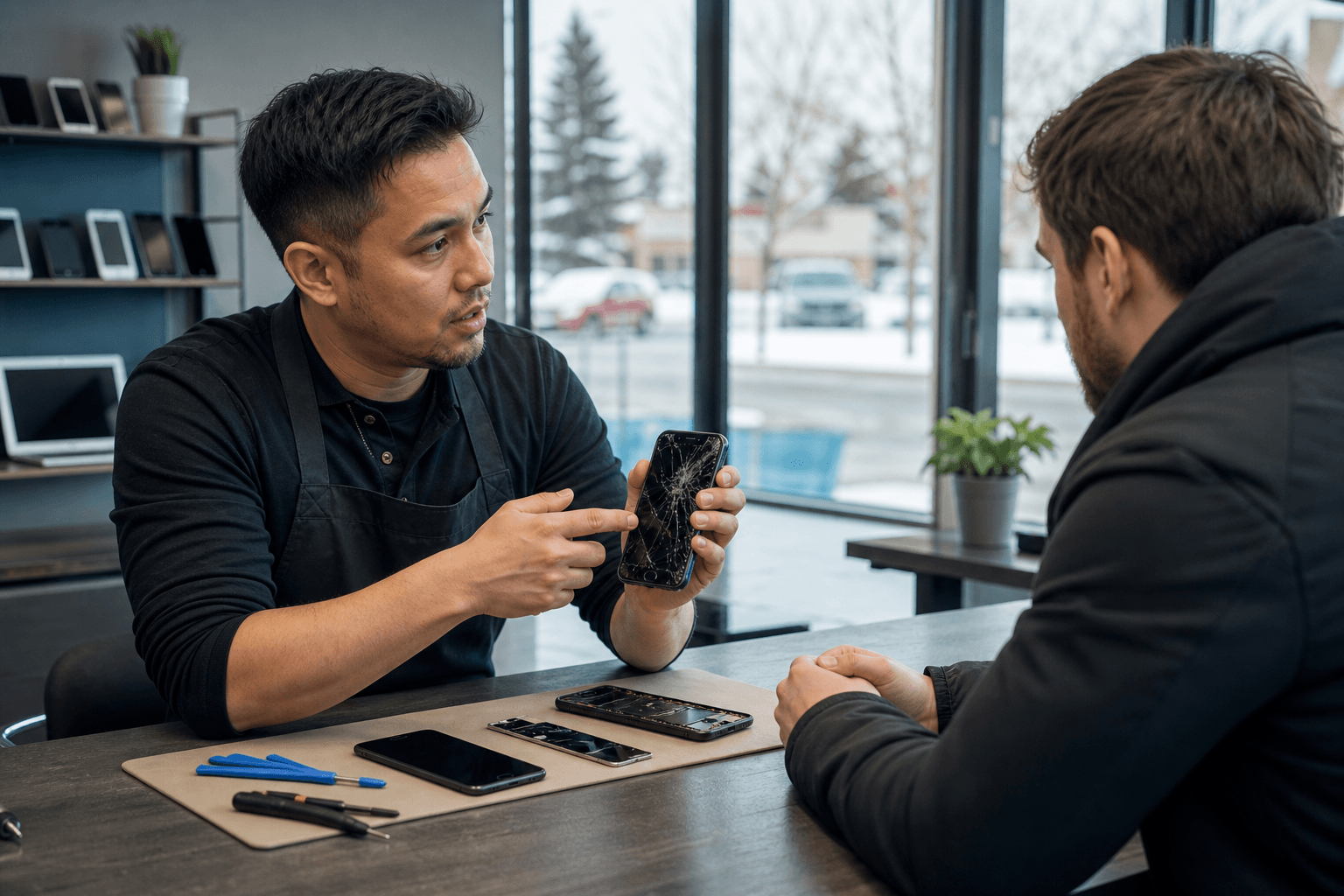
Published by TechBrotherz at TechBrotherz, the walk-in repair Store at 3317 17 Ave SE in Calgary. September 1, 2026, updated October 2, 2026.
No article on this site is paid for or sponsored. For a quote on your own device, call (403) 273-8324.
Quick summary

- Verify that the shop handles your device category, model, and type of fault.
- Describe what happened and ask for the proposed repair scope before approving work.
- Confirm the price, what it includes, and whether an assessment could change the estimate.
- Walk-in service is convenient, but it does not guarantee immediate service or a particular completion time.
- TechBrotherz states that repairs include a 60-day warranty.
- Supported password resets for phones, iPads, and tablets are listed at $39.99; confirm eligibility first.
Match the repair need to the shop’s service coverage
Start by matching the symptom or task with the provider’s listed service category. TechBrotherz provides walk-in service for smartphones, tablets, PCs, and laptops at its Calgary shop, including iPhone, Samsung Galaxy, iPad, and other devices.
| What you need help with | Relevant service to check | Question to ask |
|---|---|---|
| iPhone screen, battery, charging port, or back glass issue | iPhone repair | Does the shop handle this model and exact repair? |
| Samsung Galaxy screen or charging problem | Samsung repair | Is this Galaxy model supported, and what is included? |
| Cracked or malfunctioning iPad | iPad repair | Will the estimate include the suspected fault and testing? |
| Another tablet problem | Tablet repair | Can the shop service this brand and model? |
| PC or laptop hardware or software issue | Computer and laptop repair | What diagnosis is needed, and what does the estimate cover? |
| Locked phone or forgotten device password | Unlocking and password reset | Is help available for this particular device and access problem? |
1. Can the shop handle your exact device?

“Phone repair” and “tablet repair” are broad descriptions. The model, operating system, damage, and required part can affect whether a shop can take on the work. Before visiting, note the brand and model if possible. A model number, purchase information, or clear description of the device can make the initial discussion more precise.
TechBrotherz lists repair services for iPhone, Samsung Galaxy, other phones, Apple iPad, tablets, PCs, and laptops. That broad coverage is useful when a household has different device types, but it does not mean every fault or model should be assumed to be covered. Ask the shop to confirm the exact device and requested repair before approving anything.
2. Is the problem clearly described before the estimate?
A visible symptom does not always identify the complete repair. A phone that will not charge, for example, may need its charging port assessed rather than being described only as a battery problem. A cracked screen, poor battery performance, damaged back glass, computer slowdown, virus concern, or software issue should be explained separately.
Tell the technician what happened, when the problem began, and whether the device was dropped, exposed to liquid, or changed recently. Explain what still works and what does not. You do not need to diagnose the device yourself; the aim is to give the shop enough context to assess the issue and explain the proposed work.
3. Are the price and repair scope explained?
Before handing over a device, ask what the quoted price includes. Clarify whether it covers parts, labour, testing, and follow-up work. Also ask whether the estimate could change after inspection and whether the shop will contact you before additional work begins.
Do not treat a low starting price as a complete comparison unless the scope is the same. A useful estimate should identify the suspected repair, the amount you are being asked to approve, and what happens if you decide not to proceed. TechBrotherz uses per-device, per-service pricing and lists a $39.99 fee for password resets on supported phones, iPads, and tablets. Confirm that the fee applies to your situation through its unlocking and password-reset service information.
4. Does walk-in service fit your situation?
Walk-in service can be convenient when a device suddenly stops working or you are already in Calgary SE. TechBrotherz accepts walk-in repairs without an appointment during its posted business hours.
Walk-in availability does not guarantee immediate service or a particular completion time. Ask whether the shop can assess your device when you arrive, whether the required part is available, and when you should expect an update. Reviews include examples of a Samsung screen repair completed in less than 30 minutes and an iPhone 13 Mini battery replacement completed within two hours. Those are individual experiences, not guarantees for every device or repair.
5. What warranty applies after the repair?
Warranty coverage belongs in any repair comparison because it indicates what support may be available if a related issue appears later. Ask how long the warranty lasts, which part or service it covers, whether accidental damage is excluded, and what condition the device must be in for assessment.
TechBrotherz states that all repairs include a 60-day warranty. Confirm the term before approval, including any exclusions or conditions that apply to your repair. A warranty should not automatically be treated as coverage for every later problem, particularly where a new issue or additional physical damage is involved.
6. Do you need unlocking or password-reset help?
Access problems are different from physical repairs. If the device is locked, you have forgotten a password, or you need help accessing a phone, iPad, or tablet, explain that clearly when contacting the shop. Do not describe an access issue only as a screen or software problem.
TechBrotherz offers phone unlocking and password-reset services, including a stated $39.99 price for supported password resets on phones, iPads, and tablets. Ask whether the service applies to your exact device and what ownership information or verification may be needed. Review the shop’s unlocking service page before visiting.
7. Is the Southview location practical for you?
For a repair that may require a second visit, location matters as much as service coverage. Consider how you will reach the shop, whether you can wait nearby, and whether returning for pickup is realistic.
TechBrotherz is located at 3317 17 Ave SE in Calgary’s Southview area. It serves customers from Calgary, Calgary SE, Chestermere, Airdrie, and nearby communities. If you are travelling from outside Southview, confirm the current posted hours before setting out and allow for assessment or repair time to vary by device and issue.
What can local customer feedback tell you?
Reviews can reveal patterns worth asking about, but they should not replace questions about your own device. TechBrotherz’s supplied review analysis covers 140 reviews and identifies positive themes around customer service, turnaround, repair quality, fair pricing, and support for multiple device types. That context is useful, but it does not guarantee a particular result.
Look for experiences involving a similar device and repair. A quick Samsung screen repair may be relevant if you have a comparable screen issue, but it does not establish a standard time for laptop repair, water damage, battery work, or another service. Use feedback to form questions, then rely on the shop’s assessment and explanation of your repair.
A simple decision rule before you visit
- Identify the device brand, model, and main symptom.
- Confirm that the shop handles that device and service category.
- Ask what the proposed repair includes and whether the price can change after assessment.
- Check whether walk-in service suits your timing and whether parts or a later pickup may be involved.
- Confirm the warranty period and the conditions that apply after repair.
- If the problem involves unlocking or a forgotten password, ask about eligibility and the applicable fee separately.
This sequence helps you compare repair options on coverage, scope, cost, warranty, and convenience instead of relying on a broad promise of speed or a headline price alone.
Choose device repair in Southview with fewer surprises
The right choice depends on fit. Confirm that the provider can work on your exact phone, tablet, PC, or laptop; describe the problem accurately; and ask for clear scope, pricing, timing expectations, and warranty terms. For access problems, treat unlocking and password resets as a separate service conversation.
TechBrotherz may suit customers seeking a local Southview option with walk-in service, support for multiple device categories, a stated 60-day repair warranty, and a $39.99 password-reset fee for supported devices. Visit or contact TechBrotherz at 3317 17 Ave SE in Calgary during posted business hours for walk-in support without an appointment.
Related pages
Rather just ask a person?
Call (403) 273-8324 and describe the problem, or walk in to 3317 17 Ave SE in Calgary. Every repair is quoted free before any work starts.