
Blog
Tablet Repair Costs: Know What Drives the Price 2026
Learn the real tablet repair cost factors: damage type, parts quality, diagnostics, timing, and data safety—plus Southview tips and prep steps for a smooth repair.
Tablet repair cost factors are the technical, parts, and service variables that determine what you’ll invest to fix a tablet. In Southview, Calgary, the biggest drivers are damage type, parts availability, device model, diagnostics time, and data protection steps. Understanding these inputs helps you choose faster, smarter repair options without surprises.
Key facts
- Published: June 25, 2026
- Last updated: October 2, 2026
- Reading time: 18 min read
- Questions about your own device: Call (403) 273-8324
Last updated
Tablet Repair Costs: Know What Drives the Price 2026
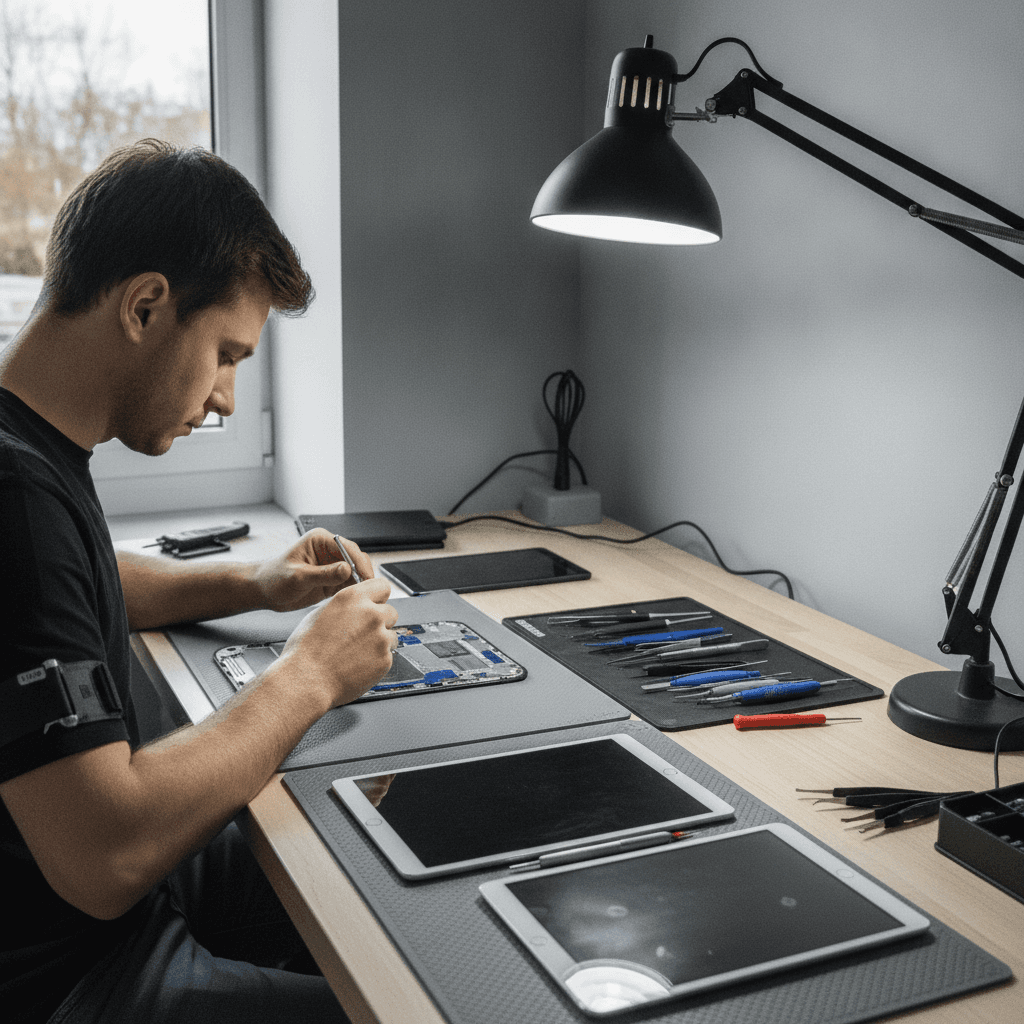
Published by Imran Mohammed at TechBrotherz, the walk-in repair Store at 3317 17 Ave SE in Calgary. June 25, 2026, updated October 2, 2026.
No article on this site is paid for or sponsored. For a quote on your own device, call (403) 273-8324.
By TechBrotherz • Last updated: June 25, 2026
Quick Summary
Tablet repair costs are shaped by five core inputs: damage severity, parts quality and availability, device model and age, diagnostic complexity, and service-level choices (like rush or data-safe handling). Aligning these with your priorities—speed, data safety, or longevity—helps you make confident, value-focused repair decisions.
This complete guide explains the moving pieces that influence a repair quote and timeline. You’ll learn how technicians evaluate issues, what “parts grade” actually means, when labor becomes the main driver, and which choices reduce risk. We’ll also include local tips for Southview and real examples from our Calgary walk-in shop.
What are tablet repair cost factors?
Tablet repair cost factors are the layered choices and constraints that affect a repair plan: problem type, parts sourcing, device ecosystem, diagnostic effort, and add-on protections like data handling. Together, they determine labor time, parts selection, risk profile, and the overall value you receive from a completed repair.
Think of a repair like a small project with scope, materials, and timelines. Different failures—cracked glass, failing batteries, charging-port wear, or water exposure—require different tools, parts, and steps. That means the “same” device can need very different work depending on the failure mode and what you want to preserve (like photos or app logins).
Local considerations for Southview
- Traffic and timing: If you’re stopping by between errands near Habesha Mall, plan enough time for intake and diagnostics. Walk-ins are welcome, so quick drop-offs are common.
- Seasonality: Cold snaps and sudden thaws around Valleyview Park Viewpoint can stress batteries and seals. If your tablet shows rapid drain, get a battery health check before it worsens.
- Data safety first: When you walk in for tablet service, ask for data-safe handling so your photos and school or work files remain intact through diagnostics.
Why these factors matter for your repair outcome
These factors shape more than price—they determine reliability, data safety, and turnaround. Matching parts quality to your device’s age, choosing the right diagnostic depth, and selecting the proper service level all reduce repeat failures, protect your data, and keep downtime short.
Here’s the thing: two tablets with the same symptom can have very different root causes. A “won’t charge” complaint might be a worn port, a failing battery, or a logic board short. The factor mix you approve—like deeper board-level testing or a robust parts grade—leads to different outcomes in stability and longevity.
How a tablet repair evaluation works (step-by-step)
A solid evaluation confirms the fault, tests connected components, and protects your data. Technicians document symptoms, run hardware and software checks, inspect for liquid or drop damage, and verify parts compatibility before quoting a plan. Clear diagnostics prevent part swaps that don’t fix the root cause.
In our Calgary shop, we treat intake like a mini health check. We ask about the incident (drop, spill, sudden shutdown), run power-cycle and display tests, check battery health, and examine ports and microphones. When necessary, we add board-level inspection to rule out hidden damage before proposing a plan.
- Symptom capture: Note screen behavior, touch response, charging, thermal behavior, and random shutdowns.
- Quick functional tests: Display, touch zones, speakers, mics, Wi‑Fi, Bluetooth, cameras, sensors.
- Power and battery checks: Cycle counts, voltage stability, and charge retention trends.
- Physical inspection: Frame alignment, seal condition, port wear, debris, or corrosion clues.
- Software sanity: Boot loops, OS version, storage headroom, and app conflicts.
- Board-level screening (when warranted): Identify shorts, burned components, or prior repair traces.
- Data-safe plan: Confirm backups or request data-preservation handling.
Once we’ve scoped the issue, we align on priorities—speed, data integrity, or maximizing longevity—and present options. Walk-ins are welcome, so you can get this evaluation started on your schedule at our tablet repair counter.
Core tablet repair cost factors explained
Five variables drive tablet repair planning: damage type, parts grade and sourcing, device family and age, diagnostic intensity, and service-level choices. Your selections change labor time, risk, and parts mix—ultimately shaping the balance between speed, durability, and data protection.
Below are the major inputs we review with every customer. Each factor affects both the path to resolution and your overall experience after the repair—how the screen feels, how long the battery lasts, and how stable the device remains under daily use.
1) Damage type and failure mode
- Display assembly issues: Cracked glass, dead pixels, ghost touches, or backlight flicker.
- Battery and power: Rapid drain, swelling, or charge percentage jumps.
- Ports and buttons: Loose charging ports, stuck power buttons, worn volume keys.
- Audio and radio: Distorted speakers, silent mics, flaky Wi‑Fi/Bluetooth.
- Water exposure: Liquid indicators tripped, corrosion under shields, intermittent booting.
Action: Tell us exactly what you notice and when it started. A precise symptom timeline speeds diagnostics and avoids unnecessary part swaps.
2) Parts quality, availability, and compatibility
- Parts grade: Options typically include new OEM, high-grade aftermarket, or refurbished assemblies. The feel, color accuracy, and durability can vary.
- Supply dynamics: Newer or less common tablets may have limited parts channels, which can affect turnaround.
- Compatibility checks: Cameras, Face/Touch ID, and True Tone-like features may require pairing or calibration to preserve functionality.
Action: Ask how a parts choice impacts display color, touch sensitivity, and accessories you rely on (like stylus notes). We’ll outline trade-offs clearly at our iPad repair desk.
3) Device family and age
- Ecosystem: iPad, Samsung Galaxy Tab, and other Android tablets each have unique adhesives, paired biometrics, and calibration needs.
- Age-related quirks: Older models can have brittle flex cables or retired parts SKUs.
- Firmware constraints: OS versions may limit certain replacements or require extra steps.
Action: Share the exact model and year if you can. This helps us pre-check parts and tools for Samsung Tab service as well as iPad models.
4) Diagnostic depth and board-level work
- Basic vs. advanced: Simple issues resolve with surface tests; intermittent faults can require micro-solder checks and microscope work.
- Hidden damage: After drops or liquid, deeper inspection avoids “works today, fails tomorrow.”
- Data-protective steps: Extra handling to keep user data intact during testing.
Action: If your device has been opened before, tell us. Prior repairs change the risk profile and plan, especially on board-level paths.
5) Service-level choices and extras
- Walk-in vs. queue: Walk-in triage can start faster; scheduled queueing may suit non-urgent issues.
- Data-safe handling: Opt for backup/restore guidance and data-preserving steps during repair.
- Warranty coverage: Warranty-backed work adds peace of mind if something needs rework.
Action: Decide what matters most—speed, data peace of mind, or maximizing durability—and tell us at intake. We’ll align the plan accordingly.
Factor-by-factor examples from our Calgary bench
Real cases show how factors stack. The same symptom can lead to different plans depending on model, parts, and risk tolerance. Seeing a few patterns helps you predict which inputs will matter most for your device and priorities.
We’ve pulled anonymized snapshots from recent Southview walk-ins. Each shows how choices about parts and diagnostics change timelines and outcomes—without getting into pricing specifics.
Example A: “It slipped off the couch” (display + frame)
- Symptom: Spiderweb glass, touch misfires near edges.
- Primary factor: Display assembly replacement; light frame straightening for seal integrity.
- Secondary factor: Parts grade choice to preserve color accuracy for creative work.
- Outcome: Snappy touch and consistent brightness; adhesive cure time explained for durability.
Example B: “It won’t hold charge” (battery + power path)
- Symptom: Jumps from 40% to 10%, shuts down under load.
- Primary factor: Battery health and charge-cycle results point to replacement.
- Secondary factor: Port cleaning vs. port replacement decision based on fitment and wobble.
- Outcome: Stable screen-on time, verified charging current, and thermal checks.
Example C: “Coffee spill” (liquid remediation)
- Symptom: Random reboots and muffled speakers.
- Primary factor: Corrosion assessment under shields; ultrasonic cleaning plan.
- Secondary factor: Data-safe approach to preserve family photos before deep testing.
- Outcome: Consistent boots, restored audio, and documentation on any areas still at risk.
Parts quality, sourcing, and calibration details
Display and battery quality affects color accuracy, touch feel, and longevity. Sourcing from reputable channels and calibrating features like brightness profiles or biometrics ensures your tablet works as expected. Better parts and careful setup reduce rework and preserve a factory-like experience.
When evaluating parts, we look at optical properties, touch digitizer sensitivity, and adhesive systems. On cameras and sensors, device pairing steps help retain features after replacement. For batteries, capacity ratings and protection circuits inform choices. If you rely on a stylus, we’ll test palm rejection and pressure curves before handoff.
For iPad and Android tablets alike, these small details shape your daily experience. If you’re comparing options, ask us about the parts approach we use across phone and tablet repairs—the same sourcing rigor applies.
Screen repair vs. battery replacement: which comes first?
Prioritize the failure that blocks safe diagnostics. If the display can’t show stable output, fix the screen first; if power is unstable, address battery or charging path first. This order avoids chasing false symptoms and protects data during deeper testing.
Technically, many issues interact. A failing battery can cause touch glitches; a broken screen can mask power events. Our rule of thumb: restore stable visibility and power rails, then retest. If both need work, we’ll sequence them to minimize re-opens and adhesive cycles.

Process, turnaround, and what affects timing
Turnaround depends on intake volume, parts on hand, adhesive cure times, and any board-level work. Walk-ins can often start diagnostics quickly. Clear communication on parts status and testing steps sets realistic expectations and reduces back-and-forth.
We organize work into clean stages: intake, triage, parts verification, install, calibration, final QA, and handoff. Adhesives may need time to set for water resistance and structural integrity. If a device shows intermittent faults, extended testing catches edge cases before you leave the shop.
| Stage | What happens | Timing considerations |
|---|---|---|
| Intake & triage | Symptom capture, quick tests, data-safe plan | Walk-in friendly; starts quickly |
| Parts verification | Confirm compatibility, test fitment | Depends on stock and model specifics |
| Repair & install | Component replacement, cable routing | Adhesive and seal setup time |
| Calibration | Touch, brightness, sensors, biometrics | Varies by device family |
| Final QA | Full device checklist, stress tests | Longer for intermittent issues |
| Handoff | Care tips, warranty details | Brief but important |
Tools, resources, and how to prepare your tablet
Preparation reduces surprises. Back up your data, disable security locks when asked, and note critical apps. Reputable shops use ESD protection, heat control, and quality tools. Sharing your priorities—speed, data safety, longevity—helps technicians tailor the plan.
We run ESD-safe benches, precision drivers, microscopes, thermal mats, and controlled heat for display separation. This protects flex cables and frames during service. Before you visit, back up important files and bring any accessories that trigger problems (stylus, keyboard case). If your device is locked, our phone and tablet unlocking team can advise on the right steps.
Warranty, QA, and long-term reliability
Quality repairs pair good parts with careful QA, then stand behind the work with a written warranty. Consistent post-repair checklists reduce return trips, while clear care instructions help adhesives and seals set correctly for long-term reliability.
We finalize with a full-device checklist: multi-zone touch, brightness sweep, speakers, mics, cameras, wireless radios, and charging. Then we explain care tips—like avoiding heavy pressure on a fresh display seal. If anything feels off after pickup, a warranty-backed recheck keeps your device dependable.
DIY, quick fixes, and when to see a pro
DIY can solve simple software hiccups, but hardware faults, water exposure, or paired biometrics are best left to pros. If your tablet holds irreplaceable data or you see swelling, corrosion, or display separation, seek professional diagnostics to protect safety and files.
Some users try software resets or cache clears, which can help with minor glitches. For physical damage, specialized tools and controlled heat matter. Modern adhesives and fragile flex cables leave little room for error. When in doubt, stop and bring it to our bench team for a fast, low-risk assessment.
Tablet repair cost factors, summarized for quick decisions
Make faster decisions by focusing on: the true failure mode, the parts grade that fits your needs, any board-level risks, and whether you want data-safe handling. Those four choices determine most of the repair plan and how your tablet feels afterward.
Here’s a practical way to decide: Identify the symptom that blocks your work, pick the parts quality that matches how long you’ll keep the device, approve the right diagnostic depth, and choose data-safe steps. That sequence keeps repairs efficient and predictable.
Comparison: common tablet repairs and what drives effort
Different repairs emphasize different inputs. Screens focus on adhesives and calibration; batteries focus on power stability; ports focus on micro fitment; water damage adds corrosion cleanup and extended testing. Understanding the driver lets you plan expectations from day one.
| Repair type | Main driver | Secondary driver | Risk to manage | Turnaround considerations |
|---|---|---|---|---|
| Screen/display | Adhesive removal & re-seal | Touch/color calibration | Flex cable fragility | Adhesive cure time |
| Battery | Power rail stability | Thermal behavior | Puncture/swelling safety | Calibration & stress tests |
| Charging port | Micro-mechanical fit | Cable routing | Pad lift risk | Fitment verification |
| Speaker/mic | Dust and seal integrity | Connector seating | Tear on mesh or gaskets | Audio QA sweep |
| Water remediation | Corrosion removal | Board-level shorts | Lingering moisture | Extended testing |
Mini case studies: from walk-in to handoff
Case studies reveal the path from symptom to solution. You’ll see how intake choices, parts selection, and QA shape outcomes—and how clear communication at drop-off speeds everything up for Southview walk-ins.
Creative student’s iPad, Southview
- Context: Art student near Southview with stylus jitter after a screen crack.
- Plan: Display assembly with focus on color and touch precision; stylus tests at handoff.
- Result: Smooth drawing, accurate color, and a seal that withstands a backpack commute.
Contractor’s Android tablet, job-site wear
- Context: Charging intermittently and collecting dust in ports after site work.
- Plan: Deep port cleaning, potential port replacement, and gasket checks.
- Result: Reliable charging and better audio after debris removal and mesh reseat.
Family tablet after a spill
- Context: Coffee exposure leads to random reboots and muffled sound.
- Plan: Liquid remediation and targeted component checks with data-safe handling.
- Result: Stable boots and clear audio; long-form testing confirms reliability.
Free device check while you wait
Walk in to start diagnostics quickly. Tell us your priority—speed, data safety, or longevity—and we’ll align the plan. Most assessments begin right away while you’re still nearby.
Stop by our Southview shop between errands—many customers visit before or after a park stroll. We service iPad, Samsung Galaxy Tab, and other models daily. Explore tablet repair options or start at our main device repair desk.

Best practices to reduce risk and maximize value
Protect your data, be transparent about prior repairs, and choose parts quality that matches how long you plan to keep the tablet. Follow post-repair care tips so adhesives and seals set correctly. These steps cut risk and improve day‑to‑day performance.
- Back up first: Cloud or computer backup before service prevents data loss surprises.
- Share device history: Prior openings or third‑party parts change the plan.
- Confirm features: If you rely on Face/Touch ID, stylus input, or keyboard covers, request post-repair validation.
- Care for seals: Avoid heavy flexing or pressure immediately after a screen reseal.
- Ask about warranty: Know the coverage and how to use it if needed.
Trusted information sources to learn more
Use reputable guides to understand common tablet issues and warning signs. Clear, non-technical explanations can help you describe symptoms accurately and decide when to seek professional service for your device.
For plain-language primers on tablet problems and early troubleshooting tips, these overviews are useful reads: see a guide to common tablet issues and a brief digest of quick tablet fixes. Bring any observations you note from those checks when you visit—our team will pick up from there.
FAQ: tablet repair and readiness
These quick answers cover what most Southview customers ask before dropping off a tablet. If you don’t see your question here, walk in—we’ll triage it on the spot and outline next steps.
How do I know if it’s the screen or digitizer?
If image quality looks normal but touch is erratic, the digitizer may be failing. If you see lines, flicker, or black spots, the display panel is affected. A quick bench test separates the two and sets a clear plan.
Can water damage be fixed after the device dries?
Powering a wet tablet can cause shorts and corrosion. Even if it seems dry, residue may remain under shields. Shut it down, don’t charge it, and bring it in for liquid remediation and inspection before attempting to power on again.
What should I do before I drop off my tablet?
Back up important files, note your primary apps, and bring any accessories linked to the issue (stylus, keyboard). If requested, be ready to disable security locks so technicians can test features after repair and during QA.
Is DIY ever a good idea for cracked screens?
Modern tablets use strong adhesives and delicate flex cables. DIY attempts often break adjacent parts or compromise seals. If your device holds valuable data or you need dependable touch and color, professional service delivers a safer, more reliable outcome.
Will repair affect Face/Touch ID or stylus performance?
Repairs that involve displays, sensors, or cameras may require calibration or pairing. We test biometrics and stylus input after reassembly and can walk you through re-enrollment or settings checks if needed.
Key takeaways
Focus on four decisions—failure mode, parts grade, diagnostic depth, and data safety. Those choices shape turnaround, reliability, and day‑to‑day feel more than anything else. A clear plan beats guesswork every time.
- Damage type determines tools, adhesives, and testing.
- Parts grade and sourcing influence touch feel, color, and longevity.
- Diagnostic depth catches hidden issues after drops or spills.
- Service-level choices (walk-in, data-safe, warranty) align to your goals.
Next steps in Southview
Bring your tablet in for a fast evaluation. We’ll confirm the fault, review parts options, and outline a data-safe plan. Most walk-ins begin triage right away so you can decide confidently and get back to your day.
Ready to start? Visit our tablet repair page or walk up to the main repair counter in Southview. For iPad specifics, see iPad repair details; for Android models, check Samsung Galaxy service. If your device is locked, our unlocking team can help you access it safely for testing.
Related pages
Rather just ask a person?
Call (403) 273-8324 and describe the problem, or walk in to 3317 17 Ave SE in Calgary. Every repair is quoted free before any work starts.