
Blog
Phone Password Reset: Get Back In Fast in 2026
Learn phone password reset recovery options for phones. iPhone and Android methods, Southview tips, and when to visit TechBrotherz Calgary for safe help.
Phone password reset recovery options for phones are the official ways to regain access when you’re locked out, including account recovery, device-based resets, and professional help. In Southview, Calgary, that means using Apple or Google tools first, then safe in-store resets at TechBrotherz when needed to protect data and get back in quickly.
Key facts
- Published: June 23, 2026
- Last updated: October 2, 2026
- Reading time: 16 min read
- Questions about your own device: Call (403) 273-8324
Last updated
Phone Password Reset: Get Back In Fast in 2026

Published by Imran Mohammed at TechBrotherz, the walk-in repair Store at 3317 17 Ave SE in Calgary. June 23, 2026, updated October 2, 2026.
No article on this site is paid for or sponsored. For a quote on your own device, call (403) 273-8324.
By TechBrotherz • Last updated: 2026-06-23
At a Glance
If you’re locked out, start with official account recovery (Apple ID or Google) before attempting a hardware reset. Use backups to save data. When self-service fails, visit TechBrotherz in Calgary for safe, warranty-backed resets and unlocking. This balanced approach restores access fast while minimizing data loss.
Locked phone, busy day, rising stress—sound familiar? Here’s the quick path we recommend.
- Try account recovery first: Apple ID or Google account tools often unlock access without wiping data.
- Use device-based recovery: iPhone Recovery Mode or Android recovery tools when accounts aren’t available.
- Lean on backups: iCloud/Google backups can restore most content after a reset.
- Get professional help: When stuck, our unlocking specialists handle resets safely.
- Protect next time: Enable 2FA, recovery numbers, and auto-backups now—future you will be grateful.
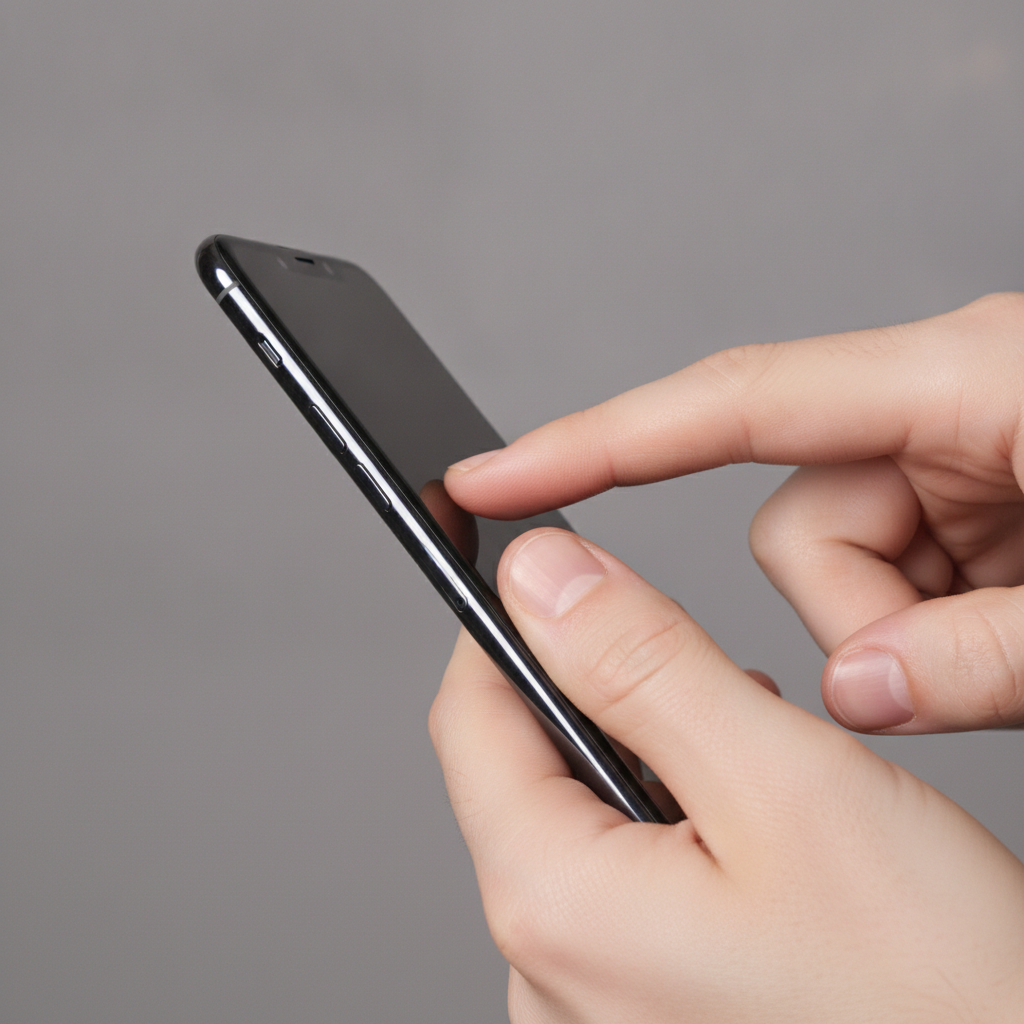
What Is a Phone Password Reset and Account Recovery?
A phone password reset is the process of restoring access to a locked device using official tools such as Apple ID, Google Account recovery, or device recovery modes. Account recovery verifies you are the owner and may avoid data loss, while device resets restore functionality when accounts aren’t accessible.
In plain terms, a reset clears a roadblock. Account recovery proves you’re you; a device reset refreshes the phone so you can sign in again.
- Account-based options: Use Apple ID or Google to reset your passcode or re-authenticate the device.
- Device-based options: Use Recovery Mode (iPhone) or Android recovery to reinstall system software.
- Professional options: In-store resets at TechBrotherz cell phone repair balance access with data safety.
We prioritize data. In our experience helping Calgary customers, preserving photos, texts, and app data matters as much as getting back in. That’s why we guide you toward account recovery first and maintain best-practice workflows for resets when they’re unavoidable.
Why These Recovery Options Matter
Choosing the right recovery option protects your data, reduces downtime, and maintains security. Account recovery can save your files; device resets restore usability when accounts fail. Using safe, documented methods avoids permanent lockouts and prevents complications with carrier locks or activation requirements.
Here’s the thing—phones are now wallets, cameras, and work tools. A lockout interrupts everything.
- Data protection: Account recovery may keep app data and settings intact, minimizing disruption.
- Faster restoration: Backups plus the right reset flow often return you to normal within hours, not days.
- Security integrity: Sticking to documented methods avoids triggering extended lockouts or activation issues.
- Local support: Southview residents can walk in to our iPhone repair team for guided resets and post-recovery tune-ups.
When a phone is mission-critical for school, work, or family logistics, speed and certainty matter. A clean, stepwise approach gets you there faster and safer.
How Password Resets Work on iPhone and Android
Resets work through two channels: account verification and system recovery. On iPhone, you’ll use Apple ID tools, Find My, or Recovery Mode. On Android, you’ll use Google Account recovery, Find My Device, OEM recovery, or MDM/corporate tools. Each path verifies ownership, then restores access.
Both ecosystems share a principle: prove identity, then restore software access. The exact screens differ, but the flow is consistent.
iPhone reset paths at a glance
- Apple ID sign-in: If you remember your Apple ID, re-authenticate the device and update the passcode post-login.
- Find My (Erase/Restore): Remote erase and restore from iCloud backup to regain access.
- Recovery Mode: Connect to a computer, reinstall iOS, then restore from iCloud or local backup.
Android reset paths at a glance
- Google Account sign-in: Re-verify your account to regain access and reset screen lock.
- Find My Device (Erase/Restore): Remote erase, then restore from Google backups.
- OEM Recovery/Smart Switch: Use manufacturer tools to reinstall firmware and then restore data.
| Method | Data Preservation | When to Use | Needs |
|---|---|---|---|
| Account Recovery | Often preserves cloud-backed data | Forgot passcode but know account | Apple ID or Google login + internet |
| Device Reset | May wipe device; restore from backup | Account unavailable or device corruption | Computer or on-device recovery menu |
| Professional In-Store | Best-practice handling to protect data | Self-service failed or complex issues | Identity verification, service workflow |
Need a hand with the computer steps? Our team regularly performs Recovery Mode reinstalls and guided restores, then checks battery health and storage integrity to reduce future lockouts.
Types and Methods: Your Official Options
Use four proven paths: 1) account recovery (Apple ID/Google), 2) remote erase and restore from backup, 3) local recovery using a computer, and 4) professional reset at a trusted shop. Start with account-based methods, then escalate to device resets if needed.
1) Account-based recovery (start here)
- Sign-in challenge: Use your Apple ID or Google Account to verify ownership and reset your screen lock.
- Two-factor codes: Check trusted devices, SMS numbers, or authenticator prompts.
- Recovery channels: Ensure recovery email/phone are current to avoid delays.
Action: Before anything else, try account sign-in on a second device or computer. If it succeeds, update your screen lock and confirm auto-backups are enabled.
2) Remote erase and restore (when locked out)
- iPhone: Use Find My to erase the device, then restore from an iCloud backup during setup.
- Android: Use Find My Device to wipe the phone, then restore from your Google backups.
- Result: You regain access with most cloud-backed data returning after sign-in.
Tip: Confirm last backup time before erasing. If you can’t access that info, weigh urgency versus potential data loss. Our techs can help you decide the least disruptive route.
3) Local recovery with a computer
- iPhone: Enter Recovery Mode, connect to a Mac/PC, and reinstall iOS. Restore from iCloud or Finder/iTunes backup.
- Android: Use OEM tools (e.g., device recovery utilities) to reinstall firmware, then restore from Google backups.
- Benefits: Useful when remote tools aren’t available or the phone’s software is corrupted.
Example: We routinely pair a Recovery Mode reinstall with a health check—storage, battery cycles, and app conflicts—to prevent repeat issues.
4) Professional reset at TechBrotherz (when DIY isn’t ideal)
- Walk-in service: No appointment needed for unlocking and resets.
- Multi-device expertise: iPhone, Samsung Galaxy, and other brands supported.
- Warranty-backed work: All repairs and service work are covered by our shop warranty.
If you’re unsure which method to choose—or you hit a roadblock—we’ll take it from there, explain trade-offs, and handle the reset with a data-first mindset.
Best Practices to Regain Access Without Regret
Preserve data and speed up recovery by enabling automatic backups, keeping two-factor methods updated, and documenting your sign-ins. When in doubt, avoid brute-force attempts and seek professional help to prevent permanent lockouts or activation issues.
Pre-reset checklist
- Stop failed attempts: Repeated passcode tries can trigger lockout timers and complicate recovery.
- Inventory recovery options: Confirm your recovery email, phone number, and trusted devices.
- Backup awareness: Check when your last iCloud/Google backup completed.
During reset
- Stay on power + Wi‑Fi: Prevent interruptions that can corrupt a restore.
- Use known-good cables: Faulty USB cables cause mid-restore failures.
- Read every prompt: Activation/MDM prompts indicate extra steps may be required.
After recovery
- Rotate to a new passcode or lock method: Avoid reusing recently compromised credentials.
- Re-enable biometrics: Face/Touch unlock reduces passcode entry errors.
- Audit security: Update recovery info, enable auto-backups, and remove unknown devices.
One more tip: take two minutes to save backup screenshots and recovery contacts somewhere safe. You’ll thank yourself later.
Tools and Resources (Plus Local Help)
Use official portals for Apple ID and Google, remote device tools for erase/restore, and manufacturer utilities for firmware. In Calgary, TechBrotherz provides walk-in guidance, safe resets, and post-recovery checks for iPhone, Samsung, and more.
Bookmark a few essentials, then add local support to your toolkit.
- Official portals: Apple ID and Google Account recovery flows verify ownership before you reset.
- Remote tools: Find My and Find My Device enable secure erase and restore from backups.
- OEM utilities: Manufacturer software assists with firmware reinstallations on Android.
- Local pros: Walk-ins welcome at TechBrotherz cell phone repair for guided resets.
For background on preparing your data, this phone backup primer explains why backups matter before any repair or reset. For Android unlocking context, see this Android unlock overview and a broader look at phone unlock methods. Use such reading to understand concepts—then stick to official tools for your actual account recovery.
Need hands-on help in Southview? Our technicians can handle the reset, confirm backups, and verify activation—while you keep your day moving. Walk in or call the shop, and we’ll guide you step by step.
- Phone unlocking and resets
- iPhone diagnostics and Recovery Mode assistance
- Samsung/Android support for firmware and restores
Case Studies: Real-World Resets We Handle
Common scenarios include forgotten passcodes after an update, two-factor issues on a lost number, and activation lock prompts after a device reset. We resolve these by pairing account recovery with safe reinstalls and clear, step-by-step verification.
Calgary student locked out after SIM change
- Situation: New SIM, old number retired, authenticator app on the phone.
- Path: Recovery Mode reinstall, then account recovery using email verification.
- Outcome: Access restored, new recovery number and hardware key added.
Southview resident returning from travel
- Situation: Multiple failed passcode attempts during a trip led to a lockout screen.
- Path: Remote erase via Find My, restore from iCloud/Google backup upon return.
- Outcome: Back to normal the same day; biometric unlock re-enabled.
Small business owner with a work-managed device
- Situation: MDM-enrolled phone required administrator steps for activation after reset.
- Path: Coordinated with the admin to complete enrollment during setup.
- Outcome: Secure, compliant access with company apps restored.
Local considerations for Southview
- Plan around errands: If you’re shopping near Habesha Mall, swing by between stops—our walk-in model keeps downtime low.
- Seasonal battery check: Calgary winters can stress batteries; combine your reset visit with a quick health test to avoid cold-weather shutdowns.
- Data-safe selfies: Heading toward Valleyview Park Viewpoint? Confirm backups before trips so a lockout won’t cost photos.
Frequently Asked Questions
Most lockouts can be solved using account recovery or a clean device reset with a backup restore. Keep two-factor details current, avoid repeated failed attempts, and seek professional help if activation or MDM prompts appear during setup.
What should I try first if I forgot my phone passcode?
Start with Apple ID or Google Account recovery. If you can verify ownership, you’ll often regain access without losing data. If that fails, move to a documented device reset and restore from your latest backup.
Will a factory reset delete everything on my phone?
A factory reset removes on-device data, but you can restore much of it from iCloud or Google backups during setup. Photos, contacts, messages, and apps usually return if they’re included in your backups.
How can TechBrotherz help if I’m already locked out?
We guide you through the correct reset path, handle Recovery Mode or Android utilities, and help restore from backups. We also check activation requirements, test hardware, and tune settings to prevent repeat lockouts.
Do I need a computer to reset my phone?
Not always. Remote erase via Find My or Find My Device works from a browser on any device. If the software is corrupted or remote tools aren’t available, a Mac or PC for Recovery Mode or OEM utilities is helpful.
Key Takeaways
Prioritize account recovery, maintain backups, and seek trusted help when DIY steps stall. This trio resolves most lockouts quickly while protecting your data and device security.
- Account recovery first; it often avoids wipes.
- Backups turn resets into short detours, not disasters.
- Use documented methods to avoid activation issues.
- Walk-in help at TechBrotherz keeps downtime low.
Conclusion
Getting back into a locked phone is a methodical process: verify identity, reset safely, and restore from backups. With the right steps—and local help when needed—you’ll protect data, maintain security, and get back to normal fast.
Whether you’re using iPhone or Android, there’s a clear path back. If you hit a snag, we’ll walk you through options, document the steps taken, and tune your settings so the same problem doesn’t return.
Next steps:
- Try account recovery immediately on a secondary device.
- Prepare your backup and recovery information for future peace of mind.
- Visit our teams for hands-on help: unlocking and reset, Samsung repair, iPad service, and computer support if you need a Mac/PC for Recovery Mode.
Ready when you are: Stop by in Southview to get your device back up and working—fast.
Related pages
Rather just ask a person?
Call (403) 273-8324 and describe the problem, or walk in to 3317 17 Ave SE in Calgary. Every repair is quoted free before any work starts.