
Blog
Replacement Parts Guide for Phones and Computers
Learn how to identify compatible replacement parts for phones, tablets, and computers, compare quality and timing, and approve repairs with confidence.
A replacement part should be chosen only after confirming the exact device model, the failed component, and the repair scope. For Calgary device owners, the practical questions are whether the part is compatible, available, testable, covered by warranty, and worth fitting compared with replacing the device. Related reading: Replacement Parts Warranty Guide: What HVAC Owners Should Confirm Before Ordering .
Key facts
- Published: August 23, 2026
- Last updated: October 24, 2026
- Reading time: 10 min read
- Questions about your own device: Call (403) 273-8324
Last updated
Replacement Parts Guide for Phones and Computers
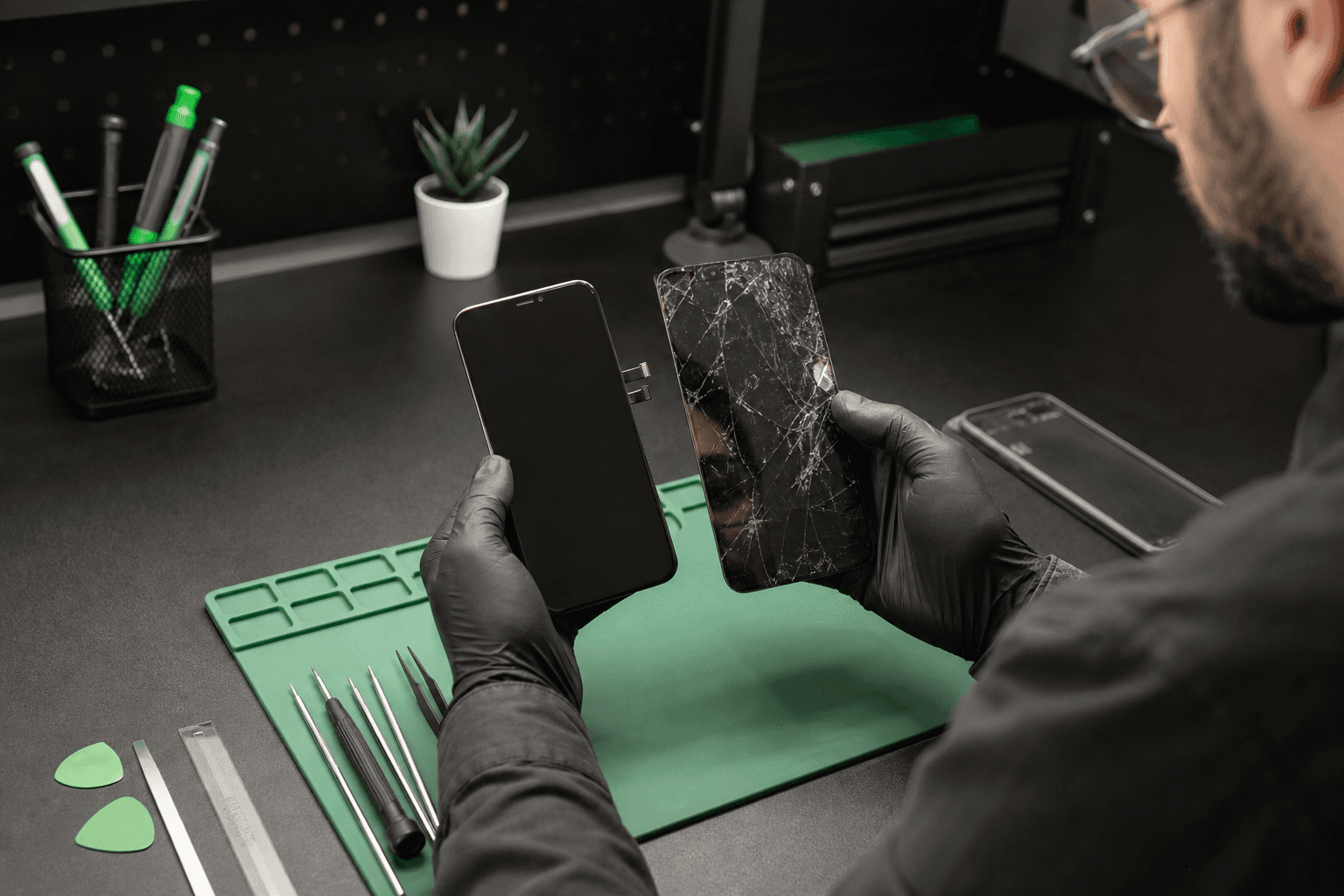
Published by TechBrotherz at TechBrotherz, the walk-in repair Store at 3317 17 Ave SE in Calgary. August 23, 2026, updated October 24, 2026.
No article on this site is paid for or sponsored. For a quote on your own device, call (403) 273-8324.
The phrase “replacement parts” can refer to a phone screen assembly, a battery, a charging port, a laptop fan, a computer storage drive, or a much smaller internal component. This guide helps you turn a vague parts search into a specific repair decision for a phone, tablet, laptop, or desktop computer.
What “replacement parts” means in device repair
A replacement part is a component fitted in place of a damaged, worn, or failed component. A spare-parts list is simply a reference list of components that may be available for a device. It does not prove that a listed part fits your exact model or that the part will solve the symptom you are seeing.
Some repairs use a single component. Others require a complete assembly because several layers are bonded or designed to work together.
- Screen assembly: may include the display panel, glass, and touch digitizer.
- Battery: includes the cell and protective circuitry designed for that device family.
- Charging part: could mean a port, flex cable, sub-board, connector, or board-level repair.
- Computer component: may be a drive, memory module, fan, keyboard, display, power supply, or another internal part.
- Small repair component: can include a connector, bracket, camera module, speaker, or sensor.
“Recommended spare parts list” usually means a list a technician or manufacturer suggests keeping available for common maintenance. It is useful for planning, but it is not a diagnosis. The failed part still needs to be confirmed against the device and its symptoms.
The five details that identify the right part
Before ordering or approving a component, collect the exact brand, model, identifier, symptom history, suspected component, and intended repair scope. These details prevent a common mistake: choosing a part because it looks similar to the original instead of confirming that it matches the device internally.
1. Exact brand and model
“iPhone,” “Samsung Galaxy,” “iPad,” or “Dell laptop” is not enough. Different generations and regional variants can use different displays, batteries, connectors, cameras, screws, brackets, and cable layouts.
Find the model name and model number in the device settings, on the original packaging, on the back label, or on the manufacturer’s identification screen. A repair shop can also help identify a device that will not power on, but the estimate should be based on the confirmed model instead of a guess.
2. Model or serial identifier
Record the model number, storage configuration where relevant, and any other identifier needed to separate similar versions. A serial number or IMEI can help with identification, but it does not replace a physical inspection of the failed component.
3. Symptom and test history
Write down what happened, when it started, and what changed after a drop, liquid exposure, update, charging attempt, or overheating event. Include useful observations such as “touch fails only along the left edge,” “charges only when the cable is angled,” or “the laptop fan runs loudly but the screen works.”
4. Failed component or assembly
Identify the part only after diagnosis. A cracked outer glass layer may involve the full display assembly. A charging failure may involve the cable, adapter, debris, port, battery, sub-board, or logic board.
5. Intended repair scope
Decide whether you want a temporary functional fix, a durable repair for daily use, data access, or a complete restoration of the device’s features. The right component and labour plan can differ depending on that goal. Related reading: Cell Phone Repair Calgary: Choose the Right Fix.
Device age, model variants, connector layout, dimensions, sensors, and calibration requirements all affect compatibility. For more detail on how parts grade and sourcing affect reliability, timing, and repair value, consider the same questions across the whole repair instead of comparing a part price alone.
Diagnose before ordering a replacement part

A symptom identifies a problem to investigate, not automatically the part to buy. Diagnosis should rule out accessories, settings, software, connectors, and related components before a replacement is approved.
| Symptom | Possible causes | What to confirm first |
|---|---|---|
| Cracked or unresponsive display | Glass, digitizer, display panel, connector, frame, or board fault | Whether the image, touch, brightness, and frame are affected |
| Battery drains quickly | Battery wear, background software, charging fault, heat, or board issue | Whether the device charges normally and whether drain occurs during standby |
| Phone will not charge | Cable, adapter, debris, worn port, battery, sub-board, or logic board | Known-good accessories, port condition, charging behaviour, and device response |
| Computer is slow | Software, storage health, memory, overheating, malware, or hardware age | Whether the slowdown is constant, tied to one program, or accompanied by errors |
| Black screen | Display, backlight, connector, power circuit, or motherboard | Whether the device makes sounds, shows an external image, or responds to input |
For example, a phone that will not charge may need cleaning, a port replacement, a battery, a sub-board, or board-level work. On some Android models, charging-port work can involve a sub-board replacement or microsoldering, depending on the design.
If the battery is visibly swollen or the device has liquid damage, stop using it and seek professional assessment before ordering a replacement part.
A slow computer may not need a replacement part at all. Software cleanup, storage management, operating-system repair, or a data issue can produce similar symptoms. The diagnosis should establish that new hardware is the appropriate intervention.
How to compare part quality and sourcing
Labels such as genuine, manufacturer-supplied, compatible, refurbished, aftermarket, and quality-tested describe different sourcing claims, but none should be treated as a complete guarantee by itself. Ask what the label means for the exact component and model being repaired.
| Term | What it may indicate | What you still need to ask |
|---|---|---|
| Genuine or original | A claim about manufacturer origin or specification | Whether the part is actually supplied through an authorized channel and what coverage applies |
| Compatible | Designed to function with a particular device model | Exact model coverage, fit, feature support, and testing process |
| Refurbished | A previously used component that has been inspected or restored | What was tested, what was replaced, and how defects are handled |
| Quality-tested | The provider has performed checks before or after fitting | Which functions were tested and whether the result is documented |
| Aftermarket | Produced outside the device’s original manufacturer | Display quality, battery capacity, connector condition, fit, and warranty |
For a screen, ask about touch response, brightness, colour, frame fit, sensors, and any calibration requirement. For a battery, ask about the rated capacity, protective circuitry, charging behaviour, and what testing follows installation. For a charging component, ask whether the part is a port, flex, sub-board, or board-level repair.
Do not assume that TechBrotherz uses a particular manufacturer part, part grade, inventory source, or model range without receiving a quote for the individual device. The useful comparison is the complete repair plan: identified component, labour, testing, warranty, availability, and expected result.
Availability, labour, and the real repair timeline
Part availability is only one part of the schedule. Diagnostic complexity, adhesive removal, disassembly, board-level work, data handling, calibration, and post-repair testing can all change the time required.
For computers, an estimate may combine diagnostics, parts, labour, data handling, and validation. Parts selection and availability can determine whether an older computer is practical to repair or whether replacement makes more sense.
A practical Calgary example
Imagine a Calgary customer with a cracked phone screen. The exact model is confirmed, the display assembly is compatible and in stock, the frame does not need additional work, and the customer does not need data handling. That repair may fit a while-you-wait path.
Now compare a tablet with a similar-looking crack but an unavailable assembly, or a laptop that needs a component ordered from outside the shop. The repair may take longer because the part, adhesive process, testing, or disassembly time is different. The lower part price is not automatically the faster or better option.
TechBrotherz provides a free in-store quote before work starts, with parts and labour included in one figure. Most phone repairs take about 30 minutes when the required parts are in stock, including screen and battery replacements that can be completed while you wait.
Repair the device or replace it instead?
Repair usually makes more sense when the fault is isolated, the device still meets your needs, the data matters, and a compatible component is available at a reasonable total cost. Replacement deserves consideration when several major systems are failing, the device is no longer adequate, or the required part is unavailable or disproportionately costly.
Use these six questions to compare the options:
- How old is the device, and does its performance still meet your needs?
- Is the problem isolated to one component or part of a broader failure?
- Will the repair preserve the features you rely on, such as touch, cameras, charging, or biometric sensors?
- Are compatible parts available without an uncertain wait?
- Does the complete repair total include diagnosis, labour, testing, and warranty?
- Would replacing the device create new costs for setup, accessories, data transfer, or software?
For a computer, a drive, memory module, fan, or display may extend useful life if the processor, operating system support, and casing remain suitable. However, parts availability and labour can change the calculation. A low-cost component does not create good value if installation is complex or another fault remains.
What to ask before approving a replacement part
Use this checklist at a repair counter or before ordering a component yourself:
- What exact component or complete assembly is being fitted?
- What evidence confirms that this is the failed part?
- Is it compatible with my exact model and variant?
- Is the part in stock, or does it need to be ordered?
- Which functions will be tested after installation?
- Will the repair affect touch, display quality, cameras, sensors, charging, or other features?
- Is data handling included, and what should I back up before service?
- What is included in labour and post-repair testing?
- What happens if inspection finds another fault?
- What does the warranty cover, and for how long?
At TechBrotherz, the quote is provided in-store before work starts, with the replacement component and workmanship included in one figure. Every repair carries a 60-day warranty covering the fitted part and the work done.
Replacement-parts questions readers ask
What does “replacement parts” mean for a phone or computer repair?
It means components used to restore a device after a part has failed or been damaged. Examples include screen assemblies, batteries, charging ports, storage drives, fans, keyboards, and connectors.
How do I know which replacement part fits my device?
Confirm the exact brand, model number, variant, failed component, and required repair scope. Similar device names can use different connectors, dimensions, sensors, or assemblies, so appearance alone is not enough.
Can a charging problem be fixed by replacing the charging port?
Sometimes, but not always. A cable, adapter, debris, battery, port, sub-board, or logic-board fault can produce similar symptoms, so charging diagnosis should come before ordering a port.
Are replacement parts available while I wait at a Calgary repair shop?
That depends on the model, component, and inventory. TechBrotherz states that most phone repairs take about 30 minutes when the required parts are in stock. Ask for the expected timing for tablet or computer work before approving service.
What should a replacement-parts warranty cover?
Ask whether the warranty covers both the fitted part and the work performed, how long it lasts, and what exclusions apply. TechBrotherz provides a 60-day warranty covering the repair and installed component.
Choose the next step for your device
Before you visit, record the exact model, describe the symptom in practical terms, note any drop or liquid exposure, and back up accessible data. Then ask for a diagnosis and complete quote before approving a replacement component.
TechBrotherz provides walk-in device repair at 3317 17 Ave SE in Calgary, with no appointment required and a free quote before work starts. For a local assessment of a phone or other device, visit the Calgary cell phone repair service and bring the model details and symptom history with you.
Related pages
Rather just ask a person?
Call (403) 273-8324 and describe the problem, or walk in to 3317 17 Ave SE in Calgary. Every repair is quoted free before any work starts.