
Blog
Phone Unlocking Costs: Save Money Before You Pay (2026)
Our phone unlocking cost guide explains methods, prerequisites, and safe steps for Southview, Calgary. Learn how TechBrotherz validates every unlock in-store.
Phone unlocking is the process of removing a carrier lock so your device can accept other SIM cards. This phone unlocking cost guide explains what drives pricing, what to check first, and how to avoid repeat work. For Southview residents, TechBrotherz provides in-store guidance and safe unlock methods backed by a 60-day repair warranty.
Key facts
- Published: July 1, 2026
- Last updated: October 2, 2026
- Reading time: 15 min read
- Questions about your own device: Call (403) 273-8324
Last updated
Phone Unlocking Costs: Save Money Before You Pay (2026)
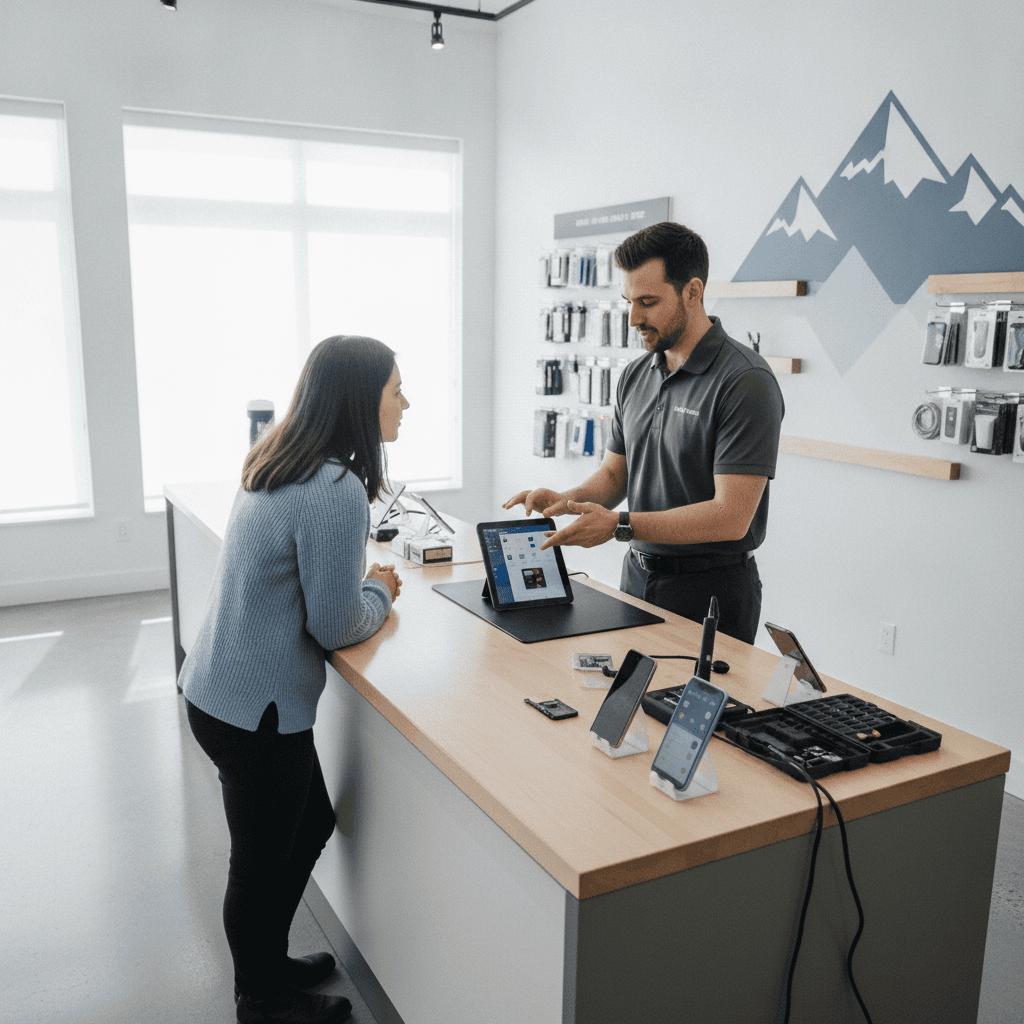
Published by TechBrotherz at TechBrotherz, the walk-in repair Store at 3317 17 Ave SE in Calgary. July 1, 2026, updated October 2, 2026.
No article on this site is paid for or sponsored. For a quote on your own device, call (403) 273-8324.
By TechBrotherz • Last updated: 2026-07-01
Quick Summary
Expect phone unlocking timelines to vary by method: carrier-approved unlocks, factory server-based methods, or software-assisted approaches. Confirm eligibility, backup data, and disable security features before any attempt. TechBrotherz helps Southview customers choose the safest route, avoid resets when possible, and restore full network use without risking data loss.
This guide blends step-by-step instructions with expert tips from our Calgary repair bench. You’ll learn:
- What phone unlocking means and why it matters for coverage, travel, and resale
- How different unlocking methods work and when to use each
- Prerequisites you must meet before starting any unlock
- A simple, 7-step process to complete an unlock safely
- Key factors that influence overall unlock effort and value
- Troubleshooting fixes for common post-unlock issues
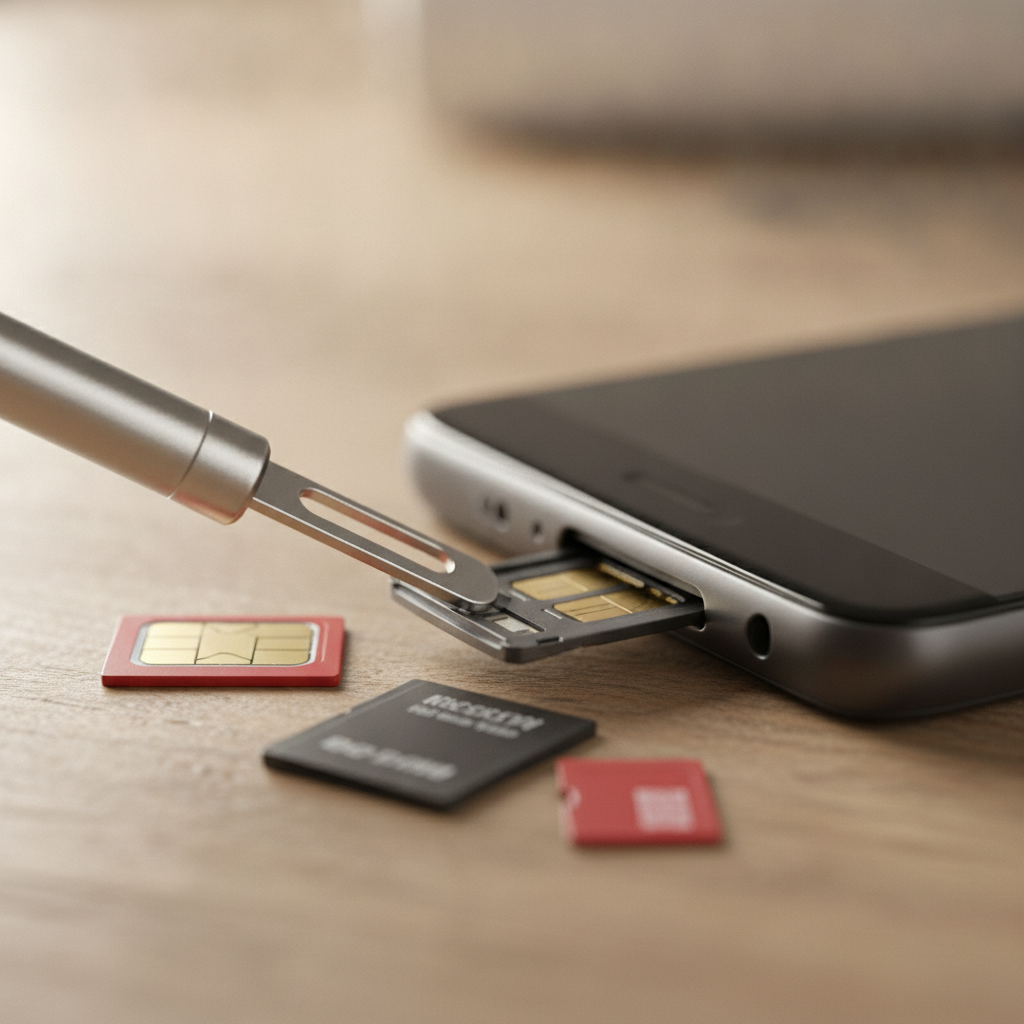
What Is Phone Unlocking?
Phone unlocking removes a network restriction set by your original carrier, allowing your phone to accept compatible SIM cards from other carriers. It preserves your device identity (IMEI) and, when done properly, keeps your data intact while expanding coverage, travel flexibility, and potential resale appeal.
At its core, unlocking decouples your handset from a single network. It’s not jailbreaking, rooting, or a hardware modification. Done correctly, it won’t damage your device or erase content.
- Carrier lock vs. account lock: A network lock differs from screen passcodes or Apple/Google account locks.
- IMEI-based control: Networks maintain eligibility using the device’s IMEI status.
- Legality and compliance: In practice, carriers support unlocks for eligible, paid-off devices tied to good-standing accounts.
In our experience at TechBrotherz, the cleanest results come from policy-aligned methods that update your device’s activation status on the carrier side. That’s why we start by checking IMEI eligibility and account standing in-store with you.
Why Phone Unlocking Matters
Unlocking matters because it restores choice. You can switch carriers, use local SIMs while traveling, and boost resale value. It also reduces downtime—if your current network has weak coverage, an unlocked phone lets you move to a stronger signal with minimal friction.
Here’s the thing—coverage and cost structures shift. People in Southview sometimes see one carrier outperform another on specific streets or indoors. An unlocked phone lets you adapt.
- Coverage agility: Test alternative networks without buying a new phone.
- Travel flexibility: Use local SIMs to avoid roaming and keep your number via dual-SIM eSIM when available.
- Resale appeal: Unlocked devices attract a wider buyer pool.
- Business continuity: If you rely on your phone for work, network choice can prevent missed calls and messages.
At our bench, we’ve seen commuters switching networks after discovering signal dead zones along 17 Ave SE. Unlocked devices make that pivot simple—no new hardware required.
How Phone Unlocking Works
Unlocking works by updating your device’s activation profile to remove carrier restrictions. Methods include carrier policy unlocks, manufacturer server updates, and safe software-assisted flows. The best choice depends on IMEI status, account standing, activation lock state, and model-specific constraints.
Most paths aim to legitimize the device on the network level:
- Carrier policy unlocks: Your account and device meet requirements; the carrier flips the lock status on their server.
- Manufacturer server updates: Some brands reflect unlock status through factory servers synced during activation.
- Software-assisted flows: When policy routes stall, vetted tools can help finalize activation after prerequisites are met.
We prioritize the official channel first because it aligns device state across systems and reduces re-lock risk during major updates or resets.
Types/Methods: Carrier, Factory, and Software
There are three practical unlocking methods: carrier policy unlocks (cleanest), factory server-based updates (often fast once eligible), and software-assisted approaches (useful when policy routes stall). Choose the method that aligns with your device’s IMEI status and account standing to avoid repeat work.
Method comparison at a glance
| Method | What it does | Pros | Watch-outs | Best for | Typical timeline |
|---|---|---|---|---|---|
| Carrier policy unlock | Removes lock via carrier server after eligibility checks | Most reliable; survives resets/updates | Requires account/device in good standing | Paid-off, eligible devices | Same day to several days |
| Factory server update | Updates status via manufacturer activation servers | Quick once eligibility is confirmed | May require restore/activation cycle | Recent models with server sync | Minutes to hours |
| Software-assisted | Uses vetted tools to finalize activation after checks | Good fallback when policy route stalls | Must avoid risky or unverified tools | Edge cases and legacy models | Varies by device |
In our shop workflow, we begin with policy checks, then switch to manufacturer flows if needed, and only use software helpers after we validate data safety and activation integrity.
Phone Unlocking Cost Guide: The Factors That Matter
Your total unlock effort depends on the method, device model, carrier rules, and account/IMEI status. Clean IMEIs with satisfied obligations unlock faster through policy routes. Complex cases may require additional verification steps or restore cycles before activation completes successfully.
Use these factor groups to gauge expected effort in this phone unlocking cost guide:
- Method selection: Policy unlocks tend to be the most stable long term.
- Model and firmware: Newer devices often sync status faster during activation.
- IMEI/account status: Clean records expedite approvals.
- Region and carrier rules: Requirements vary by network policy.
- Activation locks: Apple/Google account locks must be cleared first.
We map these variables during an intake check. If a customer walks in with a modern flagship that’s fully paid off and not tied to a family plan dispute, we usually recommend a policy route first to preserve warranty pathways and data continuity.
Prerequisites: What to Check Before You Start
Before attempting any unlock, verify IMEI status, remove activation locks, back up your data, and collect carrier account details. Insert a different SIM after the unlock is applied to confirm success. Skipping these steps often leads to failed activations or repeated work.
Essential checks
- Backups: Create a full backup to iCloud/Google or a computer.
- Activation locks: Sign out of Apple ID or remove Google FRP when required.
- IMEI status: Ensure the device isn’t reported lost or tied to unpaid obligations.
- Account security: Have PINs, passwords, or two-factor access ready.
- Device health: Resolve hardware issues (no-SIM tray, damaged reader) that block testing.
Helpful extras
- Two SIMs: One from the original carrier and one from an alternate network for testing.
- Stable Wi‑Fi: Many activation steps require reliable internet.
- Battery headroom: Keep at least 40–50% charge or stay plugged in.
We keep test SIMs from multiple networks on hand at TechBrotherz so you leave with proof that calls, texts, and data work as intended.
Step-by-Step: How to Unlock Safely
Follow a structured 7-step flow: confirm eligibility, back up, remove account locks, request the unlock through the best-fit method, complete the activation cycle, verify with a second SIM, and document the result. This sequence reduces rework and protects your data.
- Confirm eligibility: Check IMEI status and carrier requirements.
- Back up: Archive photos, messages, and app data.
- Clear locks: Remove Apple/Google account locks if prompted.
- Request unlock: Start with carrier policy or factory server route.
- Activation cycle: Power cycle, insert a different SIM, and connect to Wi‑Fi.
- Verify networks: Test calls, SMS, MMS, voicemail, and LTE/5G.
- Document: Note IMEI, date, and networks tested for your records.
When customers visit our Southview-area shop, we walk through these steps together at the counter so you see each checkpoint succeed in real time.

Pricing Factors and Value (Without Numbers)
Value is created when the unlock method matches your device’s reality: clean IMEI, correct policy path, and verified activation. Effort increases with missing account access, damaged SIM hardware, or inconsistent activation history. Aligning method to constraints prevents repeat attempts and protects your data.
What increases effort
- Unresolved account issues: Past-due balances or contract flags.
- Activation locks: Apple ID or Google FRP still enabled.
- Hardware faults: No-SIM errors, bent trays, liquid damage.
- Unsupported firmware: Beta OS or nonstandard builds can complicate activation.
What keeps it simple
- Clean records: Paid-off, good-standing accounts.
- Standard firmware: Up-to-date stable releases.
- Complete backups: Confidence to perform any required restore.
- On-bench testing: Two SIMs and Wi‑Fi available for validation.
In short, the best value comes from preparation. We help you line up prerequisites so your first unlock attempt is your last.
Troubleshooting: Fixes After the Unlock
If calls, texts, or data fail after an unlock, re-seat the SIM, check APN settings, toggle LTE/5G, and update carrier settings. When activation stalls, sign out/in of accounts, reboot, and repeat the SIM swap on strong Wi‑Fi. Persistent no-service often points to hardware.
Common symptoms and fixes
- No service after SIM swap: Power cycle; try manual carrier selection.
- Data works, SMS doesn’t: Update carrier settings; confirm APN and MMS settings.
- Activation loop: Connect to stable Wi‑Fi; sign out and back into Apple/Google; retry.
- eSIM not activating: Remove old profiles; scan QR again; verify account status.
- No-SIM error: Inspect tray/reader; test with our shop SIMs to isolate hardware.
We keep a rapid checklist at the counter so you can see each service (voice, SMS, data, voicemail, hotspot) pass before you leave. If any fail, we diagnose on the spot.
Tools and Resources You Can Rely On
Rely on carrier policy portals, manufacturer activation services, clean IMEI checks, and professional repair benches with test SIMs across networks. TechBrotherz maintains these resources in-store so you can complete an unlock and validate every service before you head out.
- Professional intake: We review IMEI status and eligibility side by side.
- Multi-network testing: We use alternate SIMs to validate unlock success.
- Repair support: If SIM hardware is damaged, our cell phone repair team can fix it.
- Brand expertise: For Apple and Samsung, see our iPhone repair and Samsung repair pages.
- Tablet tie-ins: If you manage mixed fleets, our tablet repair and iPad repair services help keep everything aligned.
If a forgotten passcode blocks activation, we guide you through safe credential recovery or an appropriate reset—with your permission and backups ready.
Case Studies: Real Scenarios from Our Bench
Most successful unlocks follow a clean checklist: confirm eligibility, apply policy unlock, and validate with test SIMs. Edge cases arise when accounts are incomplete, activation locks remain, or SIM hardware is damaged. Addressing these early prevents multiple trips and preserves your data.
Example 1: Traveler preparing for a trip
- Problem: Needs local SIM use abroad; device still carrier-locked.
- Action: Verified IMEI, submitted policy request, validated with alternate SIM.
- Result: Calls, SMS, and data confirmed before departure; hotspot tested.
Example 2: Coverage gaps along 17 Ave SE
- Problem: Inconsistent signal at home and on commute.
- Action: Completed policy unlock; tested two carriers with shop SIMs.
- Result: Customer switched networks the same day; voicemail and MMS verified.
Example 3: Account lock stalling activation
- Problem: Apple ID still tied to the device; activation looped.
- Action: Signed out, repeated activation on reliable Wi‑Fi, reinserted alternate SIM.
- Result: Activation completed; device accepted multiple carrier SIMs.
We document each test so you leave with confidence and a clear record of what passed.
Local Tips for Southview Customers
Southview customers benefit from in-person SIM testing and immediate troubleshooting. Bring your current SIM and a spare from your target network. We’ll validate voice, text, data, and hotspot on-site so you don’t discover issues after you leave the neighborhood.
Local considerations for Southview
- Plan your visit around errands near Habesha Mall so you can stop in with both SIMs and wrap testing the same day.
- If you’re traveling soon, test hotspot and maps routing before you go; evening network loads can vary, especially around Valleyview Park Viewpoint.
- Using eSIM? Bring your QR or carrier login so we can provision and test a backup line on the bench.
Walk in during posted hours—no appointment needed. We’ll help you choose the safest path and verify results before you leave Southview.
Best Practices and Checklists
Follow a preflight checklist, prefer policy routes, and test with two SIMs before you leave. Keep software current, document IMEI and activation results, and avoid unverified tools. These practices cut down on repeat trips and protect your personal data.
Preflight checklist
- Back up your device completely.
- Verify IMEI is clean and obligations are satisfied.
- Sign out of accounts if prompted during activation.
- Have two SIMs available for testing.
- Bring your charger and carrier credentials.
On-bench validation
- Place a test call and send/receive SMS and MMS.
- Confirm LTE/5G data with speed and web checks.
- Set up or reconfigure voicemail.
- Test hotspot and Wi‑Fi calling if supported.
We keep this checklist at the counter so you see each item verified in sequence.
How This Relates to Tablets and Our Pillar Topic
Unlocking principles apply to cellular tablets too. The same IMEI checks, account prerequisites, and activation tests determine success. When you plan tablet repairs or connectivity changes, align with our broader tablet repair cost factors framework to minimize rework.
Mixed environments—phones, iPads, and Android tablets—benefit from shared processes and documentation. If a tablet also needs repair, coordinating unlock timing with our tablet repair workflow can save a second trip and ensure activation goes smoothly after hardware service.
Want a quick in-store assessment? Stop by TechBrotherz during business hours. We’ll check IMEI status with you, review your best unlock path, and test with our shop SIMs. Start at our unlocking service page to see what we cover.
How to Avoid Risks and Data Loss
Avoid risk by backing up, removing activation locks, and matching the unlock method to your device’s eligibility. Validate every network function before leaving the shop. Never share credentials with unverified services or use tools that lack a documented activation path.
- Protect credentials: Enter passwords only on trusted portals and devices.
- Keep records: Save IMEI, dates, and which networks you validated.
- Stay current: Apply OS and carrier updates after the unlock settles.
- Get help early: Hardware faults mimic activation issues—bench testing isolates them fast.
When in doubt, we test with our SIM set and walk you through each validation so there’s no guesswork.
Credible References and Policy Notes
Policies vary by carrier and device brand. Always verify eligibility and activation steps before you begin. Local providers share process guidance that helps set expectations, especially around required account access and post-unlock testing.
For third-party perspectives on process expectations and model considerations, see these local overviews: Android unlock basics, iPhone unlock guidance, and general phone unlock notes. Use them as context; your device’s IMEI and account status ultimately determine the right path.
Frequently Asked Questions
These short answers cover the most common unlock questions we hear at the counter. Bring your phone and two SIMs, and we’ll confirm what applies to your device within minutes.
Will unlocking erase my data?
A proper policy or server-based unlock should not erase data. Still, always back up first in case a restore or activation cycle is required for your specific model and firmware.
Is unlocking the same as jailbreaking or rooting?
No. Unlocking removes the carrier restriction so you can use other SIMs. Jailbreaking or rooting modifies the operating system and can introduce security or warranty issues unrelated to network locks.
How do I confirm the unlock worked?
Insert a SIM from a different carrier, connect to Wi‑Fi, and test calls, texts, and data. Also open settings to check carrier name, voicemail setup, and hotspot functionality. We validate each of these at the counter.
Can you unlock a phone that shows “No SIM”?
We can attempt it, but we’ll first diagnose hardware like the SIM tray and reader. If the reader is faulty, we’ll repair that in our cell phone repair area so activation testing can complete.
Do I need an appointment?
No. TechBrotherz is a walk-in shop. Bring your current SIM, an alternate SIM, and your carrier credentials. We’ll review eligibility and help you choose the safest unlock path.
Key Takeaways
Unlocking succeeds when you prepare: verify eligibility, back up, remove activation locks, and choose the method that matches your device’s status. Validate every service with two SIMs at the bench so you leave confident your phone works on your target network.
- Start with policy routes for stability.
- Back up first; remove Apple/Google locks.
- Test voice, SMS, data, voicemail, and hotspot before you leave.
- Use trusted, in-person help to isolate hardware vs. activation issues.
Ready to proceed? Visit our unlocking page or stop by during posted hours. We’ll help you complete the process and verify everything on the spot.
Related pages
Rather just ask a person?
Call (403) 273-8324 and describe the problem, or walk in to 3317 17 Ave SE in Calgary. Every repair is quoted free before any work starts.