
Blog
How Phone Repairs Differ: iPhone vs Samsung in 2026
Understand iPhone vs Samsung repair differences in 2026—screens, parts, water resistance, data, and more—for Southview and Calgary device owners.
iPhone vs Samsung repair differences are the design, parts, software, and service factors that change how fast and successful fixes are. For Southview device owners, these differences influence turnaround time, data safety, and warranty outcomes. Understanding them helps you choose the right shop and avoid repeat issues when your phone needs service.
Key facts
- Published: July 4, 2026
- Last updated: October 2, 2026
- Reading time: 16 min read
- Questions about your own device: Call (403) 273-8324
Last updated
How Phone Repairs Differ: iPhone vs Samsung in 2026
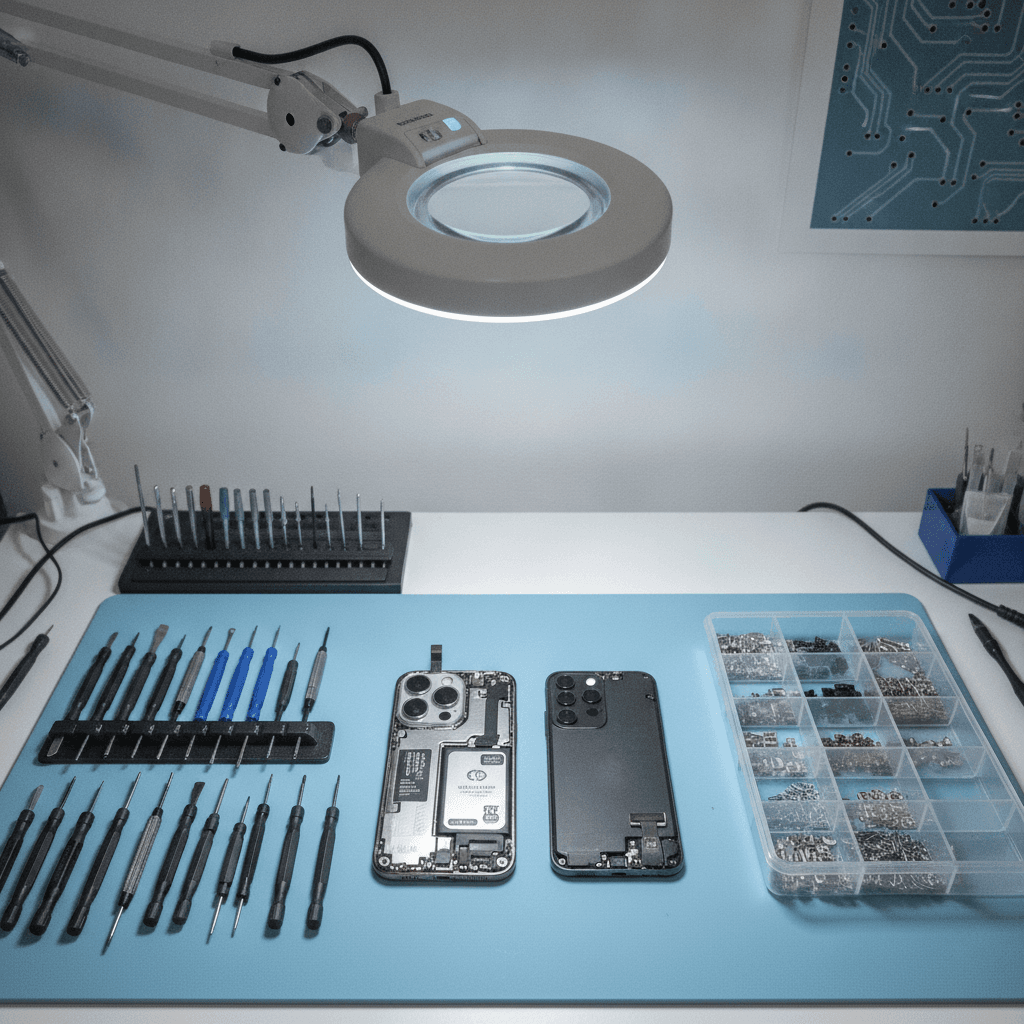
Published by Imran Mohammed at TechBrotherz, the walk-in repair Store at 3317 17 Ave SE in Calgary. July 4, 2026, updated October 2, 2026.
No article on this site is paid for or sponsored. For a quote on your own device, call (403) 273-8324.
By Imran Mohammed, TechBrotherz • Last updated: July 4, 2026
Quick Summary
This guide explains the practical repair differences between iPhones and Samsung Galaxy devices in 2026. We compare displays, adhesives, water sealing, parts availability, diagnostics, and data protection—plus Southview-specific tips. Use the table, checklist, and FAQs to decide your next step and reduce downtime.
Here’s what you’ll learn and how to use it right away:
- Side-by-side table to scan key differences fast.
- Top 11 real-world factors our Calgary technicians see daily.
- Actionable checklists for choosing the right repair path.
- Local guidance for Southview timing, travel, and backups.
- Direct links to our iPhone, Samsung, and tablet repair pages.
Quick Comparison Table
iPhone and Samsung phones differ in screens, adhesives, water sealing, and software locks. iPhones favor standardized modules and consistent diagnostics, while Samsungs vary widely by model and display type. Use this table to predict complexity, resealing needs, data steps, and parts sourcing before you book service.
| Repair Area | iPhone (2020–2026) | Samsung Galaxy (2020–2026) | Why It Matters |
|---|---|---|---|
| Front Glass/Screen | Flat panels, Ceramic Shield on newer models; predictable disassembly | Mix of flat and curved (Edge); curved adds risk and setup time | Curved edges raise crack risk and alignment complexity |
| Back Glass | Recent non‑Pro iPhones redesigned for easier back glass swaps | Backs typically fused with strong adhesive; heat/time intensive | Impacts turnaround and likelihood of cosmetic perfection |
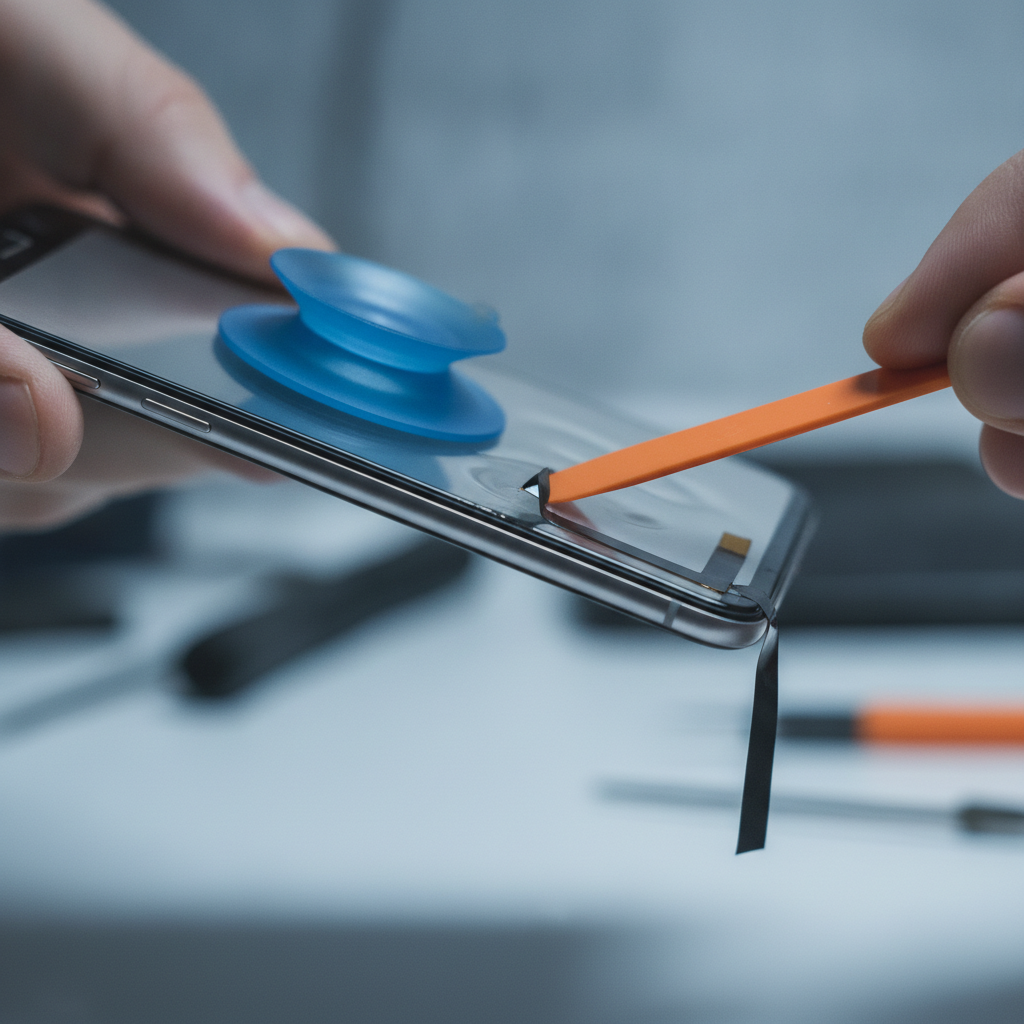
| Adhesives/Opening | Uniform adhesive profiles; suction/heat workflow is consistent | Adhesive schemes vary widely by series and year | Predictability drives faster, safer openings |
| Water Resistance | Strong IP sealing; requires careful gasket replacement | Comparable IP ratings; reseal technique varies by model | Post‑repair sealing depends on process and parts |
| Battery Removal | Pull‑tabs common; cleaner removals when tabs intact | Some models glued firmly; more heat and patience needed | Lower prying reduces flex and board stress |
| Cameras/Calibration | Face ID/Touch ID pairing sensitivity; camera stabilization checks | Under‑display sensors and OIS modules vary across lines | Calibration affects focus, Face ID, and biometrics |
| Ports & Charging | USB‑C on current models; consistent port frames | USB‑C across most lines; some models use unique brackets | Port replacements hinge on bracket/board design |
| Parts Ecosystem | Broad aftermarket + OEM‑calibrations for select parts | Strong ecosystem; availability varies more by model | Parts flow impacts wait times and outcomes |
| Diagnostics/Software | Clear recovery/DFU flows; component pairing flags | Download/Recovery modes; model‑specific service menus | Good triage prevents repeat visits |
| Data & Locks | Find My, activation lock, encrypted backups | Find My Mobile, FRP lock, Google account ties | Plan backups and sign‑outs before service |
For hands‑on help in Calgary, our cell phone repair team walks through these differences with you at check‑in so you know exactly what to expect.
Our Top Pick
For most Southview customers prioritizing predictability and turnaround, recent iPhones edge out due to consistent adhesive layouts, flat screens, and improved back‑glass serviceability. Many Galaxy models repair well too—especially flat‑screen A‑series—but curved displays and varied adhesives add time and care.
Our viewpoint comes from daily bench work in Calgary. On balance, newer iPhones (especially flat‑screen models) deliver more repeatable outcomes across common jobs like screens, batteries, and back glass. That consistency shortens triage and reduces rework.
- Why it matters: Consistency cuts open/close cycles and preserves water seals.
- When Samsung wins: Flat‑screen Galaxy models often tie on speed and outcomes.
- Edge cases: Curved displays, under‑display sensors, or rare parts can slow any brand.
Need a brand‑specific plan? Start with our iPhone repair options or explore our Samsung repair services to see typical workflows we recommend.
Top 11 iPhone vs Samsung Repair Differences (2026)
The biggest repair differences show up in displays, adhesives, back glass, water seals, parts flow, and software pairing. Use these eleven points to predict time, risk, and data steps—then choose the workflow that best balances speed, safety, and long‑term reliability for your device.
1) Screens: flat vs curved complexity
- Main point: Flat glass is faster to align and seal; curved edges demand stricter jigging and post‑bond checks.
- Why it matters: Edge curvature raises crack and lift risks during removal and re‑adhesion.
- TechBrotherz example: Flat‑screen iPhones and Galaxy A‑series typically leave our bench sooner than curved S/Note‑era models.
- Action: Ask whether your model is flat or curved and how that changes adhesive heating, clamping, and curing time.
2) Glass chemistry and protection layers
- Main point: Newer iPhones use Ceramic Shield; many Samsungs use Gorilla‑class glass (including Victus‑level). Both are tough, but removal methods differ.
- Why it matters: Harder glass resists scratches yet can chip at edges if torque spikes.
- Example: We plan extra edge protection on hard‑coated panels to reduce micro‑chips during lift.
- Action: Confirm your shop uses edge guards and controlled heat to soften frame adhesive evenly.
3) Back glass construction
- Main point: Several recent iPhones redesigned frame/back interfaces to simplify back‑glass service compared with earlier generations.
- Why it matters: When the back separates cleanly, internal cables and boards face less stress.
- Example: Cleaner back separations speed our reseal steps and improve cosmetic results.
- Action: Ask whether your model supports modular back‑glass replacement versus deep chassis work.
4) Adhesive profiles and opening strategy
- Main point: iPhones often share repeatable adhesive layouts; Samsung layouts vary more by series/year.
- Why it matters: Predictable seams minimize exploratory prying and reduce display flex.
- Example: On consistent layouts, we hit temperature targets faster and cut open/close cycles.
- Action: Request a walkthrough of heat zones and separation tools your technician will use.
5) Water resistance resealing
- Main point: Both brands can retain strong post‑repair sealing if gaskets and frames are prepped meticulously.
- Why it matters: Dust and moisture can compromise speakers, cameras, and charging ports after a poor reseal.
- Example: Our bench uses full‑frame adhesive sets, alcohol cleaning, and clamp‑time targets to promote even bonds.
- Action: Verify new gaskets are used and learn your no‑water window after service.
6) Battery removal approach
- Main point: iPhones frequently include pull tabs; some Galaxy models rely on heavier adhesive under the cell.
- Why it matters: Tabbed removals reduce flex and bending around logic boards.
- Example: Where tabs break, we apply controlled heat and non‑metal tools to avoid puncture risk.
- Action: Ask your tech whether the model supports pull tabs and what the backup plan is if they tear.
7) Cameras and calibration nuances
- Main point: Face ID/Touch ID modules on iPhone are sensitive to pairing; Galaxy lines use varied OIS and under‑display sensors.
- Why it matters: Module swaps can impact autofocus, stabilization, or biometric enrollment.
- Example: We run pre/post camera tests, screen for dust, and validate portrait focus before closure.
- Action: Request a quick demo of camera and biometric checks before you leave the counter.
8) Ports and charging assemblies
- Main point: Current iPhones and most Samsungs use USB‑C, but bracket and board designs vary.
- Why it matters: Some ports live on small daughterboards; others are board‑mounted, which can change the approach significantly.
- Example: We inspect bracket torque and replace gaskets to keep lint and moisture out.
- Action: Ask whether your model’s port is modular or board‑mounted and how that affects turnaround.
9) Parts ecosystem and supply timing
- Main point: Aftermarket and OEM parts availability is broad for both brands but can fluctuate by generation and color.
- Why it matters: Stock variability affects wait times and cosmetic match on bezels or backs.
- Example: We keep common screens, batteries, and ports on hand; niche cameras or curved panels may require ordering.
- Action: Share your exact model/finish at booking so we can pre‑stage parts before you arrive.
10) Software locks and sign‑out steps
- Main point: iPhone activation lock (Find My) and Samsung/Android FRP can delay post‑repair testing if not addressed early.
- Why it matters: Technicians need temporary access to run diagnostics and validate cameras, speakers, and sensors.
- Example: We guide sign‑out/backup steps at check‑in to prevent hold‑ups during testing.
- Action: If you’re locked out, our unlocking and password reset services can help you regain access for proper testing.
11) Diagnostics flow and data safety
- Main point: iPhones use standardized recovery/DFU flows; Samsung devices use Download/Recovery menus, with model‑specific nuances.
- Why it matters: Clean triage reduces repeat issues and helps preserve your data.
- Example: We run speaker/mic tests, proximity checks, and thermal scans before closure on both brands.
- Action: Back up first; then bring logins or a friend’s device to receive 2FA codes during pickup.
Our Top Pick, Then 10 More Nuanced Factors
If you value predictable speed and neat reseals, we slightly favor recent iPhones. Still, your specific model matters more than the brand. Use these factors—screen shape, adhesive design, and parts flow—to forecast time and risk before committing to service.
Want model‑specific reading? Many shops publish device notes—see this iPhone 14 repair overview and this older iPhone service notes for examples. For Samsung part breakdowns, public Samsung parts catalogs show brackets and modules that influence approach. Bring any references you find—we’re happy to translate them into a clear plan for your phone.
How to Choose the Right Repair Path
Choose a repair path by matching your phone’s model to the job complexity, parts availability, and data needs. Confirm backups, ask about water‑seal steps, and schedule around adhesive cure time. A five‑minute intake conversation prevents hours of delay later.
Decision checklist (works for iPhone and Samsung)
- Identify the exact model: Letters matter (e.g., Plus/Ultra/SE). It changes screens, brackets, and cables.
- Clarify the symptom: No‑touch vs. ghost‑touch, boot loops, fast drain, or no charge each point to different modules.
- Back up right now: Cloud or computer—don’t wait. Backups protect you during rare resets.
- Discuss water sealing: Confirm new gaskets, clamp time, and your post‑repair dry window.
- Ask about parts ETA: In‑stock vs. order‑in affects the calendar more than the bench time.
- Plan communication: 2FA codes may be needed to test apps after screen or battery work.
Local considerations for Southview
- Plan drop‑offs around traffic on 17 Ave SE; quick coffee runs near Foggy Gorilla Vape Shop | 17th Ave can cover short adhesive cure windows.
- Cold snaps reduce adhesive flexibility; if the weather swings, expect extra curing time before resealing.
- If you’re heading to Valleyview Park Viewpoint after pickup, keep the phone pocket‑warm for the first few hours to protect bonds.
Buying Guide: If You’re Deciding Between iPhone and Samsung
When repairability is part of your phone purchase, favor flat screens, strong parts support, and accessible batteries. Ask about back‑glass design and water‑seal serviceability. These traits reduce repair time, keep devices longer, and stretch your upgrade cycle.
Traits that help long‑term serviceability
- Flat front glass: Speeds up safe lifts and precise alignment.
- Modular ports and cameras: Simplifies diagnosis and targeted replacements.
- Common parts across variants: Improves stock flow and reduces wait times.
- Transparent diagnostics: Clear recovery modes and test menus save you time during check‑out.
- Healthy aftermarket: More options for screens, batteries, and backs as the phone ages.
If you manage family devices, consider how phone choice intersects with tablets and computers. Our tablet repair insights (including cost drivers and parts flow) often mirror what we see on phones—use those patterns to plan smarter purchases.
Need fast, local help? Walk in or call our Calgary team. We service iPhones, Galaxy devices, iPads, tablets, PCs, and laptops—backed by a warranty—so you can get back to work quickly.
Explore brand pages: iPhone repair • Samsung repair • Cell phone repair

Frequently Asked Questions
These quick answers address the most common questions Southview customers ask about iPhone vs Samsung repairs—timelines, water resistance, data, and parts quality. Each answer is direct and focused so you can act confidently today.
Which is easier to repair: iPhone or Samsung?
For predictable speed and clean reseals, recent iPhones often have the edge thanks to consistent layouts and flat screens. Many Galaxy models repair just as well, especially flat A‑series phones. The specific model and part needed matter more than the logo.
Will my phone still be water resistant after repair?
It can be—if new gaskets are installed, frames are cleaned, and clamps are used for full cure time. We reseal iPhones and Samsungs carefully, but no third‑party shop can guarantee factory water resistance. Treat any phone as splash‑resistant for a while after service.
Do I need to back up my data before repair?
Yes. Back up to the cloud or a computer before any repair. Then sign out of activation/FRP locks or bring your logins so we can test cameras, speakers, and sensors at pickup. This prevents delays and protects your information.
How long does a typical screen or battery repair take?
Bench time for common repairs can be short, but total time depends on parts availability and adhesive cure windows. Flat screens with in‑stock parts move fastest. Curved displays, special cameras, or ordered parts add time. We’ll outline the timeline at intake.
Can you help if I’m locked out of my phone?
Yes. If you’re locked out, visit our unlocking and password reset page. We’ll confirm eligibility and outline secure steps so we can test your device fully after hardware service.
Methodology: How We Built This Comparison
We compared iPhone and Samsung repairs based on daily bench work at TechBrotherz, covering screens, batteries, backs, ports, and cameras. We prioritized repeatability, reseal integrity, and data protection to give Southview customers guidance that holds up in real‑world service.
- Bench observations: We service iPhones and Samsung Galaxy devices every day across Calgary—walk‑ins, no appointment required.
- Common jobs: Screens, batteries, cameras, charging ports, and back glass on models from 2020–2026.
- Evaluation lenses: Disassembly risk, parts flow, calibration checks, adhesive cure time, and post‑repair testing.
- What this isn’t: A lab teardown. It’s a field guide rooted in actual storefront repairs and customer priorities.
Conclusion and Next Steps
Your best choice isn’t just “iPhone vs Samsung”—it’s the right workflow for your exact model and symptom. Confirm backups, sealing steps, and parts timing. A five‑minute intake saves hours later and improves long‑term reliability.
Key takeaways
- Flat screens and consistent adhesives speed safe service.
- Back‑glass design and water‑seal steps influence turnaround.
- Parts flow varies by model; share details early to pre‑stage stock.
- Sign‑out steps (Find My/FRP) prevent delays at pickup.
What to do now
- Back up your device and collect your logins.
- Decide whether you prefer same‑day convenience or can wait for special parts.
- Start with brand pages—iPhone or Samsung—or visit our cell phone repair hub.
Serving Southview and nearby neighborhoods, TechBrotherz is ready to help you get your device back up and working fast—without the guesswork.
Related pages
Rather just ask a person?
Call (403) 273-8324 and describe the problem, or walk in to 3317 17 Ave SE in Calgary. Every repair is quoted free before any work starts.