
Blog
iPhone Charging Port Repair vs Cleaning in Calgary
Compare iPhone charging-port cleaning with professional repair in Calgary, including safe checks, warning signs, preparation, and walk-in service options.
If your iPhone charges inconsistently, only works when the cable is positioned a certain way, or does not respond at all, do not assume the port needs replacement immediately. A basic cable, adapter, and external port check may identify a simple connection issue. If the problem continues, the connection feels loose, or the port shows physical damage, professional iPhone charging port repair is the more sensible next step.
Key facts
- Published: September 18, 2026
- Last updated: October 2, 2026
- Reading time: 7 min read
- Questions about your own device: Call (403) 273-8324
Last updated
iPhone Charging Port Repair vs Cleaning in Calgary
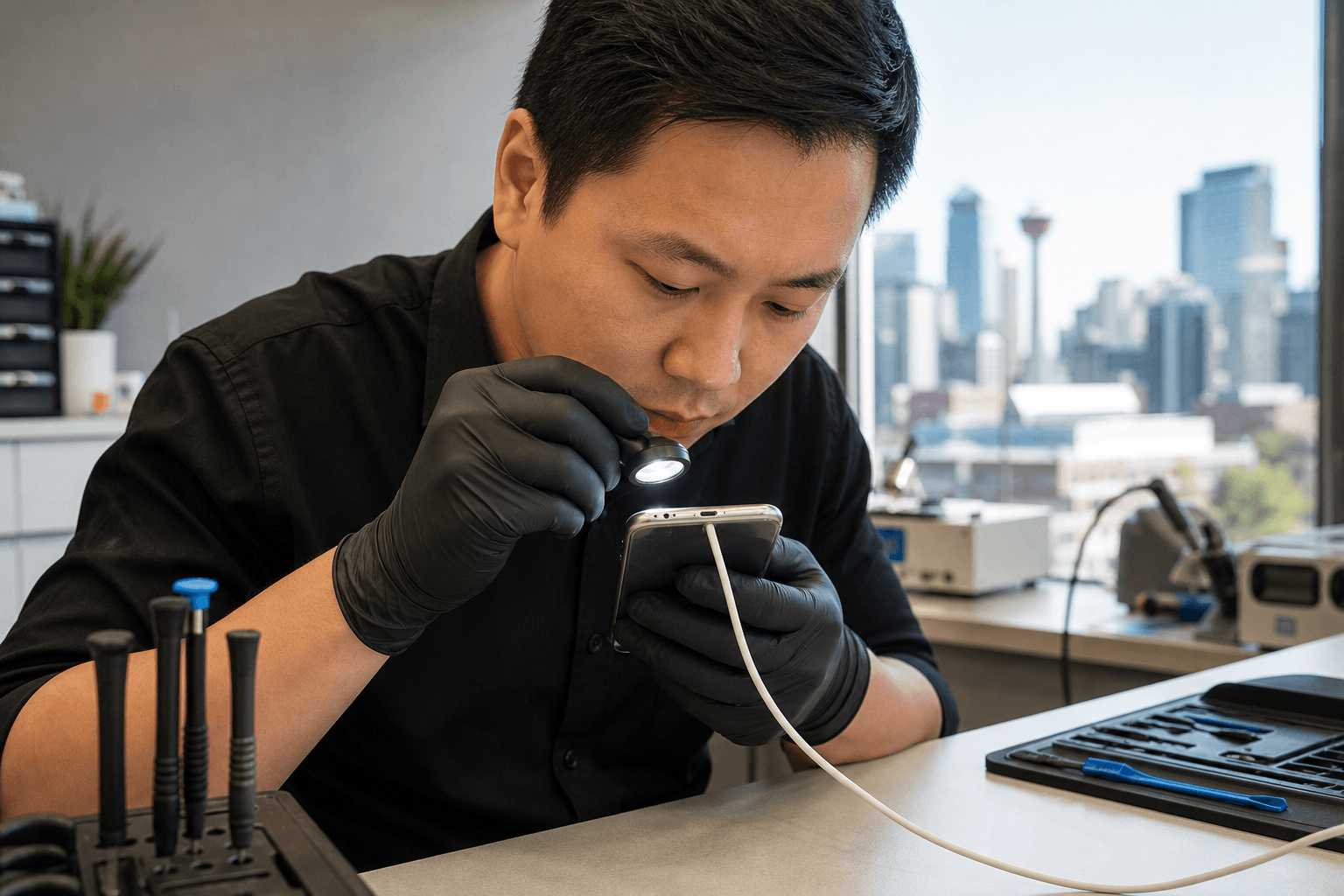
Published by TechBrotherz at TechBrotherz, the walk-in repair Store at 3317 17 Ave SE in Calgary. September 18, 2026, updated October 2, 2026.
No article on this site is paid for or sponsored. For a quote on your own device, call (403) 273-8324.
For Calgary, Calgary SE, Chestermere, and Airdrie residents, TechBrotherz provides walk-in iPhone repair at 3317 17 Ave SE in Calgary. The shop repairs iPhones and other devices, and states that completed repairs are backed by a 60-day warranty.
Quick summary

- Try a known-compatible cable and adapter before assuming the charging port is damaged.
- Inspect the port externally, but avoid forcing anything into it or repeatedly testing a damaged connection.
- Intermittent charging, a loose fit, angle-dependent charging, or complete failure after basic checks warrants an inspection.
- Bring the iPhone, relevant cable or adapter, and details about the problem when requesting an assessment.
- TechBrotherz accepts walk-ins during posted business hours at 3317 17 Ave SE and serves Calgary, Chestermere, and Airdrie.
Cleaning or repair: what the symptoms suggest
Charging symptoms can point toward different next steps, but they do not confirm a diagnosis on their own. Use the comparison below to decide whether a limited external check is reasonable or whether it is time to stop troubleshooting.
| What you notice | Reasonable next step | Why an inspection may be needed |
|---|---|---|
| The cable does not seem to connect properly | Try another known-compatible cable and adapter, then inspect the port externally. | The issue may involve the cable, adapter, port, or another charging component. |
| Charging starts and stops | Stop repeated testing and note when the interruption occurs. | An inconsistent connection should be assessed rather than treated as a confirmed cleaning issue. |
| The iPhone charges only when the cable is held at an angle | Avoid relying on that position and arrange an inspection. | Angle-dependent charging can indicate a connection problem that requires closer assessment. |
| You can see possible debris in the opening | Perform only a cautious external check without forcing anything into the port. | If the problem remains, cleaning may not address the cause and the port may need professional attention. |
| The phone does not charge after basic checks | Back up the device if possible and seek professional inspection. | Complete failure should not be assumed to be a simple obstruction or a guaranteed port replacement. |
The key distinction is persistence. A brief external check may be appropriate when the issue appears minor, but continued unreliable charging, a loose connection, or visible damage makes professional iPhone charging port repair a better decision than repeated cleaning attempts.
Basic checks to complete before booking repair

Try a different cable and adapter that you know work with another suitable device, and observe whether the iPhone behaves differently. If changing the cable or adapter solves the issue, the charging port may not be the source of the problem.
Look at the port from the outside in good lighting. Note whether you can see an obstruction, whether the opening appears damaged, and whether the cable connection feels different from before. Do not force an object into the port, scrape aggressively, or keep inserting and removing the cable if the connection feels loose.
If the iPhone still has enough battery, consider backing up important information before seeking service. Record whether charging begins, stops, works only at an angle, or fails with more than one cable or adapter.
When to stop troubleshooting and seek inspection
Stop basic troubleshooting when the same problem returns after trying another cable or adapter. Repeatedly reconnecting a cable is unlikely to provide useful information once the pattern is clear, especially if the port feels loose or the iPhone responds only when pressure or a particular angle is applied.
Professional inspection is also appropriate when you notice visible physical damage, the iPhone will not charge at all, or you are unsure whether the port has been affected by an earlier incident. The aim is to identify the likely source before deciding whether cleaning, repair, or another service is appropriate.
What professional charging-port repair can clarify
An in-store assessment gives the technician a chance to consider the iPhone model, charging symptoms, cable and adapter behaviour, and the condition of the port. Mention any known physical incident or moisture exposure, without assuming either one is definitely responsible.
The available repair, price, parts, and turnaround should be confirmed for the specific device rather than assumed from a general online description. TechBrotherz lists iPhone repair and charging-port repair services, so ask for the current estimate after the device and symptoms have been assessed.
How to prepare for an iPhone repair visit
- Back up the iPhone if it still has enough power and can connect reliably.
- Bring the iPhone and, when relevant, the cable or adapter that demonstrates the problem.
- Write down whether charging is intermittent, angle-dependent, or completely unavailable.
- Mention known drops, pressure on the port, liquid exposure, or previous repair attempts.
- Keep account passwords private unless access is specifically required and you are comfortable providing it.
- Ask what the recommended repair covers, what it costs, and how the warranty applies.
For broader questions about comparing local providers, see how to choose the right iPhone repair in Calgary.
Walk-in iPhone charging-port repair in Calgary SE
TechBrotherz is located at 3317 17 Ave SE in Calgary and offers walk-in repair service during posted business hours. The shop supports iPhones, Samsung Galaxy phones, other cell phones, iPads, tablets, PCs, and laptops.
TechBrotherz serves Calgary and nearby communities including Chestermere and Airdrie. Its local repair coverage is also described in what cellphone repair on 17 Ave SE includes.
Walk-in availability does not mean every repair will be completed immediately. The device model, fault, parts availability, and assessment can affect the service process.
What to confirm about warranty coverage
TechBrotherz states that repairs are backed by a 60-day warranty. This is useful when comparing repair options, but it should not be read as automatic coverage for every future charging problem or type of damage.
Before proceeding, ask whether the warranty applies to the recommended charging-port service, what it covers, and whether particular damage or later incidents are excluded. Keep service documentation and return promptly if the same issue reappears within the stated warranty period.
A simple decision checklist
- Does another suitable cable or adapter work? If yes, the accessory may be the immediate problem.
- Can you see a possible obstruction? Make only a cautious visual check and do not force anything into the port.
- Does the cable fit securely? A loose connection or angle-dependent charging warrants inspection.
- Is there visible physical damage or a known incident? Provide those details to the technician.
- Does the problem continue? Arrange professional assessment instead of assuming cleaning or replacement is guaranteed to solve it.
Frequently asked questions
How can I tell whether my iPhone charging port needs repair?
Unreliable charging, a loose connection, angle-dependent charging, or no response after trying another suitable cable and adapter are good reasons to request an inspection. These symptoms do not prove that the port needs replacement.
Can cleaning an iPhone charging port fix charging problems?
An external check may identify a visible obstruction, but cleaning is not guaranteed to solve the issue. If charging remains inconsistent or the port appears damaged, seek professional assessment.
Can I visit TechBrotherz without an appointment?
Yes. TechBrotherz encourages walk-in service during posted business hours at 3317 17 Ave SE in Calgary. Walk-in service does not guarantee immediate completion.
Does the 60-day repair warranty cover every charging issue?
TechBrotherz states that repairs are backed by a 60-day warranty. Confirm the terms and applicability for your specific charging-port repair before proceeding.
Choose the least risky next step for your iPhone
Use a different suitable cable or adapter, make a cautious external inspection, and stop if the issue persists or the port appears damaged. Cleaning may be reasonable for a minor suspected obstruction, but unreliable, loose, angle-dependent, or failed charging is better handled through professional inspection.
For walk-in iPhone charging-port repair in Calgary, visit TechBrotherz at 3317 17 Ave SE. The shop serves Calgary, Chestermere, and Airdrie, and states that repairs are backed by a 60-day warranty.
Related pages
Rather just ask a person?
Call (403) 273-8324 and describe the problem, or walk in to 3317 17 Ave SE in Calgary. Every repair is quoted free before any work starts.