
Blog
What Should You Check Before a Carrier Unlocking Guide?
Before unlocking a phone, verify the carrier, device model, account status, network compatibility, updates, codes, and when local Calgary help makes sense.
Before following a carrier unlocking guide, confirm what kind of lock affects your phone, which carrier currently manages it, and whether the device will work on the network you want to use. Carrier unlocking and network compatibility are separate checks. A guide written for one phone or carrier may not apply to another.
Key facts
- Published: September 19, 2026
- Last updated: October 2, 2026
- Reading time: 12 min read
- Questions about your own device: Call (403) 273-8324
Last updated
What Should You Check Before a Carrier Unlocking Guide?
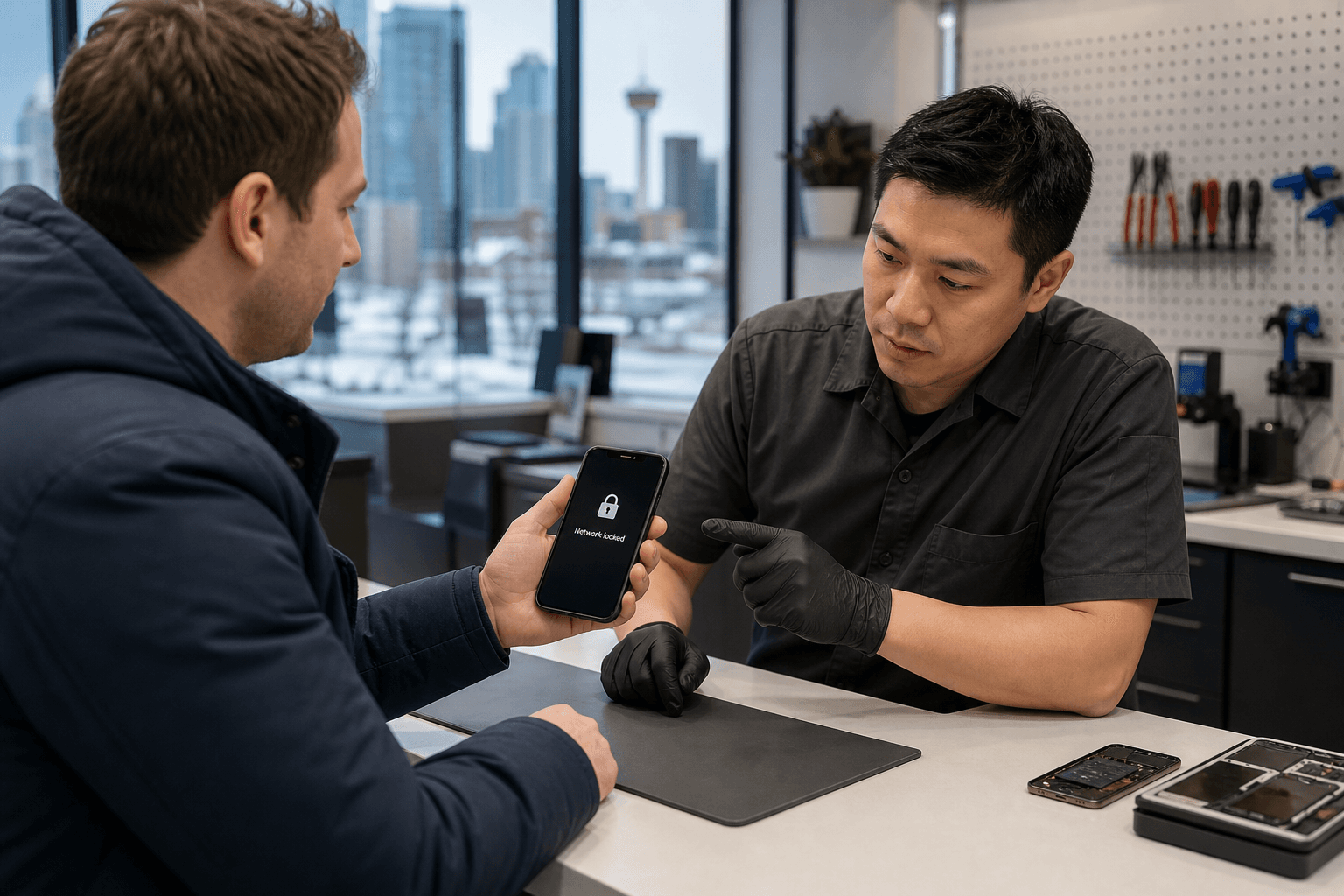
Published by TechBrotherz at TechBrotherz, the walk-in repair Store at 3317 17 Ave SE in Calgary. September 19, 2026, updated October 2, 2026.
No article on this site is paid for or sponsored. For a quote on your own device, call (403) 273-8324.
You may also need an account review, software update, or carrier-issued unlock code. The safest approach is to identify the phone and its symptoms, confirm the carrier’s instructions, and check compatibility with the intended network before changing anything.
Quick summary

- Identify whether you need a carrier unlock, password reset, SIM troubleshooting, account recovery, or hardware repair.
- Record the phone’s brand, exact model, current carrier, and IMEI if available.
- Confirm that the intended network supports the phone. An unlocked device is not automatically compatible with every carrier or feature.
- Ask whether an update, unlock code, account confirmation, or other carrier step is required.
- If the situation is unclear, bring the device and relevant information to a local repair shop for a device-specific assessment.
In this guide:
- Identify the problem
- Check the device and carrier
- Confirm carrier requirements
- Check network compatibility
- Avoid common mistakes
- Choose the right help
- Use the checklist
- Frequently asked questions
First, identify which problem you are trying to solve
“Phone unlocking” can describe several different situations. A carrier or network unlock concerns whether a phone is restricted to a particular mobile carrier. It is different from removing a forgotten screen password, recovering an Apple Account or Google Account, fixing a damaged SIM tray, or resolving a phone that cannot connect because of a compatibility or hardware issue.
This distinction matters because each problem has a different solution. A carrier unlocking guide may help when a phone rejects a SIM from another carrier or displays a network-lock message. It will not necessarily solve a forgotten passcode, an account activation lock, a damaged charging port, or an unsupported network.
Before taking action, describe the symptom clearly:
- Does the phone start normally but reject another carrier’s SIM?
- Does it request a screen passcode, Apple Account, or Google Account?
- Does it show signal but fail to make calls or use mobile data?
- Was it recently repaired, reset, purchased second-hand, or brought from another country?
- Does the issue occur with one SIM or more than one?
TechBrotherz offers phone unlocking services for iPhone, Samsung Galaxy, and other phones. Carrier unlocking, password resets, and account-related locks remain separate services, so describing the actual problem helps determine the appropriate next step.
Check the device and current carrier before requesting an unlock

A generic guide is difficult to apply if you do not know exactly which phone it covers. Record the brand and precise model, not just a broad name such as “iPhone” or “Samsung.” Several versions can share a retail name while differing by region or network support.
Record the phone’s identifying details
Write down the model number and IMEI if you can access them safely. The IMEI may appear in the settings menu, on the original packaging, or in device information. Do not post it publicly or send it to an unknown website. Share it only with a carrier or trusted service provider when it is genuinely needed.
Note whether the phone uses a physical SIM, dual SIM, or eSIM if that information is available. This does not establish eligibility, but it helps ensure that the instructions match the way you intend to connect to the new network.
Confirm the current carrier
Identify the carrier that supplied or currently manages the phone. A device bought directly from a carrier may follow a different support path from one purchased second-hand, imported, or transferred between account holders. Check account records, old bills, purchase information, the SIM packaging, or network settings instead of guessing.
Also name the carrier you intend to use. “I want it unlocked” is incomplete without explaining where you plan to use the phone. The current carrier may handle the unlock request, while the intended carrier must confirm whether the device suits its network.
Consider ownership and account status
If you bought the phone used, ask the seller for useful purchase and carrier information. A device can appear functional while still having an account, payment, or ownership issue that requires clarification. A factory reset does not automatically remove every type of restriction.
Do not guess account details or repeatedly submit incorrect information. If the carrier requires confirmation from the account holder, that person may need to contact the carrier directly. A repair shop can examine the device and explain visible issues, but it cannot replace the carrier’s account review.
Confirm what the carrier requires
There is no single process that applies to every device, carrier, and account. Before following a third-party article, contact the current carrier or consult its official support information for the specific phone. Ask what eligibility checks apply, what information is needed, and whether the carrier performs the unlock remotely or provides instructions for you to complete.
Do not treat a guide for another carrier as proof that the same process applies to your phone. Requirements may depend on the device, account, purchase history, or other circumstances. Avoid universal claims about eligibility, fees, or timelines unless the carrier confirms them for your situation.
Questions to ask the carrier
- Is this specific device eligible for a network or carrier unlock?
- Does the request need to come from the current account holder?
- Will the carrier complete the unlock remotely, or provide a code?
- Does the phone need a software update before or after the request?
- What message should appear when the process is complete?
- What should I do if the phone still rejects the new SIM?
Write down the answer, any reference number, and the exact wording of error messages. Consumer Reports notes that a phone may require a software update or carrier-supplied unlock code, and that confirming compatibility with the new network is separate from unlocking. Its carrier unlocking information is useful background, but the current carrier remains the source for device-specific eligibility.
Plan for software updates or an unlock code
Submitting an unlock request does not always mean the phone is ready immediately. The next instruction may involve installing an update, restarting the phone, connecting it to a service, or entering a carrier-provided code. Until the phone accepts the intended SIM or eSIM, treat the process as unfinished.
If the carrier provides a code, confirm that it applies to your exact device and follow the supplied instructions. Do not use a code found in a forum or generated by an unrelated website. An incorrect code may fail to resolve the lock and make the situation harder to diagnose.
Back up important photos, contacts, messages, and other information before significant device changes. Keep the phone charged and use a reliable internet connection if an update is required. An update may be part of the carrier’s process, but it is not a universal fix for account, compatibility, software, or hardware problems.
Do not erase the phone simply because a guide suggests a reset unless you understand what will be removed and can sign back into the required Apple or Google Account. A factory reset is not the same as a carrier unlock and may create a separate account-verification issue.
Pause if the instructions do not match the phone, the carrier name is wrong, the error message changes, or you are asked for unnecessary passwords. Save a screenshot or write down the message instead of trying random steps.
Check whether the phone will work on the new network
Unlocking changes or removes a carrier restriction. It does not automatically make a phone compatible with every network. The intended carrier must still support the device model and the network features you need, including calling, messaging, and mobile data.
An unlocked phone can still have limitations because of regional model differences, network support, or SIM and eSIM requirements. Confirm compatibility separately rather than interpreting “unlocked” as “works everywhere.”
Use a separate compatibility check
- Name the intended carrier. Compatibility depends on the specific network you plan to use.
- Confirm the exact model. Similar retail names may represent different regional or network versions.
- Ask about required functions. Confirm calling, texting, data, and any features that matter to you.
- Check SIM or eSIM requirements. Make sure the phone and carrier support your chosen connection method.
- Test after unlocking. If service fails, record the exact symptom before changing more settings.
The current carrier may confirm unlock status, while the intended carrier is usually the better source for network compatibility. Ask each provider the question that fits its role. A repair shop can help interpret the device, but should not guarantee service on a carrier’s network.
Common mistakes that lead to failed unlock attempts
Confusing a screen password with a carrier lock
A request for a passcode, pattern, Apple Account, or Google Account concerns access or account security, not necessarily a carrier restriction. A carrier unlocking guide will not normally recover a forgotten screen password.
Assuming a factory reset unlocks the phone
Resetting removes user data and settings, but should not be treated as a carrier-unlocking method. It may trigger account verification. Back up your data and confirm your credentials before considering a reset.
Using a generic code or unrelated tutorial
Instructions copied from another model, carrier, country, or device can be wrong. Match the source to the precise phone and current carrier before entering any code.
Skipping the intended-network check
An unlock request may succeed while the device still lacks support for the new network. Confirm compatibility before purchasing a new plan, SIM, or accessories.
Guessing device or account information
Incorrect model details, an old carrier name, or information from the wrong account can send the request down the wrong path. Involve the account holder when required and do not expect a repair professional to bypass ownership checks.
Assuming every network feature will work
A phone may detect a SIM while still having limitations with calls, messages, data, or other services. Test the functions that matter and ask the intended carrier about remaining compatibility questions.
Prepare the information a carrier or repair shop will need
Bring the phone when possible and prepare a concise description of the problem. Useful information includes:
- Brand, exact model, and IMEI when appropriate.
- Current carrier and account-holder information where relevant.
- Intended carrier and connection method.
- SIM or eSIM details and exact error messages.
- Carrier instructions, reference numbers, update notices, or codes.
- Proof of purchase or device history if it was bought second-hand.
Protect your personal information. A professional may need the phone available for testing, but that does not mean they need your email, banking, or unrelated account passwords. Ask what access is necessary, remain present where practical, and sign out of sensitive applications before leaving a device for service.
When should you contact the carrier, and when should you ask for local help?
Contact the current carrier first for eligibility, account status, ownership, carrier-issued codes, or carrier-specific instructions. Those questions depend on the carrier’s records and cannot be settled by a generic guide.
Ask a local repair shop for help when you cannot identify the device, do not understand the message, want an in-person assessment, or need to distinguish a carrier lock from a password, SIM, compatibility, or hardware problem. A shop can discuss the phone and explain a practical next step without replacing the carrier’s authority over account decisions.
TechBrotherz provides phone-unlocking services in Calgary for iPhone, Samsung Galaxy, and other phones. Availability should be assessed for the particular device, carrier, and account situation. The appropriate expectation is a device-specific discussion, not a promise that every phone can be unlocked.
What to bring for walk-in phone-unlocking help in Calgary
TechBrotherz is located at 3317 17 Ave SE in Calgary and serves Calgary, Chestermere, and Airdrie. The shop accepts walk-ins during posted business hours, so an appointment is not required to discuss a device in person.
Bring the phone, model information, current carrier, intended network, and any error message or carrier instruction. An unlock reference number or code may also help. Accurate details make it easier to separate a carrier-unlocking question from a password, account, SIM, compatibility, or hardware issue.
TechBrotherz also offers password resets for supported cell phones, iPads, and tablets for $39.99. This is distinct from carrier unlocking. Repairs are backed by a 60-day warranty, but service availability and warranty application should be confirmed for the specific service.
Carrier unlocking checklist
- Define the problem. Identify a carrier lock, forgotten password, account lock, SIM issue, compatibility issue, or hardware fault.
- Identify the phone. Record the exact model and IMEI if available.
- Identify the current carrier. Check records rather than relying on memory.
- Name the intended network. State which carrier and connection method you plan to use.
- Check compatibility separately. Ask the intended carrier about the exact model.
- Confirm carrier requirements. Ask about eligibility, account-holder involvement, and processing.
- Prepare for an update or code. Follow only instructions that match the device.
- Back up data. Do this before significant software changes or a reset.
- Protect credentials. Do not provide unnecessary passwords or send information to unknown websites.
- Choose the right help. Send account questions to the carrier and confusing device issues to a reputable local shop.
If one check cannot be completed, pause and gather more information. An unanswered question about the model, carrier, account, or intended network is a reason to investigate, not to try a random code.
Frequently asked questions about carrier unlocking
Does unlocking a phone make it compatible with every carrier or network?
No. Unlocking and compatibility are separate. The phone may lack support for a network, SIM or eSIM arrangement, or feature offered by the intended carrier. Confirm the exact model with the new carrier.
Is a forgotten phone password the same as a carrier lock?
No. A carrier lock concerns use with another mobile network. A forgotten screen password and Apple or Google account lock concern device access. Describe the exact message before choosing a service.
What if the carrier says an update or unlock code is required?
Ask the carrier to confirm that the instruction applies to your exact device. Back up important data, follow the supplied steps, and avoid unrelated codes or tutorials. If the phone still rejects the SIM, record the message and seek device-specific help.
What should I bring when asking TechBrotherz about phone unlocking?
Bring the phone, exact model, current carrier, intended network, and any error message or carrier instruction. An unlock reference number may help. TechBrotherz can assess the specific situation, but eligibility depends on the device, carrier, and account.
Make the checks before you unlock
A carrier unlocking guide is most useful when it helps you ask the right questions before changing the phone. Confirm the type of lock, identify the exact device and current carrier, check carrier requirements, and prepare for a possible update or carrier-issued code.
Then complete the separate compatibility check with the intended network. An unlocked phone is not automatically suitable for every carrier, and a password reset is not the same as network unlocking. When the device history or error message is unclear, careful assessment is safer than repeated guesses.
Calgary-area readers can visit TechBrotherz at 3317 17 Ave SE during posted business hours without an appointment to discuss phone unlocking, with availability assessed for the specific device.
Related pages
Rather just ask a person?
Call (403) 273-8324 and describe the problem, or walk in to 3317 17 Ave SE in Calgary. Every repair is quoted free before any work starts.