
Blog
iPad Repair Calgary: How to Choose the Right Repair for Your Device
Need iPad repair in Calgary? Learn the difference between glass and screen damage, how quotes work, repair timing, and when replacement may be better.
The right iPad repair depends on the model and the component that has failed, not simply on how serious the damage looks. A cracked front may need glass or digitizer replacement, while damaged picture or touch function may require a complete screen assembly.
Key facts
- Published: August 25, 2026
- Last updated: October 19, 2026
- Reading time: 8 min read
- Questions about your own device: Call (403) 273-8324
Last updated
iPad Repair Calgary: How to Choose the Right Repair for Your Device
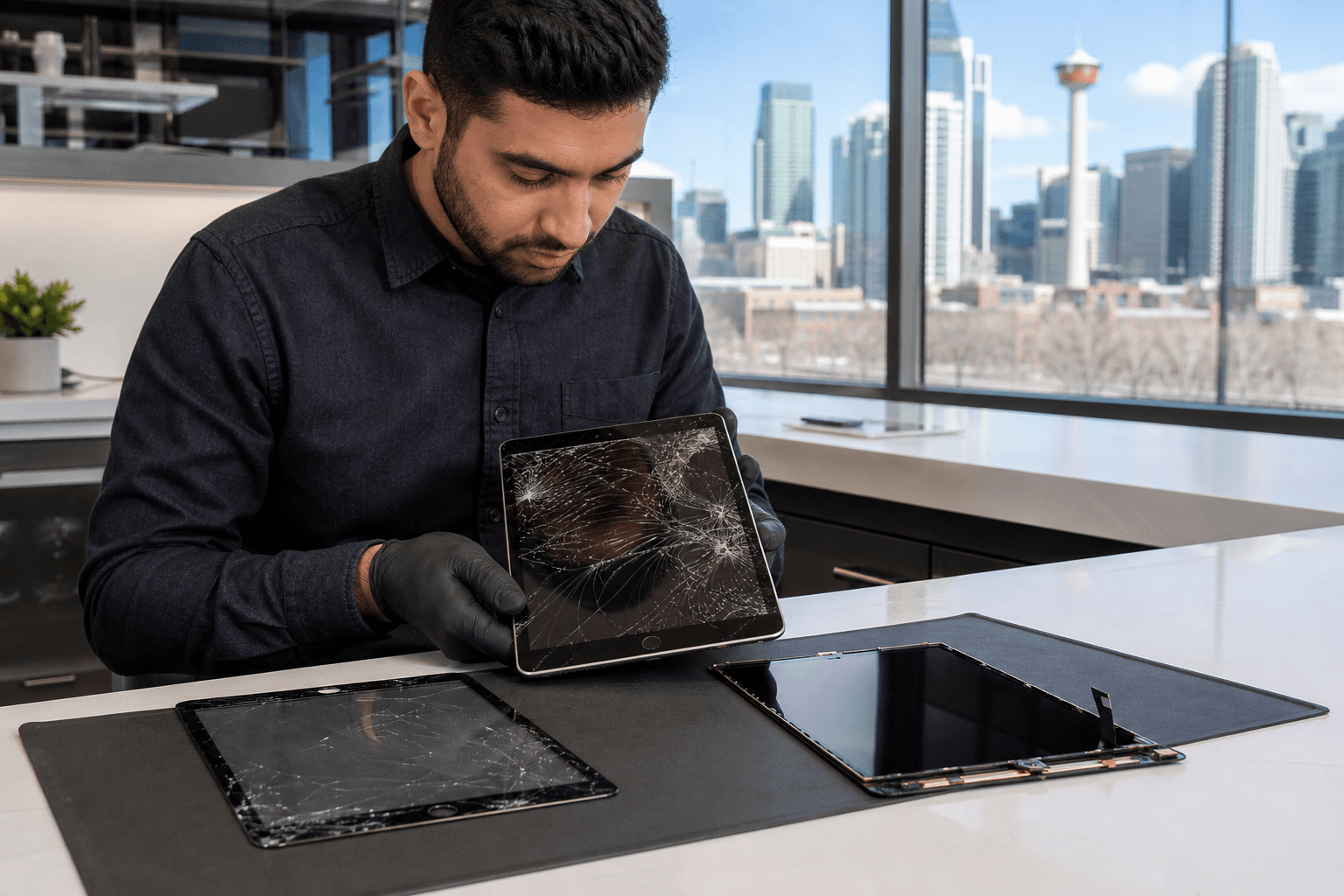
Published by TechBrotherz at TechBrotherz, the walk-in repair Store at 3317 17 Ave SE in Calgary. August 25, 2026, updated October 19, 2026.
No article on this site is paid for or sponsored. For a quote on your own device, call (403) 273-8324.
This guide explains what to check before booking iPad repair Calgary services, how model-based quotes work, what to expect from a walk-in repair, and how to decide whether repairing your tablet makes more sense than replacing it.
Quick summary

- A cracked front with a clear picture and working touch may need glass or digitizer replacement rather than a full screen replacement.
- TechBrotherz provides a free, model-based quote before work begins, with the part and labour included.
- iPad repairs are usually completed the same day, but they generally take longer than phone repairs and may not be while-you-wait service.
- No appointment is required during opening hours at the Calgary SE shop.
- Repairs include a 60-day warranty on the part and workmanship.
Identify the iPad repair you may need
Note exactly what the iPad is doing before visiting a repair shop. This does not replace a diagnosis, but it helps describe the problem clearly. Readers comparing options can start with iPad repair in Calgary for an overview of common screen, battery, and charging-port problems.
If the front glass is cracked but the picture remains clear and touch responds normally, the damaged layer may be the glass or digitizer. Black areas, lines, flickering, colour distortion, or a blank display may indicate damage to the display assembly as well. A fall can damage more than one layer, so appearance alone cannot confirm the repair.
A tablet that loses charge quickly, shuts down unexpectedly, or will not hold power may need a battery assessment. If the cable only works at a particular angle or the iPad does not recognize a charger, the charging port may be worn or damaged. A non-responsive or physically damaged home button is another repair category for supported models.
Common iPad problems and repair options

| What you notice | Likely repair category | What still needs checking |
|---|---|---|
| Cracked front, clear picture, touch still works | Glass or digitizer replacement | Whether the display, frame, and touch layer are undamaged |
| Lines, dark patches, flickering, or no picture | Screen or LCD replacement | Whether impact also bent the frame or affected other parts |
| Short battery life or unexpected shutdowns | Battery replacement or battery diagnosis | Battery condition, charging behaviour, and related power faults |
| Charging works intermittently or not at all | Charging-port repair or replacement | Cable condition, debris, battery health, and port damage |
| Home button does not respond or is physically damaged | Home-button repair | Model compatibility and surrounding damage |
TechBrotherz lists screen or LCD replacement, glass or digitizer replacement, battery replacement, charging-port replacement, and home-button replacement among its iPad repair categories. The shop services iPad, iPad Air, and iPad Mini models, but the available repair depends on the exact model and fault.
Glass or full screen replacement: what is the difference?
“Cracked screen” often describes any damaged iPad front, but it does not always mean the same repair. On some older iPads, the touch glass is separate from the display panel. If the picture and touch function remain normal, replacing the outer glass or digitizer may be a smaller repair than replacing the entire screen assembly.
Other iPad designs use a more integrated display assembly. In those cases, visible cracks combined with touch failure or picture damage may require the screen and related layers to be replaced together. The model number and an inspection determine the appropriate part.
The frame also matters. A bent aluminium body can prevent a replacement panel from sitting correctly, and impact damage may extend beyond the visible crack. This is why a shop should inspect the iPad before giving a final quote.
What to expect from the quote and repair timeline
iPad repair pricing is model-dependent. TechBrotherz provides a free quote at the store before work begins, with the part and labour combined in one figure. This lets you compare the actual repair with the cost and usefulness of replacing your particular tablet.
Most iPad repairs are usually completed the same day, but they generally take longer than phone repairs. Adhesive and larger tablet components can require more careful handling, so an iPad repair is not necessarily ready while you wait. Ask about the expected collection time after the model and fault are confirmed.
Do not treat “same day” as a guarantee for every repair. Part availability, frame or internal damage, and the repair type can affect timing. Ask whether the required part has been identified and when the shop expects the device to be ready.
The walk-in iPad repair process in Calgary
Understanding the iPad repair process makes the visit easier to plan. The usual sequence is intake, diagnostics, approval, repair, post-repair testing, and a warranty-backed handoff.
- Intake: Explain what happened, when the issue began, and whether the iPad suffered a drop, liquid exposure, charging problem, or previous repair.
- Diagnostics: The technician checks the model and examines visible and functional symptoms.
- Approval: You receive the repair quote before work starts. Confirm the part, labour, timing, and warranty.
- Repair: The approved component is repaired or replaced according to the diagnosed fault.
- Testing and handoff: The iPad is checked after repair, and warranty details are provided at collection.
No appointment is required at TechBrotherz during opening hours. Calling ahead with the model number may help the shop discuss part availability, but an in-person inspection is needed for a firm answer.
Should you repair or replace your iPad?
Start with the approved repair quote, then consider the tablet as a whole. Repair may be sensible when the iPad otherwise meets your needs, the damage is limited to one component, and the cost is reasonable compared with a replacement offering equivalent usefulness.
Replacement deserves closer consideration when the iPad has several faults, a damaged frame, poor battery condition, or a repair quote approaching the cost of a suitable replacement. Also consider whether the device meets your needs for apps, performance, storage, and accessories.
Write down four things: the repair price, the tablet’s age and condition, the cost of a replacement that genuinely meets your needs, and the inconvenience of being without it. When comparing providers, check whether each quote includes both part and labour, what warranty applies, and whether the exact model is supported.
Do not assume an older iPad is automatically uneconomical to repair. If only separate front glass is damaged and the tablet remains useful, the repair may differ substantially from a complete screen assembly. Conversely, a low repair quote is less helpful if several other problems need attention.
If you want another repair option to compare, review this iPad repair service information alongside the quote and warranty terms you receive locally.
Before visiting an iPad repair shop: a practical checklist
- Identify the model: Note the model number from the back if visible.
- Describe the fault: Record whether the picture, touch, charging, battery, speakers, and buttons work normally.
- Back up your data: If the iPad still works, back it up before handing it over.
- Remove accessories: Take off the case, keyboard, or other accessories so the device can be inspected.
- Bring the device: A model number helps, but an in-person inspection is needed for a reliable quote.
- Prepare access details safely: Ask how testing access is handled. Do not write sensitive passwords on a note.
- Ask before approving: Confirm the total quote, repair category, timing, and warranty coverage.
Where to get iPad repair in Calgary
TechBrotherz is a walk-in repair shop at 3317 17 Ave SE in Calgary. It serves Calgary and nearby communities, including Chestermere and Airdrie, and repairs iPad, iPad Air, and iPad Mini models. Visit during posted opening hours without an appointment, bring the tablet and its model information, and ask for a model-based quote before approving the work.
Frequently asked questions
How much does iPad repair cost in Calgary?
The cost depends on the iPad model and component requiring repair. TechBrotherz provides a free quote before work begins, with part and labour included.
Can I get an iPad repair quote before approving the work?
Yes. The repair is quoted before work starts. Confirm the repair category, total cost, timing, and warranty terms before approving it.
How do I know whether my iPad needs glass replacement or full screen replacement?
A cracked front with a clear picture and working touch may need glass or digitizer replacement. Lines, flickering, a blank display, or touch failure may indicate a larger screen assembly problem. The model and inspection determine the correct repair.
Are iPad repairs usually completed the same day in Calgary?
TechBrotherz states that iPad repairs are usually completed the same day, but they generally take longer than phone repairs and are not necessarily while-you-wait services.
Do I need an appointment for iPad repair at TechBrotherz?
No appointment is required during opening hours. Bring the iPad and its model number to help the shop assess the problem.
What should I bring when taking my iPad in for repair?
Bring the iPad, its model number if available, and a clear description of the fault. Back it up first if it still works.
What does the 60-day iPad repair warranty cover?
TechBrotherz states that every repair carries a 60-day warranty on the part and workmanship. Ask the shop to explain the specific terms for your repair.
Conclusion: choose the repair after the model and fault are confirmed
The key distinction is whether damage is limited to separate front glass or involves the display assembly and other components. Add the model, battery condition, charging behaviour, frame condition, and your actual use to the decision, then compare the repair quote with a suitable replacement.
A free model-based quote, realistic timing, and clear warranty terms give you the information needed to decide. For local walk-in iPad repair in Calgary, visit TechBrotherz at 3317 17 Ave SE during posted opening hours with your iPad for inspection.
Related pages
Rather just ask a person?
Call (403) 273-8324 and describe the problem, or walk in to 3317 17 Ave SE in Calgary. Every repair is quoted free before any work starts.