
Blog
Laptop Hinge Repair in Calgary: When to Stop Using Your Laptop
Learn when to stop using a damaged laptop, what hinge repair involves, and how Calgary owners can compare repair with replacement before booking service.
A loose, stiff, cracked, or detached laptop hinge is more than a cosmetic problem. Forcing the lid can put additional stress on the casing, display alignment, and internal cables. The safest first step is to stop opening and closing the laptop unnecessarily, protect your files if possible, and arrange an inspection before the damage spreads.
Key facts
- Published: October 19, 2026
- Last updated: October 19, 2026
- Reading time: 7 min read
- Questions about your own device: Call (403) 273-8324
Last updated
Laptop Hinge Repair in Calgary: When to Stop Using Your Laptop
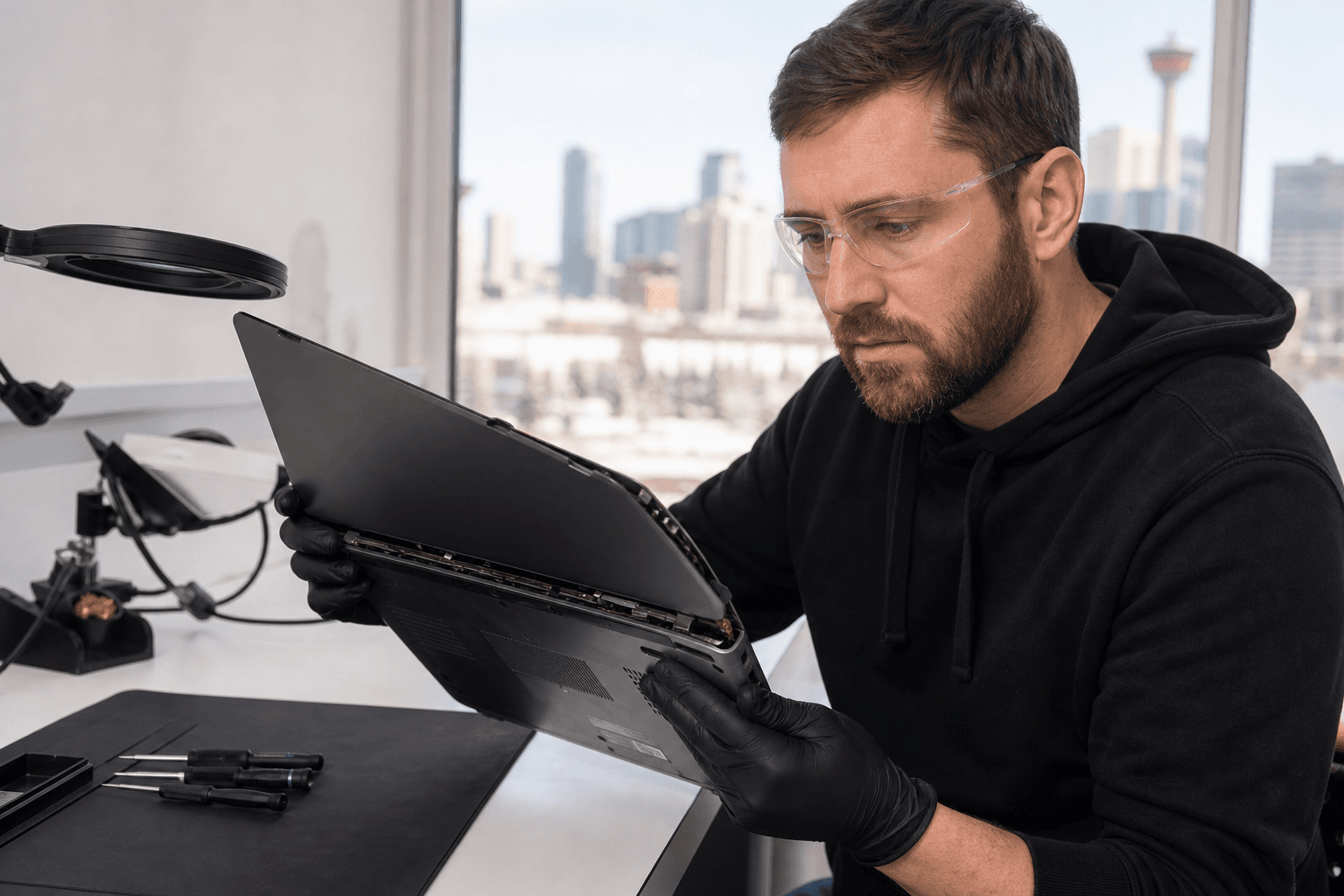
Published by TechBrotherz at TechBrotherz, the walk-in repair Store at 3317 17 Ave SE in Calgary. October 19, 2026.
No article on this site is paid for or sponsored. For a quote on your own device, call (403) 273-8324.
Whether you need laptop hinge repair in Calgary depends on what a technician finds around the hinge, including its mounting points, surrounding casing, screen assembly, and cables. The solution may involve hinge work, replacement parts, casing repair, or replacing the laptop if the cost no longer makes sense.
Quick summary

- Stop forcing the lid if it is stiff, uneven, cracked, or separating from the case.
- Back up important files if the laptop still works, but do not keep using it if opening the lid causes movement or display problems.
- A technician must inspect the hinge, mounting points, casing, screen alignment, and internal cables.
- Request an estimate before approving work, then compare it with the laptop’s age, performance, condition, and replacement cost.
- TechBrotherz offers walk-in computer repair at 3317 17 Ave SE in Calgary, with no appointment required and a 60-day warranty on repairs.
Signs Your Laptop Needs Hinge Repair
Hinge damage often starts gradually. Warning signs include one side of the screen feeling looser, the lid failing to stay at its chosen angle, or clicking, grinding, or cracking sounds. A hinge that suddenly becomes unusually stiff is also serious because extra force can transfer stress to the frame.
Look for separation between the display bezel and back cover, a cracked corner near the hinge, or casing that lifts when you open the lid. A crooked or twisting screen can indicate that the hinge or mounting area is no longer holding the display assembly correctly.
Flickering, sudden screen loss, or changes when the lid moves may indicate a cable or connection problem rather than a hinge issue alone. These symptoms require diagnosis, so do not assume a visible crack identifies the only part needing replacement.
What to Do Before the Hinge Damage Gets Worse

Do not force the lid through resistance or try to make both sides move evenly by hand. Repeated movement can enlarge cracks around mounting points, pull on display cables, or make the repair more involved.
If the laptop is open and stable, save important files and create a backup. If the screen cuts out, the casing is separating significantly, or the hinge is pulling the display apart, shut the laptop down and leave it closed until it can be assessed.
Support the laptop by its base rather than lifting it by the screen. Do not remove the bezel, tighten visible screws, glue the casing, or dismantle the device unless you have suitable technical knowledge.
Hinge Problem or Casing Damage? Compare the Next Step
| What you notice | What it may indicate | Sensible next step |
|---|---|---|
| Minor looseness with no visible cracks | A hinge or mounting point may be losing tension. | Use the laptop gently and arrange an inspection. |
| A stiff hinge or clicking movement | Resistance may be stressing the frame or fasteners. | Stop forcing the lid and limit movement. |
| Cracked plastic or a lifting corner | The mounting area or casing may be damaged. | Keep the laptop closed if possible and seek assessment. |
| Casing separating near the screen | The hinge may be pulling away from its anchors. | Do not glue or press it together. Arrange repair. |
| Flickering, black screen, or movement-related display changes | A display cable or connection may be affected. | Shut down if it worsens and report the exact symptom. |
These are symptoms, not confirmed diagnoses. Similar cracks can require different work depending on the laptop model, hinge design, and frame condition.
Why a Technician Must Inspect More Than the Hinge
A laptop hinge is attached to a structure, not suspended by itself. A proper assessment considers the hinge, mounting points, surrounding casing, display alignment, and cables routed through the hinge area. The technician must determine whether the hinge can be repaired, should be replaced, or has caused related structural damage.
That is why an estimate should follow an inspection rather than a photograph. At TechBrotherz, computer repair is quoted per job rather than per hour, with the part and labour included in the agreed figure before work starts. The shop specifically lists broken hinge repair.
Ask what the proposed repair addresses. A hinge replacement may not correct a cracked mounting area, while casing work may not be necessary if the structure remains sound. Ask how the laptop will be tested after repair, including opening, closing, display operation, and the original fault.
Laptop Hinge Repair Costs and Repair-versus-Replacement
There is no responsible single price for laptop hinge repair without knowing the model and extent of damage. Cost can depend on the hinge design, part availability, casing or mounting damage, display condition, cable symptoms, labour, and additional diagnostic findings.
Understanding computer repair costs can help you compare an estimate with the cost of replacing the laptop. The practical question is whether the repaired device will provide enough useful life and performance to justify the investment.
| Consideration | Questions to ask |
|---|---|
| Age | How much useful life might remain after repair? |
| Performance | Does it still handle your work, study, software, and storage needs? |
| Overall condition | Are the battery, keyboard, screen, ports, and charger reliable? |
| Repair estimate | Does the quote address the structural problem, not just the visible symptom? |
| Replacement cost | What would a suitable replacement cost, including transferring files and applications? |
Repair may be sensible when the laptop performs well, the damage is localized, and the estimate is reasonable. Replacement may deserve consideration when the laptop is already unreliable, outdated for your needs, or facing several expensive problems.
What to Bring for Laptop Hinge Repair in Calgary
Bring the laptop and charger. The charger helps the technician check power, charging, startup, and display symptoms. If the problem appears only when the lid moves, demonstrate it carefully rather than repeatedly reproducing it.
Note when the issue began, whether the laptop was dropped or compressed, and whether it has changed. Mention flickering, charging interruptions, unusual sounds, loose screws, or casing separation. Back up important files if possible, but do not keep operating the laptop if the hinge is actively pulling the casing apart.
No appointment is required for walk-in service at TechBrotherz. Computer work is generally a drop-off rather than a wait, and phone-repair turnaround times should not be treated as a promise for laptop hinge work. The inspection and parts determine the timeline.
How TechBrotherz Handles Laptop Hinge Repair
TechBrotherz provides walk-in computer repair at 3317 17 Ave SE in Calgary. The process establishes the problem and total figure before work begins, so you can decide whether to proceed after inspection.
Computer jobs are quoted per job rather than per hour. The diagnostic fee is deducted from the repair if you proceed, and the agreed figure includes the part and labour. Every repair carries a 60-day warranty on the fitted part and the work.
Laptop Repair for Calgary and Nearby Communities
The shop is in Calgary SE at 3317 17 Ave SE and serves Calgary and nearby communities, including Chestermere and Airdrie. If you are travelling to the shop, provide the exact model and describe the damage beforehand, especially when the casing is badly separated or the screen is affected.
Laptop Hinge Repair FAQ
Can I keep using a laptop with a broken hinge?
It is safer to stop if the hinge is pulling the casing apart, the lid is difficult to move, or the display changes. If stable, use it only long enough to back up files without forcing the lid.
Does laptop hinge repair always require replacing the hinge?
No. The solution depends on the hinge, mounting points, casing, display assembly, and cables. A technician may recommend repair, replacement, casing work, or another option.
Can TechBrotherz provide a quote before starting?
Yes. TechBrotherz states that computer repairs are quoted before work starts, with part and labour included. Computer work is priced per job, and the diagnostic fee is deducted if you proceed.
How long does laptop hinge repair take in Calgary?
Timing depends on the model, parts, and related damage. Computer work is generally a drop-off, so do not assume hinge repair will be completed while you wait.
Should I bring my laptop charger?
Yes. Bring it so the shop can test power, charging, startup, and symptoms during normal use. No appointment is required.
The Safest Next Step for a Damaged Laptop Hinge
A damaged hinge is easier to evaluate before repeated movement causes casing, display, or cable damage. Stop forcing the lid, back up files if safe, keep the laptop supported, and arrange an inspection. Compare the complete estimate with the laptop’s age, condition, performance, and replacement cost.
For laptop hinge repair in Calgary, TechBrotherz offers walk-in computer service, pre-work quoting, per-job pricing, a diagnostic credit when you proceed, and a 60-day warranty on the repair and fitted part. Visit TechBrotherz at 3317 17 Ave SE for an assessment without an appointment.
Related pages
Rather just ask a person?
Call (403) 273-8324 and describe the problem, or walk in to 3317 17 Ave SE in Calgary. Every repair is quoted free before any work starts.