
Blog
Screen Protector Selection for Every Phone Type
Compare tempered glass, TPU, PET, hybrid, privacy, and liquid screen protectors. Check fit, install safely, and know when screen repair is needed.
For most phone owners, screen protector selection starts with tempered glass because it offers a smooth feel and strong everyday scratch and impact protection. Choose flexible TPU or PET film for curved displays or a very thin fit, privacy protection when viewing angles matter, and a hybrid protector when you want a compromise. First confirm the exact device model, display shape, sensor openings, and case clearance. Related reading: Coating systems: selection, specification, and scaling for industrial performance .
Key facts
- Published: August 18, 2026
- Last updated: October 28, 2026
- Reading time: 9 min read
- Questions about your own device: Call (403) 273-8324
Last updated
Screen Protector Selection for Every Phone Type
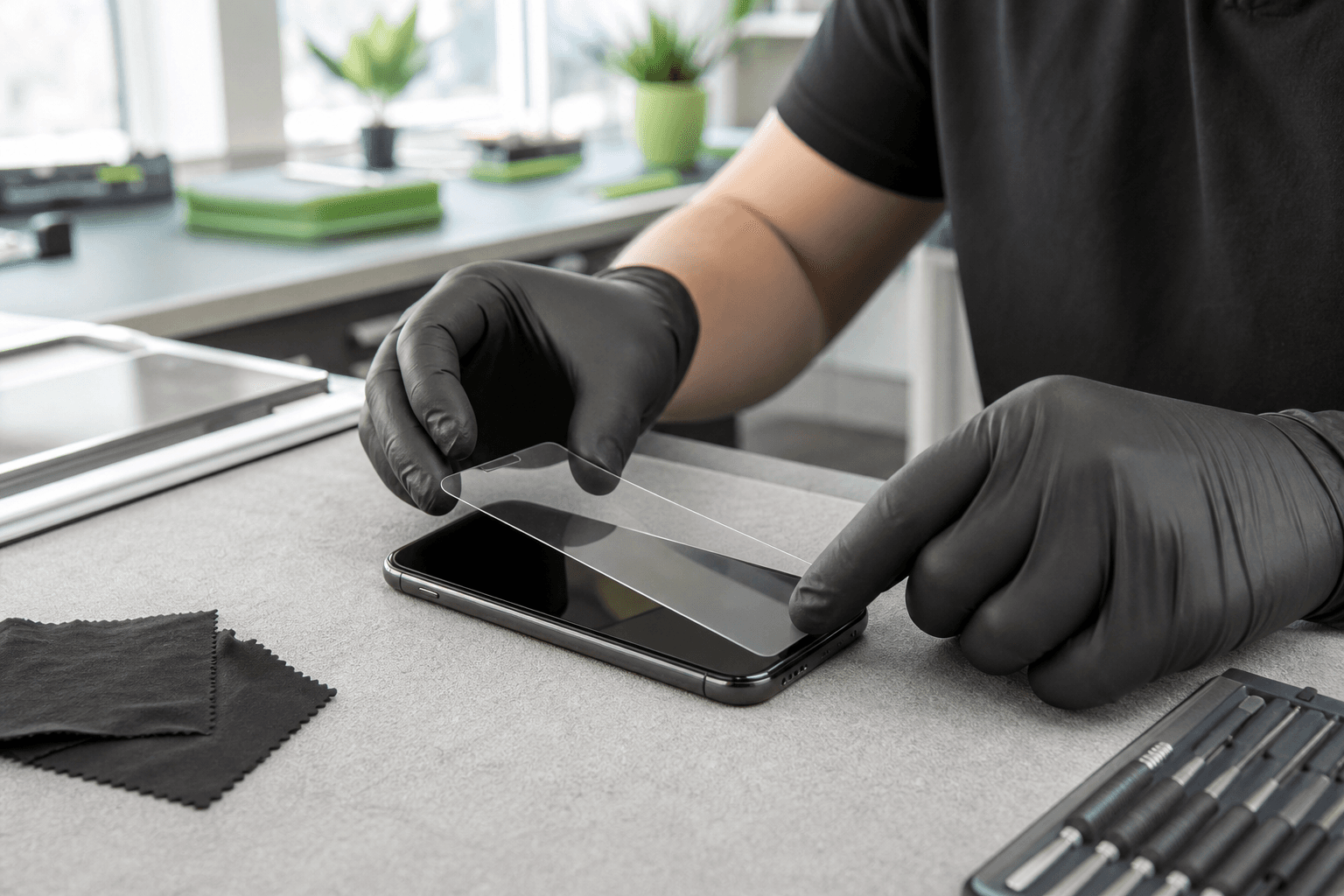
Published by TechBrotherz at TechBrotherz, the walk-in repair Store at 3317 17 Ave SE in Calgary. August 18, 2026, updated October 28, 2026.
No article on this site is paid for or sponsored. For a quote on your own device, call (403) 273-8324.
A screen protector helps limit scratches and some everyday impact, but it does not make a display unbreakable. The right choice depends on how you use the device, its screen condition, and whether you use a case.
Screen protector types compared

Protectors differ in rigidity, flexibility, surface feel, coverage, and impact behaviour. Compatibility with your exact phone matters more than the material name on the package.
| Type | Strengths | Limitations | Best fit |
|---|---|---|---|
| Tempered glass | Hard, smooth surface, good scratch resistance, familiar feel | Can chip or crack; less suitable for sharply curved edges; adds thickness | Flat-screen phones and everyday users |
| TPU film | Flexible, thin, and suitable for curved edges | Softer feel; fine marks may show; installation can be less forgiving | Curved displays and edge coverage |
| PET film | Thin, light, and affordable | Less rigid and generally less impact protection than glass | Budget buyers and minimal-thickness users |
| Hybrid | Balances rigidity and flexibility | Quality and feel vary widely | Users wanting a middle ground |
| Privacy protector | Reduces side-angle visibility | Can reduce brightness or viewing clarity | Public commuting, study, and work |
| Liquid protection | Almost no added thickness | A coating, not a removable impact shield | Those prioritizing an invisible treatment |
Tempered glass
Tempered glass is the sensible default for a flat display if you want a firm surface similar to the original screen. It helps resist scratches from keys, grit, and everyday pocket or bag contact.
Glass is not automatically better in every situation. A protector that conflicts with a case, fails to follow a curved edge, or leaves a touch area exposed is a poor fit regardless of its advertised hardness.
TPU, PET, and hybrid film
Flexible films suit curved phones or displays where rigid glass would lift. TPU generally conforms better than PET, while PET is a simple thin option for basic surface protection. Hybrid protectors provide a compromise, but the label covers many different products, so inspect the fit and surface characteristics.
Privacy and liquid protection
A privacy protector is a viewing-angle choice, not simply a stronger clear protector. It suits phones used for banking, work messages, or private information in public, provided the reduced side visibility and brightness are acceptable.
Liquid protection forms a coating on the display. It should not be treated as equivalent to glass or film because it does not provide the same physical barrier against scratches, chips, or impact.
Match the protector to how you use the device
The best protector solves your main risk without creating a new problem with touch, viewing, case fit, or edge adhesion.
- You drop your phone often: Start with tempered glass on a flat screen, or a well-fitted hybrid if the edges curve. Pair it with a case that rises slightly above the display perimeter.
- You have a curved display: Choose flexible TPU or a compatible hybrid designed for that exact curve. Maximum coverage is not useful if the edges lift.
- You want the thinnest option: PET or TPU adds less bulk than most glass protectors, but prioritizes low profile and scratch protection over a rigid feel.
- You work in public: Choose privacy protection if reduced side visibility matters more than maximum clarity.
- You play games: Prioritize a smooth, accurately aligned surface with reliable touch response and no interference with edge gestures.
- You use a stylus: Check that the protector supports stylus input. A paper-textured or matte surface may improve writing feel but can change image clarity.
- You have a tight budget: PET film may be enough if scratches are your main concern and you handle the phone carefully.
For everyday use on a flat phone, choose tempered glass unless privacy, curved-edge coverage, minimum thickness, or a special touch feel is the stronger priority.
Check fit before buying
A protector made for the right phone family can still be wrong for your model, case, or display revision. Check these details before opening the package. Related reading: Phone Unlocking Service in Calgary: What to Check First.
- Identify the exact model: Check the model name and number in device settings or on the original packaging.
- Check the display shape: Decide whether the screen is flat, rounded, or curved along the sides.
- Compare coverage: A slightly smaller case-friendly protector may adhere better than full edge-to-edge coverage.
- Inspect cut-outs: Keep the camera, speaker, proximity sensor, and front sensors clear.
- Check the fingerprint area: In-display readers can be sensitive to thickness, adhesive, and material.
- Test case clearance: Case pressure at one corner can lift an otherwise well-installed protector.
- Consider stylus and gesture space: Tablets and large phones need room for edge swipes, palm rejection, and stylus movement.
Do not choose based only on “full coverage,” “9H,” or a picture of a similar phone. Exact model, display curve, adhesive area, and case relationship determine daily performance.
When a protector is not enough
A protector is for prevention, not display repair. Ghost touch, dead zones, black spots, coloured lines, flickering, a lifting display, or a major crack call for assessment instead of simply covering the problem.
These symptoms can indicate damage to the glass, touch layer, display panel, adhesive, or another component. Review the screen replacement signs if you are unsure whether an iPhone needs assessment.
Samsung owners should also treat cracks, ghost touches, black spots, colour streaks, dead zones, and flicker as warning signs. A temporary protector can contain loose shards until assessment, but it does not restore the display or correct touch faults.
If a phone has a recently replaced or non-original screen, fit matters even more. Adhesive, edge shape, sensor calibration, and case clearance can differ from the original assembly.
DIY installation or professional fitting?

DIY fitting is reasonable when the screen is intact, the protector matches the exact model, and you have a clean, dust-controlled place to work. Professional fitting is preferable after screen replacement, with difficult curved edges, repeated failed installations, or uncertainty about sensor and case alignment.
- Back up important data before handling a damaged or recently repaired device.
- Remove the case and wash and dry your hands.
- Clean the display and inspect it under bright light for dust.
- Work away from fans, open windows, and fabric.
- Dry-fit the protector and check speaker, camera, sensor, and edge alignment.
- Apply it from one edge with steady pressure.
- Guide ordinary air bubbles toward the edge with the supplied card.
- Let the adhesive settle before reinstalling the case.
The finished protector should be straight, fully adhered, dust-free, and clear around the camera and speaker. Test typing, edge swipes, camera images, fingerprint recognition, and case fit.
Understand protector claims before you pay
Packaging terms describe different properties. None guarantees that the display cannot break.
- Scratch resistance: Resistance to marks from ordinary contact, not immunity from scratches.
- Hardness: Resistance to scratching under a particular test or rating system.
- Impact protection: How the protector may absorb or distribute force. Results vary with the drop, angle, case, phone, and underlying screen.
- Shatter resistance: Does not mean the protector will never crack.
- Transparency: Intended viewing quality can still be affected by dust, alignment, adhesive, and curvature.
- Oleophobic coating: Helps resist fingerprints and feels smoother when new, but wears with use.
- Thickness: Affects edge feel, case clearance, and touch response. Thicker is not automatically better.
Use numerical claims as comparison signals, not guarantees. Prioritize exact compatibility, edge design, adhesive coverage, sensor support, case clearance, and replacement terms.
Troubleshoot problems and know when to replace it
Most protector problems involve installation, compatibility, or damage to the protector itself.
- One small air bubble: Let it settle if it contains no dust, or guide it toward an edge during installation.
- Dust trapped underneath: Reinstallation is usually cleaner than repeated lifting and reapplying.
- Lifting corners: Check case pressure, edge curvature, and positioning. Replace it if the edge will not stay down.
- Rainbow effect: Adhesive, pressure, curvature, or uneven contact may be responsible. Replace it if the effect remains.
- Reduced touch response: Remove the case and check compatibility before assuming screen failure.
- Fingerprint problems: Check the sensor design, bubbles, and alignment. Persistent failure needs compatibility testing.
- Chip or crack: Replace the protector if it has a sharp edge, spreads, affects visibility, or leaves the display exposed.
- Worn surface: Replace it when cleaning no longer restores a usable feel.
Clean with a soft suitable cloth and avoid abrasive materials. If touch problems continue with the protector removed, or the display has lines, dead zones, flicker, or lift, arrange a screen assessment.
Choosing protection in Calgary
TechBrotherz lists tempered-glass and privacy screen protectors among its in-store accessories, along with cases, cables, and chargers. The shop also provides walk-in phone, tablet, and screen repair at 3317 17 Ave SE in Calgary, with no booking required during opening hours.
Exact compatibility and stock depend on the device model, so bring the phone or tablet and its case for a fit check. If the screen is cracked, lifting, flickering, or missing touches, have it assessed before choosing an accessory.
Questions worth answering before you buy
Do I need a screen protector if I already use a case?
Usually, yes, if you want protection from scratches and direct contact with grit or keys. A case protects the edges and back, while a protector covers the display surface.
Can I put a screen protector over a cracked phone screen?
Only treat it as temporary shard containment while arranging assessment. It is not a repair and cannot restore damaged glass, touch, or display function.
Why does my fingerprint sensor stop working after installation?
The protector may be too thick, poorly aligned, incompatible, or affected by bubbles. Check the fit and use a protector designed for that exact sensor layout.
How much space should a protector leave around the edge?
Only enough for reliable adhesion and case compatibility. A slightly smaller protector that stays flat is often more practical than edge-to-edge coverage.
Should I replace a protector with a small chip?
Replace it if the chip has a sharp edge, spreads, affects visibility or touch, or leaves the screen exposed.
Is liquid protection as effective as tempered glass?
No product type should be assumed equivalent. Liquid protection creates a coating, while tempered glass creates a removable physical layer.
Can a protector affect gaming or stylus accuracy?
Yes. Thickness, texture, poor alignment, bubbles, and edge lift can change touch response or create drag. Test controls, gestures, and stylus movement after installation.
For a flat display with ordinary daily use, tempered glass is the clearest starting point. If you need a model-specific fit check or the underlying screen is damaged, TechBrotherz can help through its phone repair service in Calgary.
Related pages
Rather just ask a person?
Call (403) 273-8324 and describe the problem, or walk in to 3317 17 Ave SE in Calgary. Every repair is quoted free before any work starts.