
Blog
Same Day iPhone Repair Tips: Know When to Book in Southview
Same day iPhone repair tips for Southview: quick DIY vs. tech fixes, prep steps, and how walk‑in service at TechBrotherz speeds same‑day results.
Follow these same-day iPhone repair tips: back up, bring your passcode, disable Find My, and power off if it’s wet. In Southview, TechBrotherz accepts walk-ins, performs on-the-spot diagnosis, and completes many iPhone fixes the same day—then covers the work with a 60-day warranty.
Key facts
- Published: July 8, 2026
- Last updated: October 2, 2026
- Reading time: 8 min read
- Questions about your own device: Call (403) 273-8324
Last updated
Same Day iPhone Repair Tips: Know When to Book in Southview

Published by Imran Mohammed at TechBrotherz, the walk-in repair Store at 3317 17 Ave SE in Calgary. July 8, 2026, updated October 2, 2026.
No article on this site is paid for or sponsored. For a quote on your own device, call (403) 273-8324.
Same-day iPhone repair tips are the practical steps that speed a same-day fix: back up, have your passcode ready, disable Find My, and stop using a wet device. In Southview, walk-in diagnostics at TechBrotherz help common repairs finish within business hours, backed by a 60-day warranty.
You’re probably staring at a shattered screen or a phone that won’t charge and worrying about your photos. We get it. Our bench sees this daily, and a few smart moves right now can turn a stressful morning into a same-afternoon pickup—without risking your data.
By Imran Mohammed | Last updated: 2026-07-08
- Overview
- What same-day repair actually means
- DIY vs. needs a tech
- Steps before you walk in
- Common issues and fast diagnosis
- What slows repairs
- Why independents are faster
- FAQ
Southview timing tip for walk-ins
Drop off before the lunch rush—our shop along 17 Ave SE is a short walk from Habesha Mall and close to Valleyview Park Viewpoint. We’ll text you updates, and many screen or battery jobs are ready the same afternoon if you check in by late morning.
| Service type | Walk-in iPhone, iPad, Samsung, PC/laptop repairs |
|---|---|
| Lead time | Same-day for many iPhone fixes; on-site diagnosis |
| Hours | Mon–Sat 10:00–7:00, Sun 11:00–5:00 |
| Warranty | 60-day coverage on all repairs |
| Service area | Calgary, Chestermere, Airdrie; neighborhood: Southview |
| Walk-in | No appointment required |
| Customer rating | 5.0 average (80+ Google reviews) |
| Extra help | Phone unlocking and password resets available |
Overview: Same-day iPhone repair in Southview
For the best same-day results, prepare before you arrive, describe symptoms clearly, and get to the shop early. TechBrotherz handles walk-in diagnostics and many same-day iPhone repairs (screens, batteries, and charge ports) with a 60-day warranty—serving Southview, Calgary, Chestermere, and Airdrie.
- These same-day iPhone repair tips help you avoid delays and protect your data.
- Bring your passcode and disable Find My to speed post-repair testing.
- Back up your iPhone and list symptoms to reduce guesswork.
- Power off wet devices; don’t charge or heat them before inspection.
- Explore our dedicated iPhone repair page for service specifics.
What 'Same-Day iPhone Repair' Actually Means (and When It's Realistic)
Same-day iPhone repair means your device is assessed on arrival and common parts—screen, battery, and charge port—are replaced within business hours. It’s realistic when parts are in stock, damage isn’t severe, and you’ve prepped the phone so intake and testing move quickly.
In our experience, screen, battery, speaker, and charge-port issues are most likely to finish the same day. Model matters, too: iPhone 14 Pro/Pro Max OLED panels can show flicker or fine green lines after impacts; iPhone 11-series LCD panels more often show “ink” blotches or vertical lines. Severe liquid exposure or board-level faults typically extend timelines.
Time of day also plays a role. If you check in by late morning, we can often target a same-afternoon pickup, especially when symptoms are clear and the part is on hand. Need help beyond iPhone? We also support iPad repair, Samsung Galaxy repair, and computer and laptop repair—handy if multiple devices need attention.
At-a-Glance: Fixes You Can Do vs. Fixes That Need a Tech
Run safe checks at home—force restart, try a known-good cable, and gently clear lint from the port. Leave anything requiring tools or opening the device (screens, batteries, ports, camera modules, and liquid cleanup) to a trained technician for a same-day turnaround without added risk.
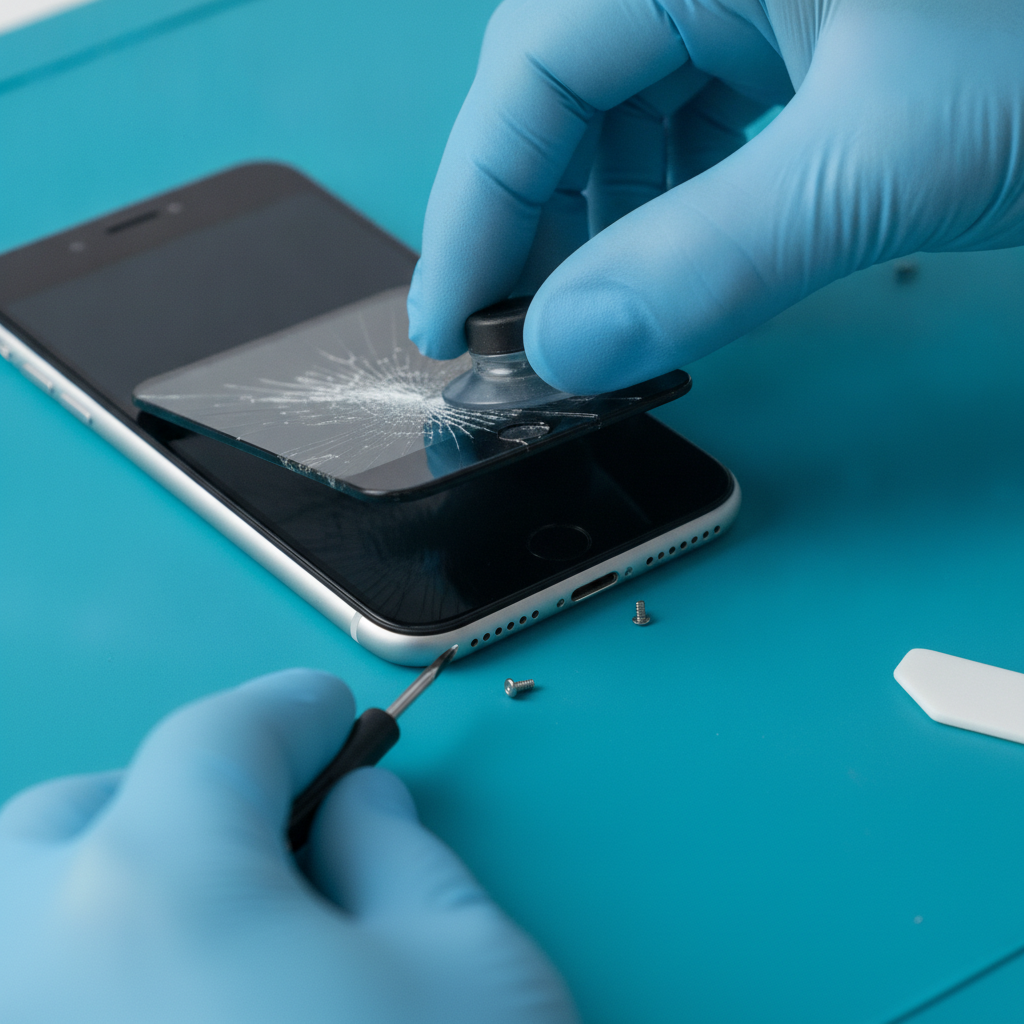
Safe DIY checks
- Force restart to clear a frozen or looping screen.
- Test with an Apple-certified cable and adapter.
- Gently remove lint from the charging port (wooden pick only).
- Take off a bulky magnetic case if touch or charging is inconsistent.
- Power off immediately if the phone is wet—don’t charge or heat it.
Hand off to a tech
- Cracked display or smashed corners.
- Rapid battery drain or sudden shutdowns.
- Loose or damaged charge port, or cable wiggle to connect.
- Rear camera shake, focus hunting, or Face/Touch ID faults.
- Liquid contact, corrosion, or recurring “No Service.”
Blunt warning from the bench: Don’t poke the charging port with a metal pin. We regularly see shorted boards and torn pins from this one “fix,” which can turn a quick port swap into a much bigger job. If the cable won’t seat, stop and bring it in.
Not sure which way to go? Our cell phone repair team can triage in minutes and recommend the fastest, safest route.
Step-by-Step: What to Do Before You Walk Into a Repair Shop
Preparation fuels same-day results. Back up your data, bring your passcode, disable Find My, list symptoms, and arrive early. If wet, power off and keep the phone upright. Bring your usual charger so techs can rule out accessory issues quickly.
- Back up your data via iCloud or computer so testing and resets don’t risk photos or messages. For a simple checklist, skim this backup guide.
- Have your passcode ready and temporarily disable Find My so post-repair testing can proceed immediately.
- Write brief symptom notes (for example, “dies at 25%,” “won’t charge,” “ghost touch”) and include any recent iOS updates.
- Power off liquid-damaged phones, don’t charge them, and keep them upright for transport. Here’s a clear water rescue overview.
- Bring your everyday cable/adapter so we can confirm the fault isn’t accessory-related.
- Remove cases and add‑ons that hide bends, cracks, or battery swelling.
- Arrive early to leave room for diagnostics and final testing within the same day.
Local considerations for Southview
- Mid-morning drop-offs beat the after-school/after-work rush and reduce wait times.
- Running errands near Habesha Mall? Ask for text updates and swing back as we finish testing.
- Cold snaps hit lithium-ion performance—keep the phone warm en route and avoid charging if the device feels icy.
Common Same-Day iPhone Issues and How Techs Diagnose Them Fast
Techs confirm easy wins first: known-good cable tests, port inspection, and a quick look at battery health. If hardware is at fault, stocked parts enable same-day swaps for screens, batteries, and ports—followed by checks for touch, sensors, cameras, radios, and water indicators.

Fast triage flow
- No charge: Rule out cable/adapter first, then inspect and clear the port; escalate to charge IC only if basics pass.
- Screen damage: Check frame alignment, proximity sensor, True Tone transfer, and Face/Touch ID behavior.
- Battery complaints: Read health metrics and run a quick-consumption test; replace if data supports it.
- Drop + liquid: Inspect water indicators and connectors for corrosion; avoid power or heat until evaluated.
- Wireless charging oddities: Misaligned cases can mimic “won’t charge”—we test bare phone on a known-good pad.
Once your iPhone is squared away, we can also handle tablet repairs and phone unlocking or password resets if you’re locked out.
What Slows Down Same-Day Repairs (and How to Avoid It)
Delays come from locked devices, missing passcodes, severe liquid damage, rare parts, and late-day drop-offs. Avoid them by prepping your iPhone, arriving early, and allowing time for full post-repair testing before pickup.
- Activation or MDM locks: Keep Apple ID details handy and be ready to disable Find My.
- Severe corrosion: Liquid cleanup and micro‑inspection take time—earlier arrival improves same‑day odds.
- Uncommon parts: Older or uncommon iPhone variants may require a parts order.
- Data-only issues: Forgotten passcodes and lockouts may require resets; a fresh backup prevents losses. For expectations, see this quick note on fast, reliable repair steps.
- Arriving close to closing: Leave time for diagnostics and final tests.
Why Local Independent Shops Often Beat Chain Turnaround Times
Independent shops streamline queues, stock the parts neighbors need, and let you speak directly with a technician. That cuts handoffs and starts repairs sooner—so many jobs finish the same day compared with chains juggling centralized workflows.
Chains like Mobile Klinik and uBreakiFix by Asurion are reputable. Independent shops such as TechBrotherz focus on one neighborhood, reflect Southview device trends in their parts bins, and communicate tech-to-customer in real time. That tight loop shortens diagnosis, approvals, and retesting. If you also carry a tablet or laptop, our computer repair bench can handle it the same visit.
FAQ: Same-Day iPhone Repair Questions Answered
Can I get a same-day screen replacement?
Often, yes. If the part is in stock and there’s no hidden frame or sensor damage, technicians can usually swap the screen and complete testing within business hours. Arrive early and have your passcode and Find My settings ready to speed intake.
What should I do after my iPhone gets wet?
Power it off, don’t charge it, and keep it upright. Bring it in the same day. Water and residue can spread with heat or power, so avoid “rice” tricks and dryers. A quick evaluation improves the chance of saving components.
Do I need an appointment at TechBrotherz?
No appointment is required. Walk in during posted hours for on-the-spot diagnostics and many same-day iPhone repairs. For complex cases, the team will advise next steps and timing after the initial evaluation.
Will my data be safe during repair?
Technicians avoid data-impacting steps unless required for testing. Still, back up before service. If a reset is necessary after troubleshooting, your backup lets you restore quickly once the repair is complete.
Key takeaways
- These same-day iPhone repair tips raise your odds of a same-afternoon pickup.
- DIY only the safe checks; leave disassembly to a trained tech.
- Walk-in, locally stocked shops often deliver faster turnarounds.
- Passcode and Find My readiness streamline testing and handoff.
Related pages
Rather just ask a person?
Call (403) 273-8324 and describe the problem, or walk in to 3317 17 Ave SE in Calgary. Every repair is quoted free before any work starts.