
Blog
Repair or Replace Old Phone: Check 5 Signs in Southview
Repair or replace old phone? This Southview guide gives a fast verdict with walk-in triage, repair plans, and ready replacements at TechBrotherz.
Repair your old phone if the fault is a cracked screen, tired battery, clogged charging port, or a simple software lock. Replace it if multiple core systems fail or the device no longer receives security updates. Walk in to TechBrotherz Southview for a 10–15 minute triage and a clear verdict.
Key facts
- Published: July 12, 2026
- Last updated: October 2, 2026
- Reading time: 6 min read
- Questions about your own device: Call (403) 273-8324
Last updated
Repair or Replace Old Phone: Check 5 Signs in Southview
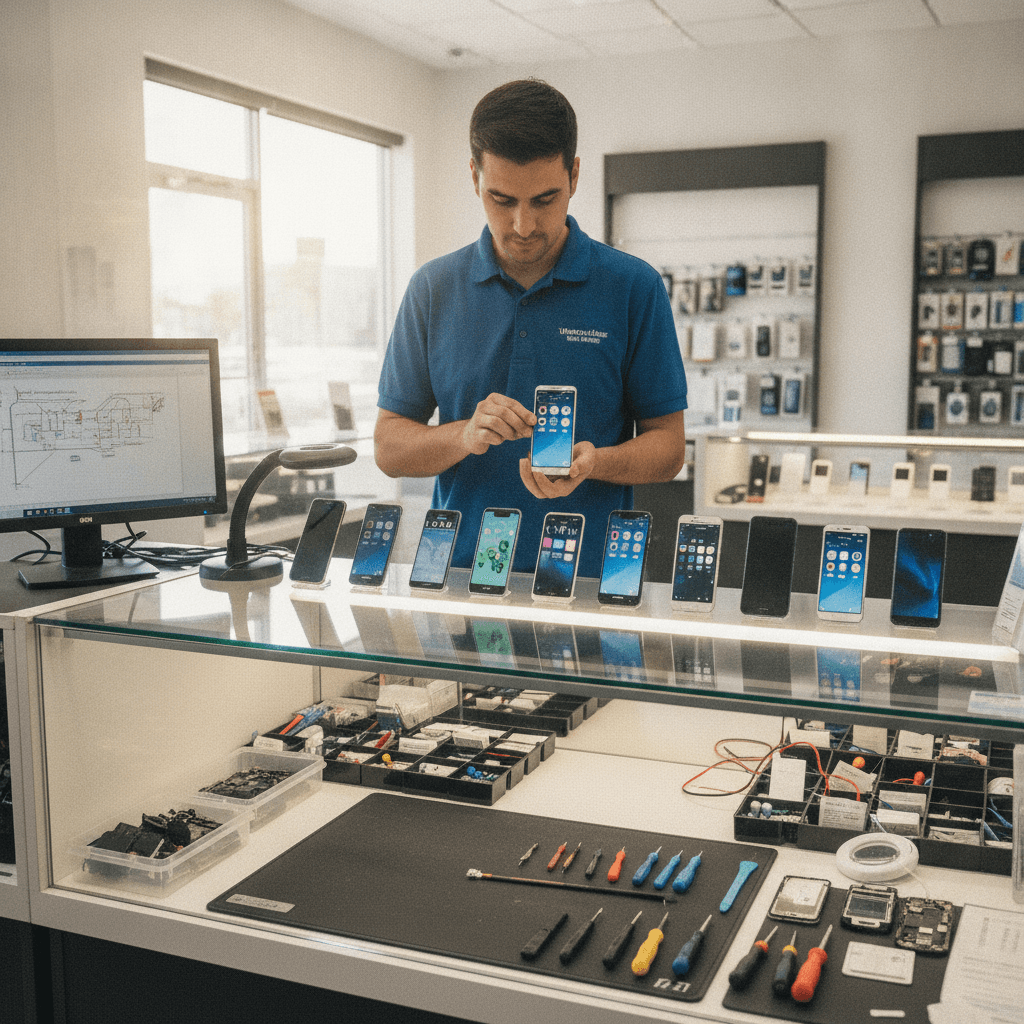
Published by Imran Mohammed at TechBrotherz, the walk-in repair Store at 3317 17 Ave SE in Calgary. July 12, 2026, updated October 2, 2026.
No article on this site is paid for or sponsored. For a quote on your own device, call (403) 273-8324.
Repair or replace old phone is the crossroad you reach when your device slows down, breaks, or stops holding a charge. The fast rule: repair wins for single-part faults that don’t touch security support; replacement wins for compounding failures or when updates have ended. In Southview, TechBrotherz handles both paths same day.
By Imran Mohammed — TechBrotherz
Last updated: 2026-07-12
| Neighborhood | Southview (Calgary SE) |
|---|---|
| Service area | Calgary, Chestermere, Airdrie |
| Walk-in repairs | Yes — no appointment required |
| Warranty | 60-day warranty on repairs |
| Hours | Mon–Sat 10:00–19:00; Sun 11:00–17:00 |
| Average rating | 5.0 (Google) |
| Multi-device support | iPhone, Samsung Galaxy, iPad/tablets, PCs/laptops |
- Overview
- Quick rule: when repair wins
- When replacement makes sense
- Repair vs. new: true costs
- Device-specific verdicts
- Local shop vs. chain
- How we help on the spot
- FAQ
Southview tip: arrive ready, leave faster
Weekday mornings on 17 Ave SE are the quickest for walk-ins. If you’re heading from Valleyview Park Viewpoint or passing the Foggy Gorilla Vape Shop | 17th Ave landmark, you’re minutes away. Back up your phone in advance so we can move straight to repair or replacement.
Quick Summary
Repair if one part failed and you still receive security updates; replace if updates have ended or you face multiple hardware faults. TechBrotherz gives you both choices, side-by-side — a repair plan and a ready-to-test replacement phone — so you can pick the most reliable path today.
In our shop, construction and delivery pros from 17 Ave SE bring in dust-clogged ports and shattered glass; office workers stop by during lunch for battery swaps. Different jobs, same goal: leave with a dependable phone today.
The 60-Second Rule: When Repair Wins Every Time
Repair wins if the phone powers on and the fault is a single component: display glass, battery, charge port, speaker, mic, or a basic software lock. These are same-day categories at TechBrotherz, and you keep your setup, authenticator apps, and photos intact.

60-second checklist
- Screen cracked but responsive: Touch and display work; no ink bleed or dead zones.
- Battery fatigue: Quick drain or shutdown below 20%, but no swelling or frame lift.
- Charging hiccups: Loose connection, debris, or bent pins; phone still recognizes a cable.
- Camera glass nicked: Sensors focus and stabilize; only the protective cover is damaged.
- Locked out: Our unlocking and reset help solve many account or PIN issues with proof of ownership.
Back up first so we can move straight to work. A practical prep list is this backup checklist.
When Replacing Makes More Financial Sense
Replace the device if security support ended, liquid damage affected multiple systems, or performance remains unstable after a full reset. If you rely on banking, two-factor apps, and tap-to-pay, running a phone without current patches introduces avoidable risk.
Signals it’s time to move on
- Security support ended: iPhones that stop receiving iOS and security updates, and Android models past manufacturer support, should be retired for daily banking and work apps.
- Compound failures: Face/Touch ID plus camera faults, plus Wi‑Fi drops — board-level issues stack up.
- Liquid damage: Corrosion across connectors and radios leads to intermittent, cascading failures.
- Swollen battery: Screen lift or frame separation is a safety red flag; do not keep using the phone.
- Performance wall: Frequent app crashes and stutters even after a clean restore.
At the counter, we’ll show you a tested replacement alongside a repair plan so you can compare reliability and support horizon in one conversation.
The Real Cost Breakdown (Repair vs. New Phone)
Your real cost is downtime, data risk, and security — not only money. Targeted repairs minimize disruption. Replacements reset reliability and extend security support. Choose the option that protects your work, photos, and sign-ins with the least hassle.
| Factor | Repair | Replace |
|---|---|---|
| Downtime | Same-day categories at a walk-in shop | Immediate device, but setup/transfer time |
| Data & setup | Your apps and sign-ins remain | Full transfer, authenticator resets |
| Reliability | Restores a known-good device | Eliminates persistent instability |
| Security updates | Tied to model age | Typically extended for years |
| Warranty | Covered by our 60-day warranty | Device/seller warranty terms |
| Environment | Extends device life; less e‑waste | Recycle/trade-in responsibly |
For security-support timelines, review the official guidance from platform owners before deciding.
Device-Specific Verdicts: iPhone, Samsung Galaxy, and More
Single-part fixes on iPhone and Samsung Galaxy deliver reliable wins; board-level faults, repeated liquid damage, or ended OS support point to replacement. We match the fix to how you actually use the device — camera work, battery life, or app compatibility.
iPhone: what we fix confidently
- Batteries/screens: High-success repairs that restore daily reliability. See our iPhone repair page.
- Back glass: Labor-intensive on mid/newer models; we evaluate frame, cameras, and Face ID before recommending.
- Older models: If iOS/security updates are no longer provided, test a replacement you can trust with banking apps.
Samsung Galaxy and Android
- Displays/ports: Strong repair candidates that remove the biggest day-to-day pain. Explore Samsung repair.
- Battery health: A replacement battery stabilizes runtime for field and shift work.
- OS support: If the vendor ended security patches, compare a replacement with active support.
iPad and tablets
- Glass-only cracks: Worth fixing if touch and LCD are healthy. See iPad repair and tablet repair.
- Power/charge keys: Repairable and impactful for school and field workflows.
- Use case: For rough environments, a sturdier replacement may outlast repeat fixes.
Need help with backups or transfers? Our computer repair team assists with safe moves between phones and laptops.
Why a Local Shop Beats a Chain for This Decision
Because we both fix and sell phones on one counter, you can compare a repair plan to a tested replacement in a single visit. You’ll hold the device, feel the size, check the camera, and choose the path that fits your work and budget — without visiting multiple stores.
- Single-visit clarity: Repair estimate and ready-to-test replacement presented together.
- Walk-in rhythm: No appointment friction; same team from triage to handoff.
- Southview accountability: Our 60-day warranty and 5-star rating live or die on local trust.
- Honest verdicts: If a repair won’t hold, we’ll say so and show alternatives right away.
“I had an excellent experience at TechBrotherz. The staff were friendly, professional, and honest from start to finish. They fixed my phone quickly... I highly recommend TechBrotherz.” — Christian Nyavor (Google)
“Fixed my computer same day. Imran is really nice guy. He can fix iPhone, Samsung phones, laptops and computers.” — Talaat Ramadan (Google)
How TechBrotherz Helps You Decide On the Spot
Walk in with your phone. We’ll run a fast hardware/software check, explain the findings, and show you a side-by-side repair plan and a replacement device you can test. You leave with a working phone — repaired or replaced — the same day in most scenarios.

- Fast triage: Hardware checks, port inspection, camera test, and a quick battery assessment.
- Data-first approach: We help you safeguard or transfer data. A practical prep list is this backup checklist.
- Side-by-side demo: Compare a targeted repair with in-stock replacements you can hold and test.
- Clear next step: Approve the repair through cell phone repair or pick a replacement you’re confident about.
FAQ
These are concise answers we give Southview customers deciding whether to repair or replace. For a model-specific answer, stop by — walk-ins are welcome.
Is a battery replacement enough for shutdowns at 30%?
If there’s no swelling and the phone is otherwise stable, a fresh battery typically resolves early shutdowns and restores runtime. If your model no longer receives security updates or shows other hardware faults, test a replacement unit at our counter.
Will a screen repair keep my data intact?
Yes. Display repair doesn’t erase data. We still recommend a backup before service. If touch or display is unresponsive, back up via computer if possible, then bring it in for a quick assessment.
Can you help if I’m locked out after too many passcode tries?
Often, yes. Our unlocking support addresses many common locks with proof of ownership. If the lock ties to an unreachable account, we’ll guide you through safe recovery paths.
What’s faster — repair or replacement?
A single-part repair is often completed the same day. Replacement is immediate for the device but requires setup and transferring data. We’ll offer both options side-by-side so you can choose the path that gets you productive faster.
Local considerations for Southview
- Trades and delivery phones from the 17 Ave SE corridor see heavy dust and drops — we prioritize ports, speakers, and seals during triage.
- Heading to Valleyview Park Viewpoint? Bring the phone; quick diagnostics fit between errands.
- Use Foggy Gorilla Vape Shop | 17th Ave as a waypoint — you’re within a short walk of our counter.
Key takeaways
- One failed part and active security support favor repair; ended support or stacked failures favor replacement.
- Protect your data with a backup so either route is smooth.
- We present repair and replacement together so you can hold the decision in your hand.
- Walk in from Southview or nearby SE neighborhoods for a same-day solution.
Related pages
Rather just ask a person?
Call (403) 273-8324 and describe the problem, or walk in to 3317 17 Ave SE in Calgary. Every repair is quoted free before any work starts.