
Blog
Refurbished Phone Setup Checklist for New Owners
Use this refurbished phone setup checklist to verify ownership, test battery and hardware, activate iPhone or Android, transfer data and protect your money
A refurbished phone setup checklist should begin with ownership and network checks, not personal data transfer. Verify the IMEI and account-lock status, inspect the device, test the battery, charging, display, cameras, audio, biometrics and connectivity, then set up your Apple or Google account and transfer data only after the phone passes. Related reading: 7 Checks to Make Before Buying a Refurbished Phone in Dundas .
Key facts
- Published: August 20, 2026
- Last updated: October 26, 2026
- Reading time: 10 min read
- Questions about your own device: Call (403) 273-8324
Last updated
Refurbished Phone Setup Checklist for New Owners
Published by TechBrotherz at TechBrotherz, the walk-in repair Store at 3317 17 Ave SE in Calgary. August 20, 2026, updated October 26, 2026.
No article on this site is paid for or sponsored. For a quote on your own device, call (403) 273-8324.
Use this process during your first 15 to 30 minutes with the phone, then continue testing it through the seller’s return period. “Refurbished” means a used device has been inspected, tested or repaired, but the exact condition, battery standard, warranty and return rights depend on the seller. Related reading: Is Tablet Battery Replacement Worth It?.
Before You Start: Treat Setup as an Acceptance Test
Before signing in, adding banking apps or transferring private photos, confirm that the phone belongs to you, can connect to your network and matches the condition promised in the listing.
Keep the invoice, listing, warranty terms, return deadline and seller messages together. Health Canada advises buyers of second-hand or refurbished products to ask about repairs, age, use and missing accessories, and to check recalls, bans and current safety requirements. Health Canada’s second-hand product guidance is a useful reference.
A small mark may be acceptable under a condition grade. An activation lock, blacklisted IMEI, failed cellular connection or swollen battery is a reason to stop and contact the seller.
The First 15 Minutes: Receive, Record and Verify the Phone

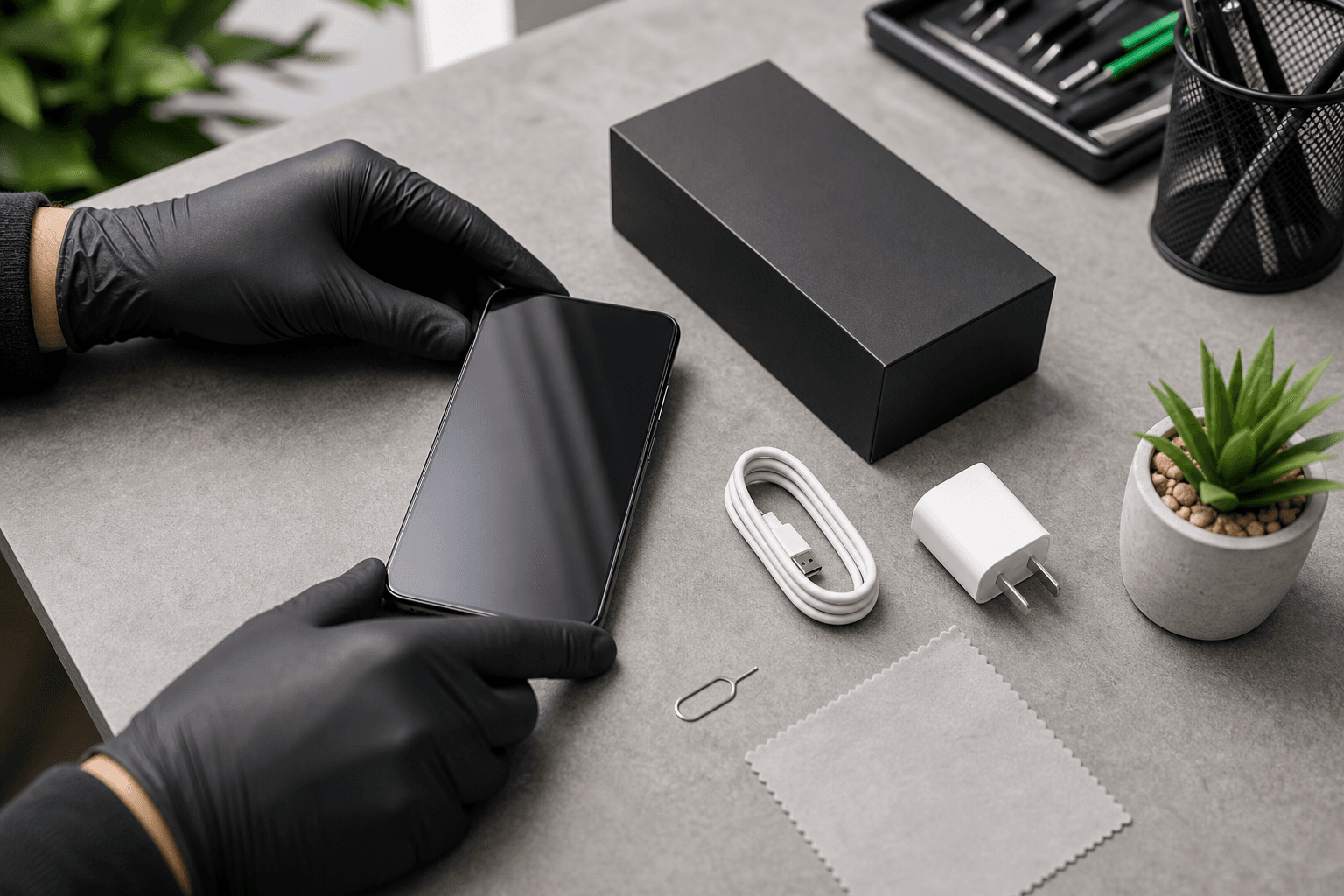
Document the phone’s condition before removing packaging or beginning daily use. Photograph the box, shipping label, device from every side, powered-off screen and included accessories.
- Record the identity: Write down the model, storage capacity, serial number and IMEI. Find the IMEI in Settings, on the packaging or by entering
*#06#. Compare it with the box and invoice. - Compare the contents: Check the charger, cable, SIM tool, case, manuals and other promised items.
- Inspect the exterior: Examine the frame, screen edges, camera glass, back panel, buttons and charging port. Look for gaps, lifting panels or a phone that rocks on a flat surface.
- Check for unsafe damage: Stop using the phone if it is unusually hot, smells chemical, shows a bulging battery or has severe liquid or impact damage. Do not press a swollen panel back into place or continue charging it.
- Confirm the paperwork: Note the warranty, return process, battery promise, condition grade and final return date.
- Power it on without transferring data: It should reach a normal welcome or setup screen without another person’s name, passcode or account.
Pass, Fail or Escalate: The Decision Matrix
Use this table to decide what deserves immediate seller contact.
| Check | Acceptable result | Priority | If it fails |
|---|---|---|---|
| IMEI and serial | Numbers match the listing, box and device | Must pass | Pause setup and ask the seller to resolve the discrepancy. |
| Account and activation status | No previous owner’s account or lock | Must pass | Request removal or return the phone. Do not bypass the lock. |
| Blacklist status | Carrier or database check is clear | Must pass | Contact the seller and do not use cellular service. |
| Physical safety | No swelling, dangerous heat or exposed damage | Must pass | Stop using it and contact the seller. |
| Calling and data | Your SIM or eSIM connects normally | Must pass | Check compatibility once, then request seller help. |
| Charging | Known-good charger works without interruption or excessive heat | Must pass | Try another cable and outlet. Return or seek assessment if it persists. |
| Display, touch and buttons | Screen responds across its surface | Must pass | Document the fault before the deadline. |
| Battery condition | Matches the seller’s stated grade | Seller-dependent | Ask how lower capacity or rapid drain is handled. |
| Camera, audio and biometrics | Core functions work | Must pass or model-dependent | Return an undisclosed fault or troubleshoot software. |
| Minor scratches | Consistent with the condition grade | Cosmetic | Decide whether the phone still represents fair value. |
Ownership, IMEI and Account-Lock Checks
A clean refurbished phone should let you begin setup without the previous owner’s Apple Account, Google Account, passcode or device-finding lock. The IMEI should identify the device you received, and a carrier or database result should not show that it is blocked, stolen or restricted.
On iPhone, an Activation Lock message or request for another person’s Apple Account means the previous owner has not removed the device. On Android, a request for the former owner’s Google Account after a reset may indicate factory reset protection. Both are stop conditions.
Do not publish your IMEI because it is a device identifier. Save a private screenshot or written result where possible.
Security and Privacy: Remove the Previous Owner Before Signing In
The phone should be at its initial setup screen or clearly reset for a new owner. You should not see another person’s messages, photos, contacts, email address, passcode or cloud account.
If it remains tied to an account, ask the seller or former owner to remove it through the official Apple or Google process. These official recovery options explain why account recovery is safer than attempting to bypass a lock.
A factory reset does not make a phone yours if an anti-theft account lock remains active. If the seller cannot remove the account, stop setup and use the return process.
Test the Hardware Before You Add Personal Data

Run a complete functional test while the phone is within its return window. Record each result and test the entire touchscreen.
- Display: Use bright, dim, white and dark screens. Look for lines, blotches, flickering, dead pixels or uneven brightness.
- Touch: Drag an icon across every edge and corner. Type a long message to reveal dead areas or ghost touches.
- Buttons and vibration: Test power, volume, mute or programmable buttons, vibration and screen rotation.
- Cameras and flash: Take front and rear photos, record video, focus near and far, test the flash and inspect the camera glass.
- Audio: Play a recording, make a voice memo and place a test call. Check the earpiece, speaker and microphone separately.
- Biometrics: Enrol Face ID, Touch ID or a fingerprint if supported.
- Ports and sensors: Test charging, the SIM tray, proximity sensor and wired accessories. Check wireless charging or stylus support only when applicable.
Face ID, Touch ID, fingerprint sensors, wireless charging, eSIM and stylus support vary by model and region. Require a model-dependent feature only when the seller promised it or the specification includes it.
Battery and Charging: Measure the Condition, Not Just the Percentage
A battery showing 100% charge does not prove good capacity. Check battery information, then observe charging and ordinary-use behaviour.
On iPhone, open Settings > Battery > Battery Health & Charging where available. On Android, look under Settings > Battery or device diagnostics. Record displayed capacity, cycle information or warnings.
There is no universal pass percentage. Compare the result with the seller’s grade, battery promise, warranty and return terms.
- Use a known-good cable, adapter and outlet.
- Confirm the charging symbol appears and the percentage rises over 10 to 15 minutes.
- Move the cable gently. Charging should not repeatedly disconnect.
- Note unusual heat, rapid loss, unexpected shutdowns or battery warnings.
Stop charging and contact the seller if the phone swells, becomes unusually hot, smells abnormal or repeatedly interrupts charging.
SIM, Carrier and Network Activation Checks
A phone can pass a Wi-Fi test and still be incompatible with your carrier. Test the exact SIM or eSIM you plan to use.
| Network check | What to confirm |
|---|---|
| Carrier lock | Your SIM or eSIM activates without a lock message. |
| Physical SIM | The tray fits and the network name appears. |
| eSIM | The model and region support eSIM and your carrier can issue a compatible profile. |
| Cellular service | Place a call, send a text and load a webpage with Wi-Fi disabled. |
| Wi-Fi and Bluetooth | Connect to Wi-Fi and pair a known accessory. |
| Model compatibility | Check region variant, 4G or 5G bands and carrier requirements. |
A carrier lock differs from an Apple or Google account lock. If you need phone unlocking, identify the restriction first and ask the seller or carrier whether it can be removed.
Set Up a Refurbished iPhone or Android Securely

Complete ownership, hardware and network checks first. Then sign in with your own account, install updates and enable recovery and device-finding features.
Refurbished iPhone setup
- Start from the Hello screen with no Activation Lock.
- Connect to trusted Wi-Fi and install the latest available iOS update.
- Sign in with your Apple Account and create a strong passcode.
- Enrol Face ID or Touch ID if supported.
- Turn on Find My iPhone and iCloud Backup.
- Review location, camera, microphone, contacts, tracking and notification permissions.
- Activate your SIM or eSIM and test calls, texts and mobile data.
Refurbished Android setup
- Begin at the setup screen without a previous owner’s Google Account request.
- Connect to trusted Wi-Fi and install Android, Google Play system and manufacturer updates.
- Add your Google Account and use a strong screen lock.
- Set up fingerprint or face unlock if supported, while retaining a secure backup passcode.
- Turn on Find My Device and Google Backup.
- Review app permissions, privacy controls and security settings.
- Activate the SIM or eSIM and test calls, texts and cellular data.
If activation, sign-in or updating fails, record the exact message and try only reversible steps such as restarting or checking the network. Do not repeatedly erase a phone when an ownership lock is involved.
Transfer Data Only After the New Phone Passes
Back up your old phone and keep it intact until the refurbished device works normally. Do not erase it simply because the new phone reaches its home screen.
- Back up photos, contacts, messages, documents and app data.
- Record recovery codes and move authenticator apps, passkeys, banking access and two-factor authentication carefully.
- Transfer data with Apple, Android, cloud or direct-cable tools.
- Move or activate the SIM or eSIM after confirming compatibility.
- Open essential apps and verify calls, messages, contacts, photos, passwords and work files.
- Keep the old phone available until normal use confirms the transition.
- Then sign out, remove payment cards, disable device-finding features and erase it before selling or recycling.
When a Failed Check Means Return, Troubleshoot or Repair
Return or escalate problems involving ownership, identity, safety, undisclosed condition or promised compatibility. Troubleshoot reversible software and accessory problems. Consider repair only when the phone is otherwise acceptable and the seller’s terms allow you to keep it.
- Return or contact the seller: activation lock, previous-owner account, IMEI discrepancy, blacklist concern, incompatible carrier, missing promised items, severe undisclosed damage or failed core function.
- Troubleshoot first: bad cable, incorrect setting, temporary Wi-Fi issue, pending update or poorly seated SIM.
- Consider repair: cracked screen, worn port, weak battery or another hardware fault on a phone you are allowed to keep.
TechBrotherz offers walk-in phone repair at 3317 17 Ave SE in Calgary, with no appointment required. The shop states that repairs are quoted free before work begins and that repairs carry a 60-day warranty; confirm the specific warranty terms before approving work. This does not replace a seller’s responsibility for an account lock, incorrect IMEI or misrepresented phone.
Finish the Return-Window Checklist
- Save the invoice, warranty, return instructions, model, serial number and IMEI securely.
- Keep photographs of the package, condition and fault messages.
- Retain the box, accessories and shipping materials until you decide to keep the phone.
- Test calls, messaging, charging, photos, navigation, Wi-Fi and Bluetooth during ordinary use.
- Confirm battery condition and physical appearance match the written promise.
- Install a case and screen protection after inspection.
- Keep backups, updates and device-finding features enabled.
- Decide before the seller’s deadline.
Frequently Asked Questions About Refurbished Phone Setup
Is a refurbished phone safe to use?
It can be safe when ownership status, IMEI, physical condition, battery and software pass inspection. Verify the seller’s testing, warranty, return policy and condition grade.
What should I do if a refurbished phone is activation-locked?
Stop setup and contact the seller for removal of the previous owner’s account or request a return. Do not bypass the lock.
What battery health is acceptable?
It depends on the model, seller’s grade, written battery promise and warranty. Compare the displayed health with those terms and test charging before the return period ends.
Can I return a phone if the IMEI or network check fails?
Contact the seller immediately and follow the written return process. Save the result, photographs and messages, and stop using a phone that may be restricted or misidentified.
Should I erase my old phone first?
No. Back it up and keep it available until the refurbished phone handles essential calls, messages, accounts and security codes. Erase it only after the transition is complete.
If your Calgary refurbished phone passes ownership and return checks but has a hardware, charging or display problem, bring it to TechBrotherz cell phone repair at 3317 17 Ave SE for a walk-in assessment and a quote before work begins.
Related pages
Rather just ask a person?
Call (403) 273-8324 and describe the problem, or walk in to 3317 17 Ave SE in Calgary. Every repair is quoted free before any work starts.