
Blog
Phone Battery Replacement in Calgary: When to Replace Your Battery and What to Expect
Learn how to identify a worn phone battery, rule out charging faults, compare repair with replacement, and arrange safe walk-in service in Calgary.
A phone that drains quickly may need a new battery, but battery wear is not the only possible cause. A damaged charging port, faulty cable, unsuitable charger, software issue, or liquid damage can create similar symptoms. Try a few non-invasive checks first, then request a model-specific quote if the problem continues.
Key facts
- Published: September 29, 2026
- Last updated: October 9, 2026
- Reading time: 7 min read
- Questions about your own device: Call (403) 273-8324
Last updated
Phone Battery Replacement in Calgary: When to Replace Your Battery and What to Expect
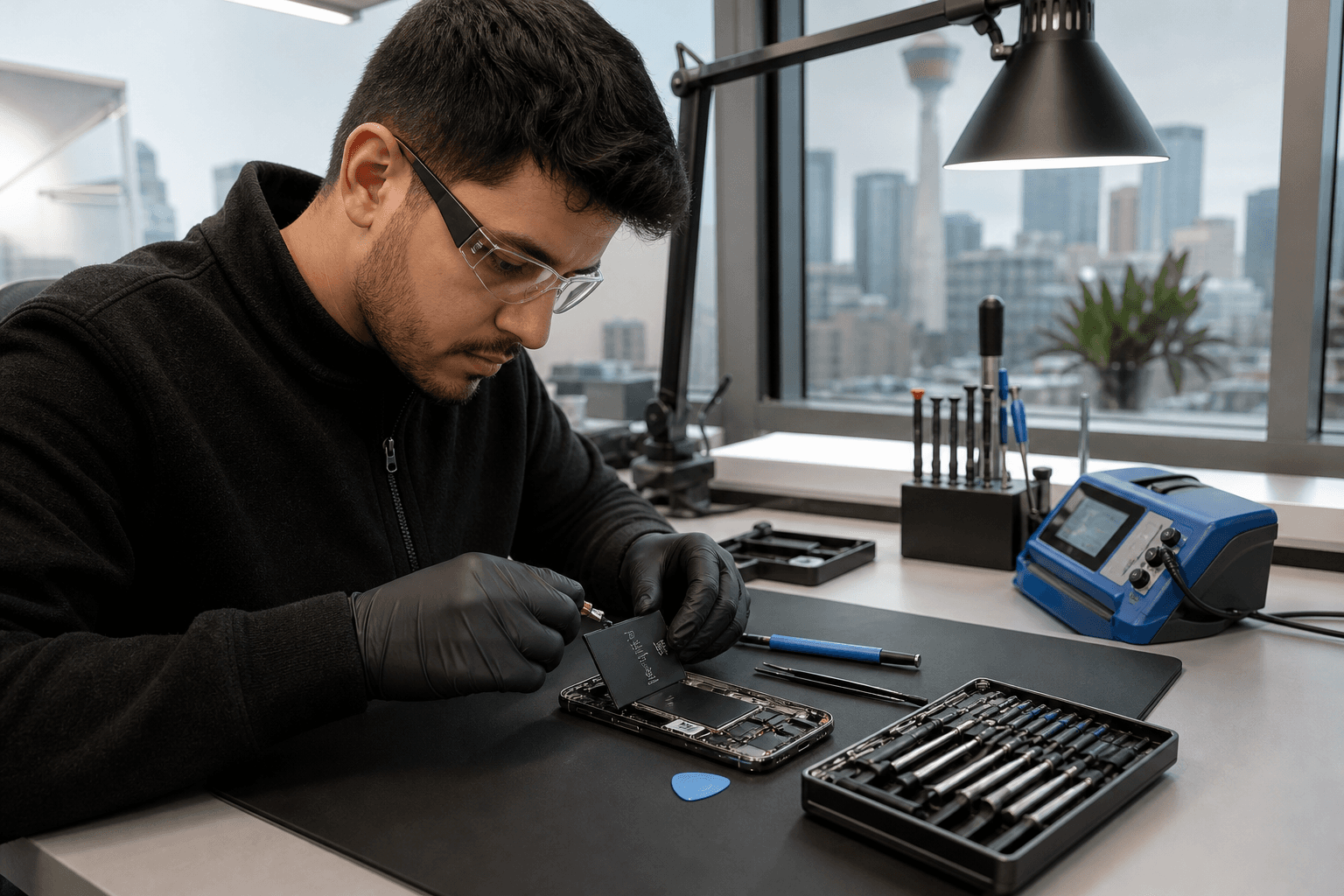
Published by TechBrotherz at TechBrotherz, the walk-in repair Store at 3317 17 Ave SE in Calgary. September 29, 2026, updated October 9, 2026.
No article on this site is paid for or sponsored. For a quote on your own device, call (403) 273-8324.
Quick summary

- Check the cable, charger, charging port, and recent software changes before assuming the battery has failed.
- Rapid drain, unexpected shutdowns, reduced runtime, and a battery-health warning are reasons to seek an assessment.
- Stop charging and seek professional help if the phone is swollen, smoking, leaking, unusually hot, or visibly damaged.
- TechBrotherz offers walk-in phone battery replacements in Calgary. Most phone battery repairs take about 30 minutes when the required part is in stock.
- The exact make and model is needed for an accurate quote. Every repair includes a 60-day warranty on the fitted part and work performed.
Signs your phone battery may need replacement
Battery capacity declines with use, but one symptom rarely proves that the battery is the cause. Look for a pattern, especially if the phone used to last through your normal day but now needs repeated charging.
Rapid drain and reduced runtime
If the battery percentage drops unusually quickly during ordinary use, the battery may be worn. Heavy gaming, navigation, video calls, high brightness, and weak cellular reception can also increase power use, so a broader diagnosis may be needed.
Unexpected shutdowns
A phone that switches off while it still shows charge can indicate battery wear, but software faults, physical damage, and temperature problems can cause similar behaviour. Note the approximate charge level, temperature, and activity when the shutdown occurs.
Battery warnings or unusual heat
Some phones display a battery-health warning or indicate reduced performance. Consider that information alongside the phone’s age, runtime, and physical condition. A phone that becomes unusually hot while charging or sitting idle should not be repeatedly charged for testing.
Before booking, these safe battery checks can help distinguish Android battery wear from charging or software faults.
Battery problem or something else?

The same complaint can have several causes. Use this comparison to decide whether to troubleshoot briefly or arrange an assessment.
| What you notice | Possible cause | Safe next step |
|---|---|---|
| Charging works with one cable but not another | Faulty or worn cable | Try a suitable, undamaged cable and charger. |
| Charging works only when the cable is held at an angle | Debris, loose connection, or damaged port | Stop forcing the cable and have the port assessed. |
| Drain began after an app, update, or settings change | Software activity or background process | Review battery usage, restart the phone, and check for updates. |
| Drain continues in every situation with unexpected shutdowns | Possible battery wear or hardware fault | Back up important information and request a diagnosis. |
| The phone is swollen, smoking, leaking, or severely hot | Potential battery damage | Stop charging. Do not open, puncture, squeeze, or remove the battery. |
Do not insert tools or liquid into a charging port. Opening a phone can damage the battery, display, seals, or other components, so battery removal is not a suitable home repair.
When to check, request a quote, or stop using the phone
| Situation | Best next step | Why |
|---|---|---|
| Drain started recently, the phone is not hot, and charging works normally | Try safe checks first | A cable, charger, app, setting, or software issue may be contributing. |
| Drain continues after basic checks, or the phone shuts down unexpectedly | Request a quote and diagnosis | The battery, port, or another component may be responsible. |
| The phone is swollen, smoking, leaking, severely hot, or visibly damaged near the battery | Stop using and charging it | Further handling or charging may increase the risk of damage. |
Battery replacement or a new phone?
A battery replacement may suit a phone that otherwise meets your needs and has an acceptable screen, camera, charging function, and performance. It can also make sense when you want to keep your existing apps, settings, accessories, and stored information.
A new phone may be more practical when several unrelated faults exist, the device no longer meets your needs, or the repair quote is too high compared with another device. The decision depends on the model, condition, age, and total repair cost.
Ask for the battery quote before deciding. TechBrotherz provides a free quote before work begins, with the part and labour combined in one figure.
What to expect from a Calgary phone battery replacement
Bring the phone or provide its exact make and model when you call. iPhone, Samsung Galaxy, Google Pixel, and other phones use different batteries and construction methods, so the model affects compatibility, price, parts availability, and timing.
At TechBrotherz, the device is assessed and the repair is quoted before work starts. After you approve the combined price, the battery replacement is completed if appropriate and the required part is available. The phone is checked after repair so basic charging and operation can be confirmed before pickup.
A normal battery replacement does not ordinarily require deleting photos, apps, or messages. Back up important information before service because a backup protects you if another issue is found once the device is opened. Keep your account access and passcode available if testing requires an unlocked device.
Timing, walk-in service, and warranty
Most phone screen and battery repairs at TechBrotherz take about 30 minutes when the required part is in stock. This is an approximate timeframe, not a guarantee for every model. Confirm availability and timing before travelling, particularly for less common devices.
No appointment is required during posted hours. Customers travelling from Calgary’s east side can also review information about battery replacements for Chestermere customers, including approximate turnaround and warranty details.
Every repair is covered by a 60-day warranty on the fitted part and work performed. Keep your receipt and ask about any conditions that apply to your repair.
How to prepare before bringing in your phone
- Back up photos, contacts, messages, and other important information.
- Record the make, model, storage version if known, and carrier.
- Bring the cable and charger if charging is slow, intermittent, or unsuccessful.
- Retain the passcode if testing requires an unlocked device.
- Describe when the issue began and whether the phone was dropped, exposed to liquid, updated, or repaired previously.
Phone battery replacement in Calgary SE
TechBrotherz is located at 3317 17 Ave SE in Calgary and provides walk-in phone repair for Calgary-area customers, including people travelling from nearby Chestermere. Posted hours are Monday to Saturday from 10:00 AM to 7:00 PM and Sunday from 11:00 AM to 5:00 PM.
Calling ahead with the exact model is the most efficient way to confirm whether the correct battery is available and how long the repair is expected to take.
Frequently asked questions
How much does phone battery replacement cost in Calgary?
There is no single Calgary-wide price. Cost depends on the exact make and model, battery, and repair process. TechBrotherz provides a free quote combining parts and labour before work begins.
How long does replacement take?
Most phone screen and battery repairs take about 30 minutes when the required part is in stock. Timing varies by model, availability, and additional faults.
Do I need an appointment?
No appointment is required during posted business hours. Calling first can confirm part availability and estimated turnaround.
Will replacement erase my photos and apps?
A standard battery replacement does not normally delete stored data. Back up your phone before service as a precaution.
What information is needed for a quote?
Provide the brand, model, storage version if known, and symptoms. Mention shutdowns, charging problems, heat, swelling, liquid exposure, or previous repairs.
Can a charging port problem look like a failing battery?
Yes. A damaged or obstructed port can cause intermittent or slow charging. If the phone charges only at an angle, stop forcing the connection and ask for the port and battery to be assessed together.
Making the next step
Try simple checks when the phone is not showing warning signs, but stop using a swollen, smoking, leaking, severely hot, or visibly damaged device. If rapid drain or unexpected shutdowns continue, request a model-specific diagnosis rather than assuming the battery is the only fault.
For walk-in phone battery replacement in Calgary, bring your phone or exact model to TechBrotherz at 3317 17 Ave SE for a free quote before work begins.
Related pages
Rather just ask a person?
Call (403) 273-8324 and describe the problem, or walk in to 3317 17 Ave SE in Calgary. Every repair is quoted free before any work starts.