
Blog
MacBook Screen Repair in Calgary Explained
What a MacBook screen replacement covers, how Apple pairing affects True Tone and Touch ID, parts choices, timelines, and key questions to ask.
If you own a MacBook and you are searching for MacBook Screen Repair Calgary, this article explains what a screen replacement actually includes, why Apple pairing matters for modern MacBooks, the pros and cons of different panel options, realistic service expectations, and the exact questions to bring to a local shop before you agree to a repair.
Key facts
- Published: August 31, 2026
- Last updated: October 2, 2026
- Reading time: 8 min read
- Questions about your own device: Call (403) 273-8324
Last updated
MacBook screen repair in Calgary explained
Published by Imran Mohammed at TechBrotherz, the walk-in repair Store at 3317 17 Ave SE in Calgary. August 31, 2026, updated October 2, 2026.
No article on this site is paid for or sponsored. For a quote on your own device, call (403) 273-8324.
What a MacBook screen replacement includes
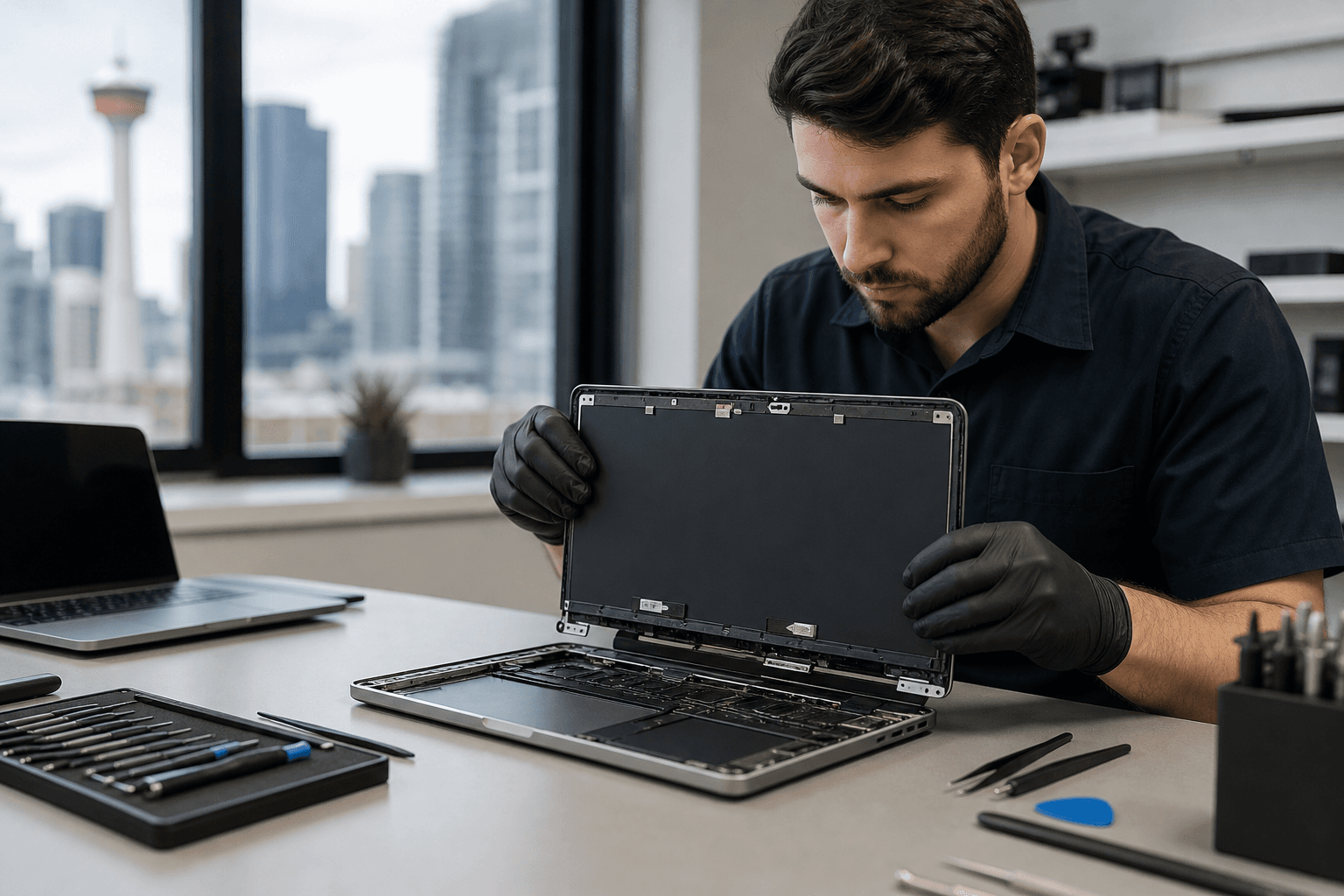
A screen replacement usually means the technician removes the broken display assembly and installs a new panel, then tests the device for display quality, webcam and microphone function, and basic system stability. For older Intel MacBooks this often remains a largely hardware job. For Apple Silicon models the procedure can require additional software or pairing steps, which are covered below.
Standard steps a reputable shop will perform during a MacBook screen repair are:
- Inspect the chassis and hinge for additional damage and report any extra costs before work begins.
- Remove the top case or screen assembly using manufacturer-aware procedures to avoid cable damage.
- Install the replacement panel and test colours, brightness, and backlight uniformity.
- Run a pre-pickup checklist: pixel test, brightness control, webcam and microphone check, and Wi-Fi and Bluetooth sanity tests.
- Document warranty terms and provide a written repair record on pickup.
TechBrotherz lists Mac and laptop repairs among its services, offers walk-in service, and backs repairs with a 60 day warranty. Those local details are useful when choosing a shop in Calgary, and TechBrotherz posts hours and location information on its site.
Why Apple Repair Assistant pairing matters for modern MacBooks
Apple has introduced additional pairing and system checks on recent MacBook models. When a display or certain internal components are replaced on Apple Silicon machines, some features depend on a software pairing step to restore factory-level behaviour. If that pairing is not done, users may lose True Tone automatic colour compensation, notice colour or gamma differences, or see display artifacts. In some component swaps, Touch ID functionality can also be affected unless Apple’s repair workflows are followed. For a technical discussion of pairing and feature impacts, see the iFixit explanation.
Practical implication: ask whether the repair shop can run the required repair assistant or pairing tool for your specific MacBook model. If the shop cannot or will not perform that step, expect some modern feature loss or ask about the visible tradeoffs before approving the work.
Parts options and tradeoffs: original, refurbished and aftermarket panels

When you compare quotes for MacBook screen replacement Calgary shops, you will usually see three parts options. Each option affects cost, display quality, and feature support.
- Original manufacturer parts, often sourced through Apple or authorised channels, most closely match factory calibration and feature support. They are usually the most expensive option and may require authorised repair processes to retain all features.
- Refurbished or recycled OEM panels come from other MacBooks and often provide near-original performance at a lower price, but availability is model dependent and condition varies.
- Aftermarket replacement panels are third-party parts made to fit multiple models. They are generally the least expensive, and some perform well for everyday use, but they may not perfectly match Apple colour calibration or support all pairing-dependent features.
Parts and labour for MacBook display replacements tend to be pricier than typical Windows laptop screens because MacBook displays and high-resolution or OLED panels cost more to source and fit. Any shop that gives a fixed price without first identifying your exact MacBook model and screen type is likely estimating rather than quoting an accurate amount, so plan for a model-specific estimate and possible variation in price after diagnostics. For regional price context and repair cost patterns, see the Calgary laptop screen cost overview.
Realistic service expectations, in-shop testing, and warranty
Turnaround time for MacBook screen repair in Calgary depends on the model and the parts source. Some shops can complete common screen replacements the same day when they have the correct part in stock, while higher-end models or ordered OEM panels can take several days. Do not accept a guaranteed same-day promise until the technician confirms the model and parts availability.
Before you pick up the machine, a reputable technician should run these checks and demonstrate them to you:
- Full pixel and backlight testing to show no dead or stuck pixels and even backlight.
- Brightness and True Tone or colour comparison where applicable.
- Webcam, microphone, and keyboard backlight tests if the panel replacement required top-case removal.
- Short run of system diagnostics to catch any new kernel panics or boot issues.
Warranty length varies by shop. TechBrotherz publicly offers a 60 day warranty on repairs, which is a clear standard to compare when you evaluate repair shops and their written terms. Ask whether the warranty covers parts only, labour only, or both, and whether accidental damage after repair is excluded.
Questions to ask a Calgary repair shop and answers you can trust

Take this checklist to any estimate appointment. The right answers will help you judge the shop’s competence and honesty.
- Can you identify my exact MacBook model and the panel type required? Trustworthy shops will confirm model identifiers and say they will verify the correct replacement before ordering parts.
- Will replacing the panel affect True Tone or Touch ID on my model? A technically honest answer will explain that some Apple Silicon models require a pairing step and that without that step features may be limited, with a reference to Apple repair workflows or the iFixit technical summary.
- Do you use OEM, refurbished, or aftermarket panels and can I choose? Ask for clear options, price differences, and how each choice affects warranty and feature support.
- What diagnostic checks do you perform before I take the MacBook home? Acceptable answers list pixel, brightness, webcam, and basic boot checks, plus a written checklist at pickup.
- What is your parts and labour warranty, and is it written? The shop should provide a written warranty and explain exclusions.
- If you cannot repair this part, what are my next steps? A good shop will be transparent about limits and offer documented options, including referrals or replacement suggestions.
Warning signs that merit a second opinion include a firm price given solely from your description without model verification, refusal to discuss parts origin, or inability to describe the tests they will run after the replacement.
How to prepare your Mac before drop-off
Preparing your Mac saves time and protects your data. Follow these steps before you visit a repair shop in Calgary.
- Back up your Mac with Time Machine, iCloud, or a manual copy so you have an independent copy of your files.
- Sign out of iCloud, or at least make sure you can provide your Apple ID and password if the technician requests it for diagnostic pairing steps.
- Remove any external drives, accessories, or protective cases. Bring the charger so the technician can test charging behaviour after the repair.
- Note any existing damage and take photos so you can confirm post-repair condition.
- Ask about data protection and whether the shop needs permission to run system resets during diagnostics.
TechBrotherz accepts walk-ins and posts store hours online, which makes drop-off planning easier if you prefer not to book an appointment.
Repair versus replace: practical decision criteria for Calgary owners
Consider these criteria when deciding whether to repair a MacBook screen or replace the entire device.
- Age of the MacBook, and whether its processor and battery still meet your needs. If the machine is less than four years old and otherwise healthy, a screen replacement is often the more economical choice.
- Cost of repair compared with current used or new comparable systems. Because MacBook panels can be expensive, get a model-specific estimate before you decide. For local pricing context for laptop screens, see the Calgary laptop screen cost overview.
- Other damage or future repairs. If the logic board, battery, or keyboard is also failing, replacement may make more sense.
- Environmental and data concerns. Repairing extends the usable life of a device and can be the greener option if the cost is reasonable.
Frequently asked questions
Will I lose True Tone or other display features after a screen replacement?
Possibly. Modern Apple machines sometimes require a pairing or repair assistant step to fully restore True Tone and certain calibration settings, and component swaps can affect Touch ID behaviour on supported models. Ask the repair shop whether they run the required software pairing for your MacBook model, and refer to the technical notes about pairing on the iFixit summary.
How long does a MacBook screen replacement usually take in Calgary?
Turnaround varies by model and parts availability. If a shop has the correct part in stock, common screen replacements can be same day. For high-end models or ordered OEM parts, expect several days. A shop that gives a fixed same-day promise without confirming model and parts is likely guessing.
Do repair shops use original Apple parts or third-party panels?
Shops offer a mix of OEM, refurbished, and aftermarket parts. Each option has tradeoffs in price and feature support. Reputable shops will disclose the part origin and let you choose. For a regional perspective on how panel choice affects cost, see the Calgary laptop screen cost overview.
What warranty should I expect for a MacBook screen repair in Calgary?
Warranty lengths vary. TechBrotherz offers a 60 day warranty on repairs. Ask for a written warranty that explains whether it covers parts, labour, or both, and note any exclusions such as accidental damage after repair.
What should I do to prepare my Mac before bringing it in for screen repair?
Back up your data, bring the charger, remove accessories, and be prepared to provide your Apple ID if pairing or diagnostics require it. Ask the shop about their data protection practices before handing over your device.
Key takeaway: a careful estimate, clear parts choices, explained pairing steps for modern models, visible pre-pickup tests, and a written warranty are the most important things to check before you commit to MacBook screen repair in Calgary.
For local service, walk-in availability, and a 60 day repair warranty, visit TechBrotherz to check hours, address, and contact details before you arrive. For technical background on pairing impacts see the iFixit article, and for regional cost context see the Calgary laptop screen cost overview.
Related pages
Rather just ask a person?
Call (403) 273-8324 and describe the problem, or walk in to 3317 17 Ave SE in Calgary. Every repair is quoted free before any work starts.