
Blog
MacBook Keyboard Replacement in Calgary: Repair or Replace?
Considering MacBook keyboard replacement in Calgary? Learn the warning signs, estimate factors, timing, preparation steps, and what to ask before approving repair.
A MacBook with one broken key does not automatically need a complete keyboard replacement. The right solution may be a key-level repair, cleaning, keyboard assembly replacement, or diagnosis of another issue affecting input.
Key facts
- Published: October 20, 2026
- Last updated: October 20, 2026
- Reading time: 7 min read
- Questions about your own device: Call (403) 273-8324
Last updated
MacBook Keyboard Replacement in Calgary: Repair or Replace?
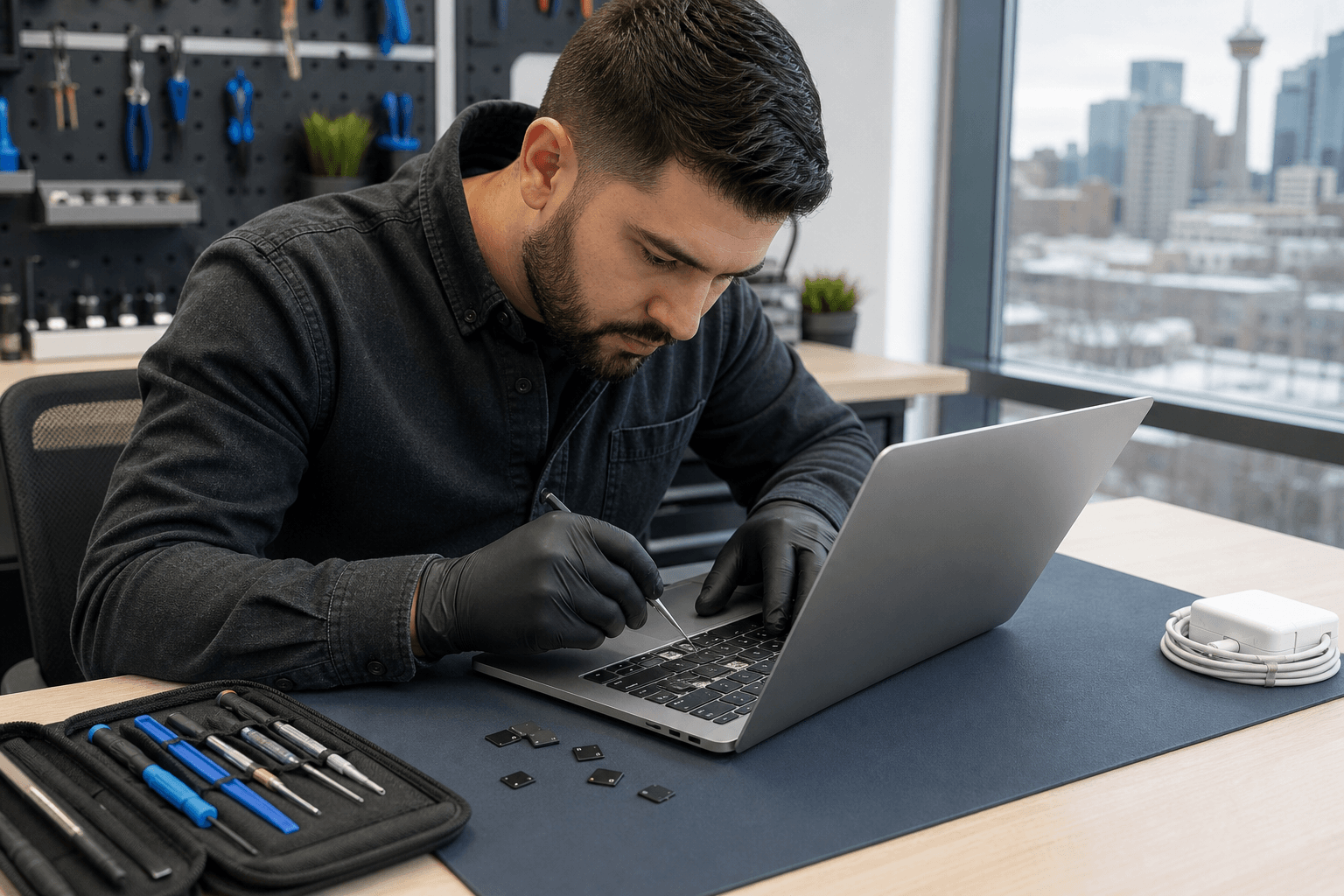
Published by TechBrotherz at TechBrotherz, the walk-in repair Store at 3317 17 Ave SE in Calgary. October 20, 2026.
No article on this site is paid for or sponsored. For a quote on your own device, call (403) 273-8324.
If your keys stick, repeat characters, fail intermittently, or stop responding, an in-person assessment can help you avoid approving unnecessary work. It can also show whether repair makes more sense than replacing a MacBook that otherwise meets your needs.
Quick summary

- Record the exact symptoms and MacBook model before requesting a quote.
- Back up important files if possible, especially after liquid or impact damage.
- A single damaged key may not require a full keyboard replacement, but the model and damage determine what is practical.
- TechBrotherz lists keyboard replacement at approximately 45 minutes as a general estimate, not a guarantee.
- Walk in at 3317 17 Ave SE in Calgary for a free quote before work starts and review the combined parts-and-labour price.
When a MacBook May Need Keyboard Service
Keyboard service is worth considering when a key is missing, a keycap is cracked, keys feel loose, or a key works only when pressed in a particular place. Repeated characters, missed keystrokes, sticky keys, and several unresponsive keys are also useful symptoms to report.
These signs indicate that the keyboard should be assessed, but they do not prove that the whole keyboard needs replacement. Dirt, liquid exposure, impact damage, a damaged key mechanism, or a fault elsewhere in the laptop can produce similar behaviour.
If a spill, drop, bent chassis, or sudden failure preceded the problem, mention it during intake. This history can affect the inspection, repair scope, parts required, and whether other components need attention.
MacBook Keyboard Symptoms and Possible Next Steps

Use the table below to describe what you are seeing. The possible response is a starting point for discussion, not a promise of the final repair.
| Symptom | What it may suggest | What should be confirmed |
|---|---|---|
| One missing or broken key | Keycap or mechanism damage | Whether the individual key can be repaired and the underlying keyboard remains sound |
| Sticky or slow key | Debris, residue, or physical damage | Whether cleaning is appropriate or the keyboard assembly is affected |
| Repeated characters | Key mechanism, input, or software-related problem | Whether the fault follows one key or occurs across the keyboard |
| Several keys do not respond | Broader keyboard or connection problem | Model-specific options, parts availability, and related damage |
| Failure after liquid or impact | Possible damage beyond the keys | Whether additional inspection or repair is needed |
Do not keep forcing a key that is physically jammed or cracked. If the MacBook has been exposed to liquid, stop using it if possible and explain what happened instead of repeatedly testing it.
Single-Key Repair or Full Keyboard Replacement?
A single damaged key does not automatically mean the entire keyboard must be replaced. In some cases, the visible problem is limited to a keycap or mechanism. In others, the damage is part of a keyboard assembly that cannot be sensibly separated from the rest of the unit.
MacBook construction varies by model and year, so the device must be identified before the repair route is confirmed. The number of affected keys, condition beneath the keycaps, liquid or impact history, and suitable part availability can all change the recommendation.
Ask whether the proposed work addresses the confirmed fault or replaces a larger assembly because that is the practical part available for your model.
What Affects a MacBook Keyboard Replacement Estimate?
There is no confirmed MacBook-specific price in the supplied service information, so a reliable estimate should be provided after assessment. Factors can include:
- MacBook model and year: Different designs may use different parts and repair methods.
- Number of affected keys: One broken key differs from widespread non-response or repeated characters.
- Liquid or impact damage: Additional damage may affect components beyond the keyboard.
- Part availability: The replacement must suit the specific device.
- Diagnostics: Inspection may distinguish a keyboard fault from another laptop issue.
- Labour and scope: The estimate should identify included work and optional repairs.
For an overview of how parts, labour, diagnostics, and turnaround shape laptop estimates, review this computer repair cost guide. It can help you compare the work included rather than only the lowest headline figure.
TechBrotherz states that quotes are free before work begins, with parts and labour presented in one figure. Ask whether the amount is specific to your MacBook and what happens if inspection identifies additional damage.
Repair or Replace the MacBook?
Keyboard repair is worth investigating when the MacBook otherwise performs well, contains important files or applications, and still meets your work or study needs. Repair can address a focused problem without requiring you to set up another computer.
Replacement may deserve consideration when the MacBook has several unrelated faults, no longer suits your workload, has limited repair options, or has an estimate that does not make financial sense. Age alone does not decide the issue. Compare the total repair estimate with the laptop’s condition and expected usefulness after repair.
How to Prepare Before Bringing in Your MacBook
- Back up important files: Keep a current copy of documents, photos, and essential data.
- Identify the MacBook: Record the model, approximate year, and serial number if available.
- Write down symptoms: Note which keys fail, whether the issue is constant, and when it began.
- Describe incidents: Mention spills, drops, pressure, repair attempts, or other changes.
- Photograph visible damage: Document missing keycaps, cracks, residue, or chassis damage.
- Bring relevant equipment: Bring the MacBook and charger when power or startup issues are also present.
Do not share your login password casually. Ask how access will be handled if testing requires it.
What to Expect From a Calgary Walk-In Assessment
TechBrotherz is a walk-in cell phone and computer repair shop at 3317 17 Ave SE in Calgary. No appointment is required, so you can bring the MacBook during posted opening hours.
The stated process is to provide a free quote before work begins. Ask the technician to explain the confirmed issue, proposed repair, parts-and-labour total, and any uncertainty related to the model or parts availability. You can approve or decline the work before repair starts.
This is useful when you are unsure whether you need a single-key repair, keyboard replacement, or broader laptop repair.
Timing, Parts, and Warranty Expectations
The supplied TechBrotherz service information lists keyboard replacement at approximately 45 minutes. Treat that as a general estimate, not a promise for every MacBook. Inspection, model variation, damage beyond the keyboard, and parts availability can affect turnaround.
Ask whether the required part is available before approving the repair. If the MacBook needs a different repair than expected, the quote and timing may change.
TechBrotherz states that every repair carries a 60-day warranty covering the fitted part and work done. Confirm how that warranty applies to the specific keyboard repair and what to do if the symptom returns.
For additional background while comparing options, read MacBook trackpad troubleshooting steps. Some keyboard complaints can be confused with wider input or laptop problems.
Questions to Ask Before Approving the Work
- What fault did the assessment confirm?
- Does the MacBook need a single-key solution, keyboard replacement, cleaning, or another repair?
- What model and part are included in the quote?
- Does the total include parts, labour, and diagnostics?
- Is the required part in stock?
- What is the expected turnaround for this MacBook?
- Could liquid or impact damage affect other components?
- What data or login precautions should I take?
- What does the 60-day warranty cover?
- What happens if I decline the repair after assessment?
MacBook Keyboard Replacement FAQ
How do I find my MacBook model?
Check About This Mac under the Apple menu if the computer starts normally. You can also record details from the underside or original documentation. If you cannot identify it, bring the MacBook in for inspection before quoting.
Can TechBrotherz replace only one broken MacBook key?
That depends on the model, damage, and condition of the keyboard beneath the key. A single-key repair may be practical in some cases, while other designs or damage patterns require a larger assembly.
How long does MacBook keyboard replacement take?
TechBrotherz lists approximately 45 minutes as a general service timing. A MacBook-specific completion time depends on the model, damage, and parts availability.
Should I back up my MacBook first?
Yes. Back up important files if possible, particularly after liquid or impact damage. Tell the technician about any files or access concerns before work begins.
What should I ask about the quote?
Ask what fault was confirmed, whether the quote covers a key-level repair or full replacement, which parts and labour are included, how long the work should take, and what the 60-day warranty covers.
Conclusion: Get the Keyboard Assessed Before Choosing Replacement
The practical choice is not simply repair versus replacement. First determine whether the problem is limited to one key, affects the wider keyboard, or points to another issue. Your MacBook model, symptoms, damage history, parts availability, and total estimate should guide the decision.
For Calgary owners, a walk-in assessment can provide a clearer answer than guessing from symptoms alone. Prepare a backup and model details, request a free quote before work starts, and confirm timing and warranty coverage before approving repair.
TechBrotherz offers walk-in computer repair at 3317 17 Ave SE in Calgary, with no appointment required. Visit TechBrotherz during posted hours for a MacBook keyboard assessment and quote.
Related pages
Rather just ask a person?
Call (403) 273-8324 and describe the problem, or walk in to 3317 17 Ave SE in Calgary. Every repair is quoted free before any work starts.